Showing posts with label EoneBoss HK001. Show all posts

2026/08/03

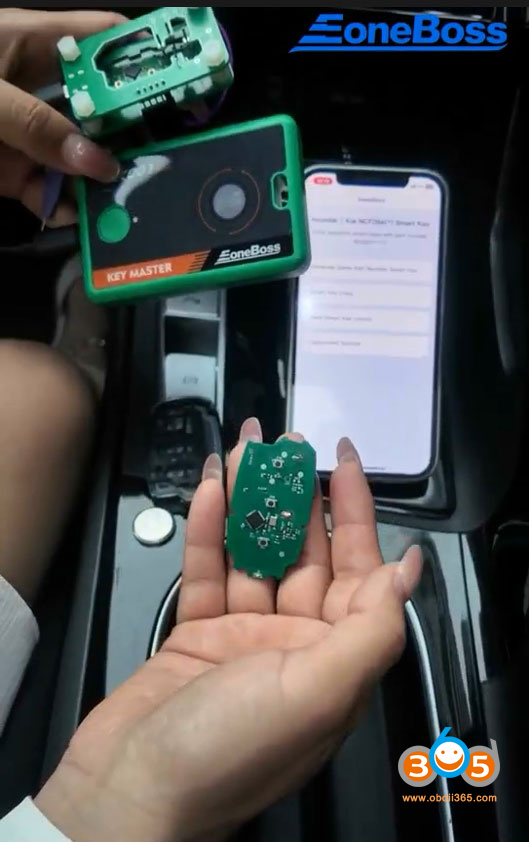
EoneBoss HK001 HK002 App Cannot find Device Solution

 Problem:

Tried to unlock the Hyundai smart key using EoneBoss HK002 (or HK001) key tool, the App kept scanning and no response. Any solution?

EoneBoss HK001 HK002 App Cannot find Device 1

EoneBoss HK001 HK002 App Cannot find Device 2

EoneBoss HK001 HK002 App Cannot find Device 3

Cause: Location services are not enabled on the phone.


Solution:

Turn on location services on your mobile phone and try again.

It will work without problem.

To turn on location services, open your phone’s Settings app, go to your location or privacy menu, and turn the master switch to the on position.

2026/07/14

EoneBoss HK001 Generate Hyundai Smart Key with Adapter

The EoneBoss HK001 paired with the EoneBoss App gives you the ultimate flexibility to unlock, clone, and generate smart keys seamlessly. Here we will show how to generate the same Part number smart key to a 2020 Hyundai Elantra using HK001 key tool.


Tools used:
EoneBoss HK001
EoneBoss Hyundai smart key
Solder free adapter (HK001 Premium Set comes with 2 adapters; other adapters are optional to purchase)

EoneBoss HK001 Generate Hyundai Smart Key with Adapter 1

Run EoneBoss App, select device as HK001.

Select Generate Same Part Number Smart Key.
Read instructions. It only generates smart keys with part number:95440- and NCF29Ax chip type.

EoneBoss HK001 Generate Hyundai Smart Key with Adapter 2

EoneBoss HK001 Generate Hyundai Smart Key with Adapter 3

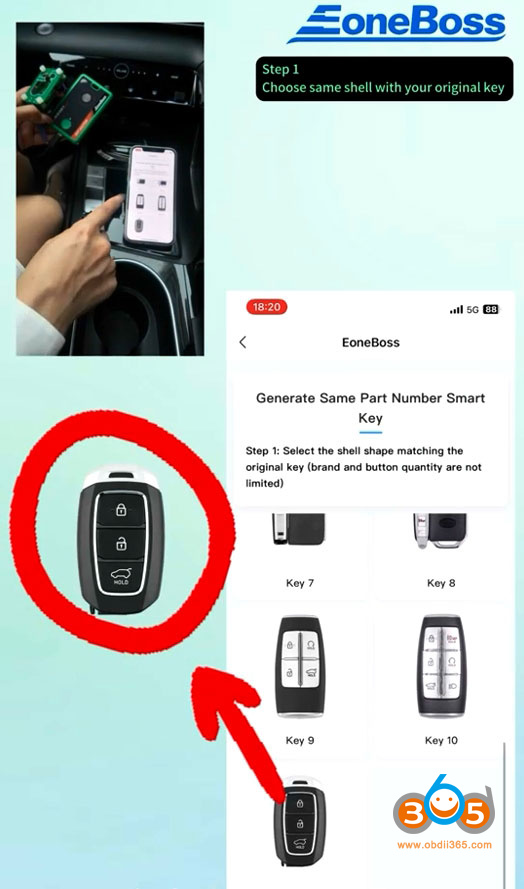
Select the key shell shape matched the original key.

EoneBoss HK001 Generate Hyundai Smart Key with Adapter 4

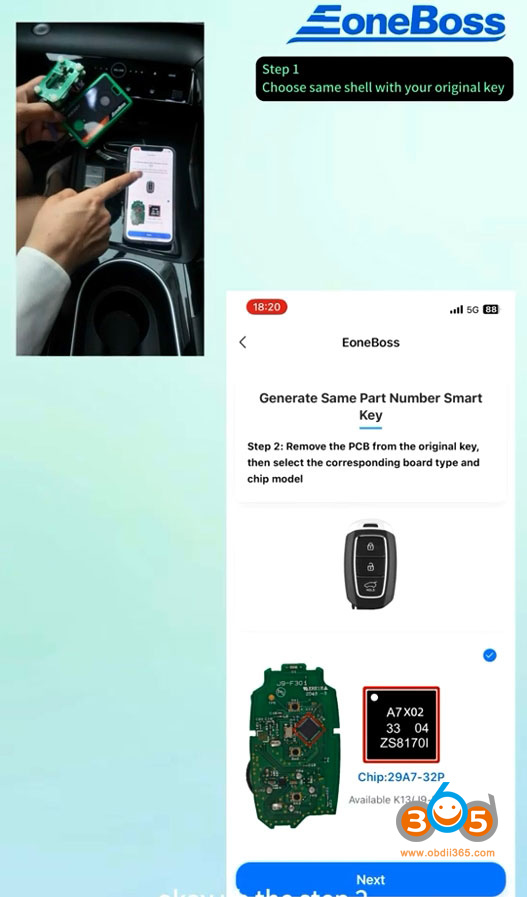
Remove the PCB from the original key, select the corresponding board type and chip model.

EoneBoss HK001 Generate Hyundai Smart Key with Adapter 5

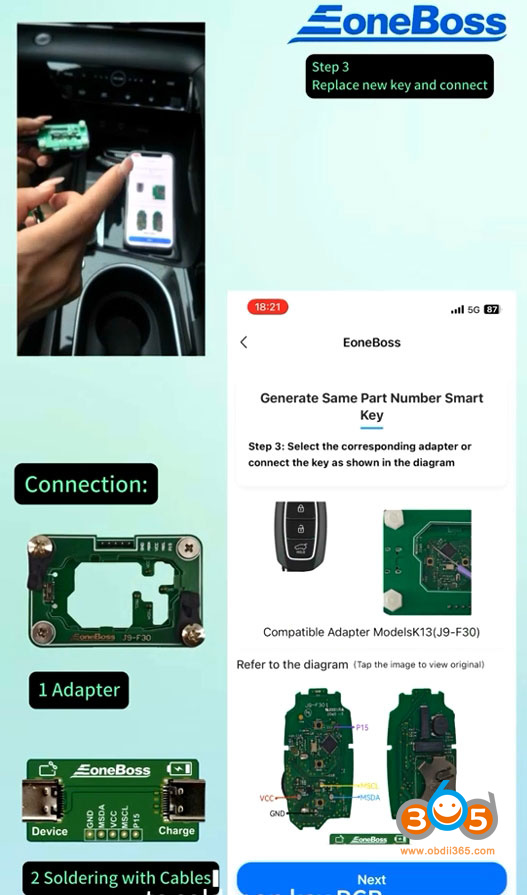
Select the corresponding adapter or connect the key as shown in the diagram.

EoneBoss HK001 Generate Hyundai Smart Key with Adapter 6

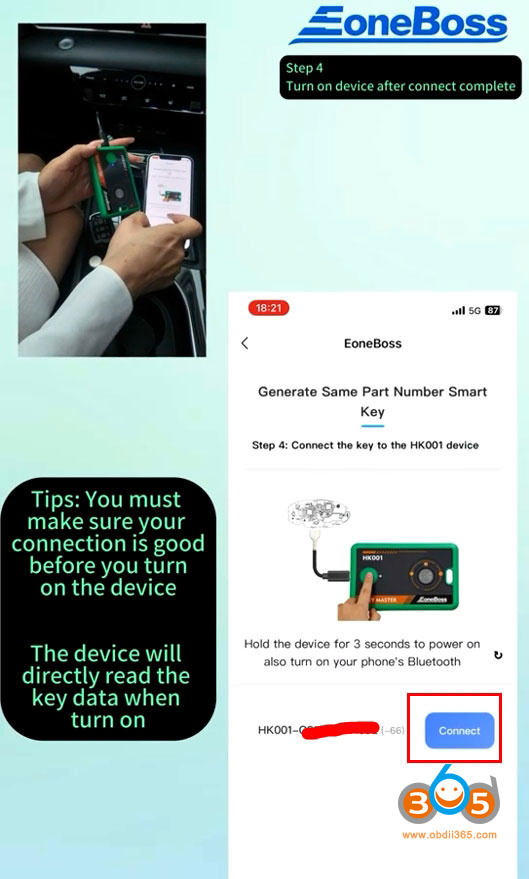
Connect the key with HK001.
Make sure your connection is good before you turn on the device.
Hold the device for 3 seconds to power on. The device will directly read data when turn on.

EoneBoss HK001 Generate Hyundai Smart Key with Adapter 7

Pay attention to the P15 point.
Read key information successfully.

EoneBoss HK001 Generate Hyundai Smart Key with Adapter 8

EoneBoss HK001 Generate Hyundai Smart Key with Adapter 9

EoneBoss HK001 Generate Hyundai Smart Key with Adapter 10

Place new key, take off the battery, connect the Eoneboss key with the adapter.

EoneBoss HK001 Generate Hyundai Smart Key with Adapter 11
Hit Generate to generate smart key.

When generating the Eonboss key, no need to connect P15.

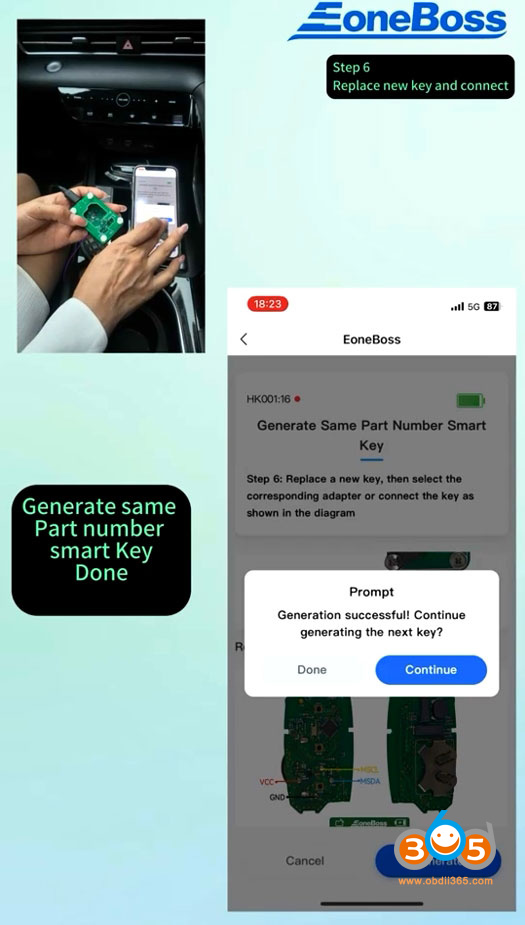
EoneBoss HK001 Generate Hyundai Smart Key with Adapter 12
Generate smart key successfully.

EoneBoss HK001 Generate Hyundai Smart Key with Adapter 13

Now you can program key in car with OBD programmers.


2026/06/11

How to Unlock Hyundai 4A Smart Key with EoneBoss HK001?

Tutorial: unlock Hyundai/Kia NXP NCF29Ax smart key using EoneBoss HK001 key tool via App.


Example: Unlock Hyundai 4A AES smart key.


Procedure:

Download EoneBoss App.

Select HK001 device.

Select ‘Used Smart Key Unlock‘ function.

Unlock Hyundai 4A Smart Key with EoneBoss HK001 1

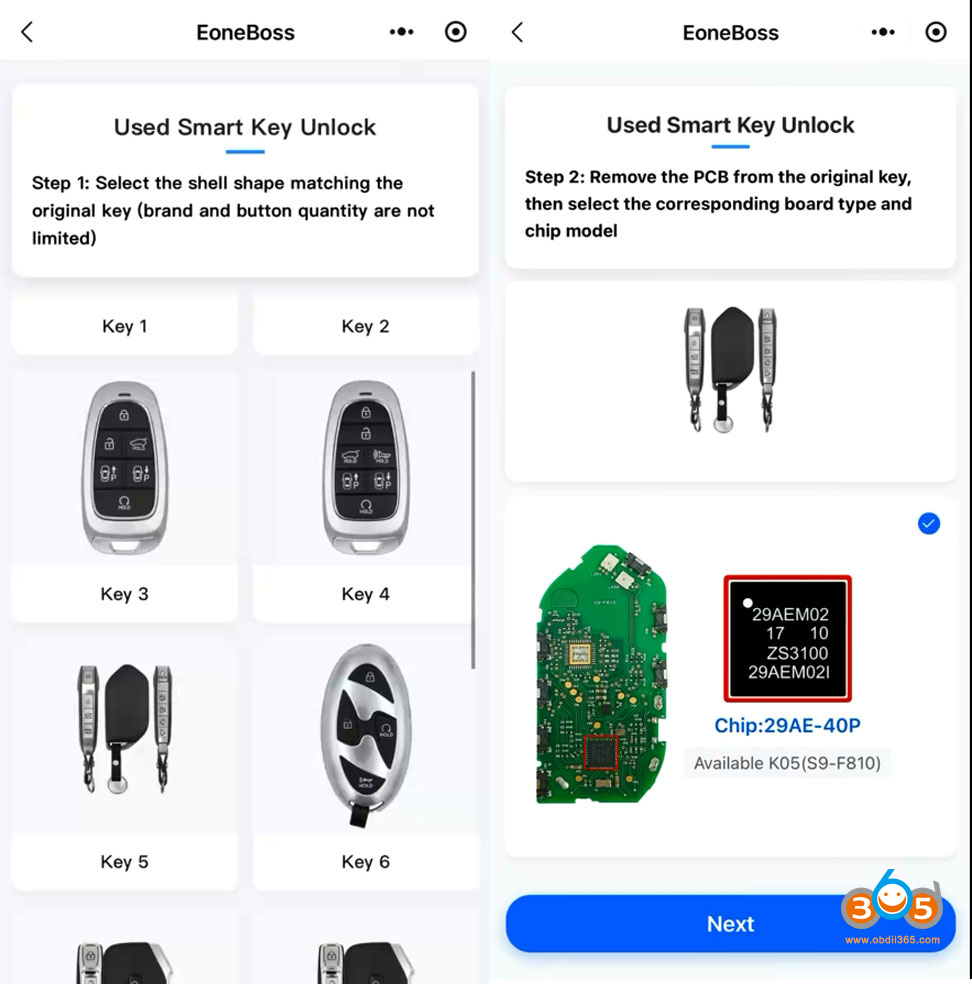
Step 1: Select the key shell that matches the original key (brand and button quantity are not limited).

Step 2: Remove the PCB from the original key, select the corresponding board type and chip model.

Unlock Hyundai 4A Smart Key with EoneBoss HK001 2

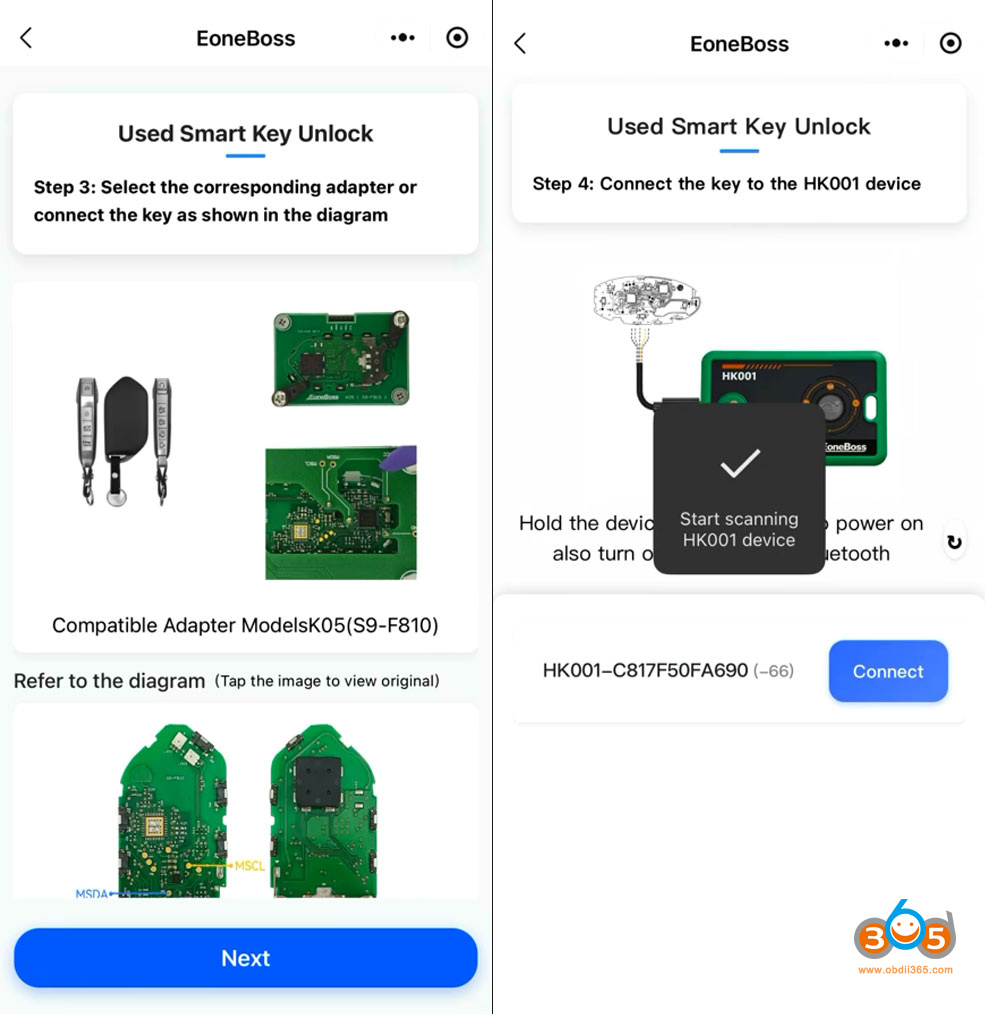
Step 3: Select the corresponding adapter (not available yet) or connect the key as shown in the key diagram.

Step 4: Connect the key board to the HK001 key tool.

Press the power button on the HK001 for 3 seconds and turn on Bluetooth on your phone.
The device will scan the HK001. Hit Connect to connect device with mobile phone via Bluetooth.


Unlock Hyundai 4A Smart Key with EoneBoss HK001 3

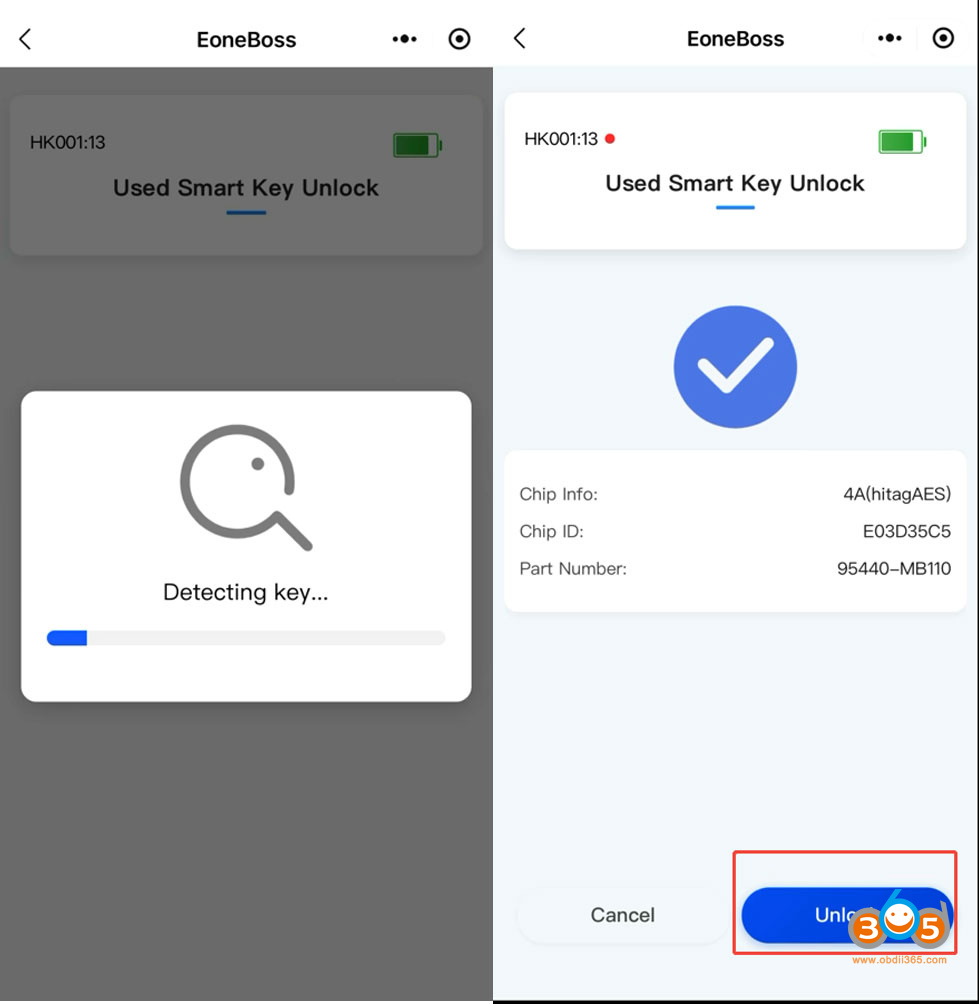
Delecting key.
HK001 will read key chip type, key ID and part number.
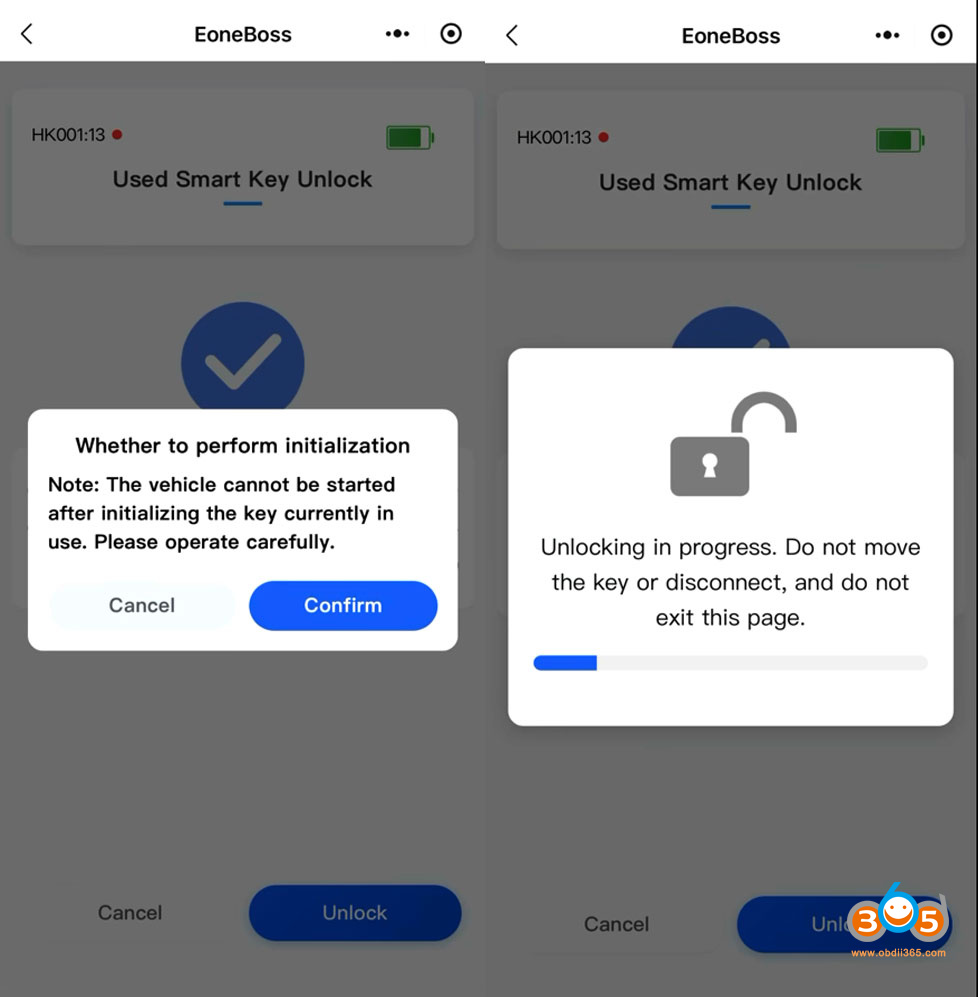
Hit ‘Unlock‘ button.

Unlock Hyundai 4A Smart Key with EoneBoss HK001 4

Unlocking key in progress. Do not move the key ot disconnect.
Wait until unlock key completed.

Unlock Hyundai 4A Smart Key with EoneBoss HK001 5

NOTE:

There is no daily limit for unlocking Hyundai/Kia NXP smart keys using the HK001. However, if you are copying non-EoneBoss NXP NCF29Ax keys, the limit is 5 per day. Copying EoneBoss keys has no daily limitation. NCF29AG type is not supported yet.

To unlock Hyundai/Kia 8A smart key (Ti chip), use the EoneBoss KH002 key tool instead. HK001 is for NXP smart key types only.

EoneBoss HK001 vs HK002 for Hyundai Kia

What is the difference between EoneBoss HK001 vs HK002 Hyundai/Kia key tool?

eoneboss hk001 vs hk002

HK001:

Generate, unlock and copy Hyundai/Kia NXP NCF29Ax smart keys.

Need to disassemble key shell, solder wires on the key circuit board or use adapter.

eoneboss hk001 function

HK002: 

One-click unlock Hyundai/Kia 8A (Ti) chip type smart keys

Read pin code from 8A proximity keys.

Don’t need to disassemble key shell.