
How to add new Mercedes Benz FBS4 full keyless keys fast and easy with the Keydiy PAK09 Phone as Key — no more waiting 2–4 weeks!
The job can be completed on the same day.
Tools used:
- Original car key
- PAK09 Phone as Key BBA Box
- Keydiy ZB smart remote
- Keydiy KD-X4 App
Instruction:
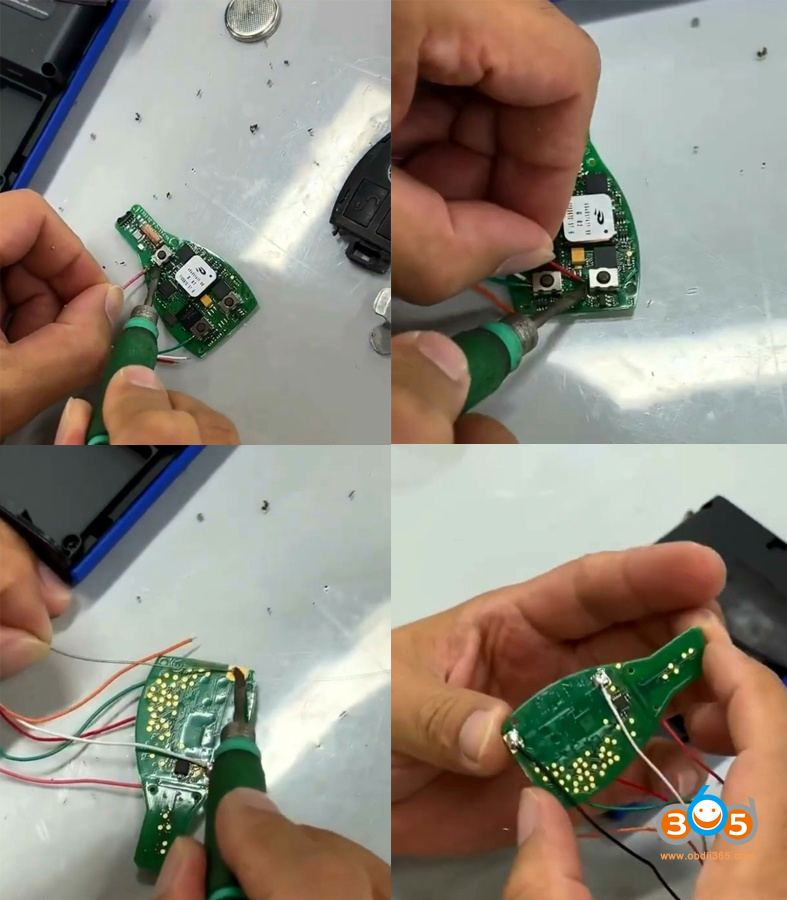
1. Remove the PCB from the original car key.

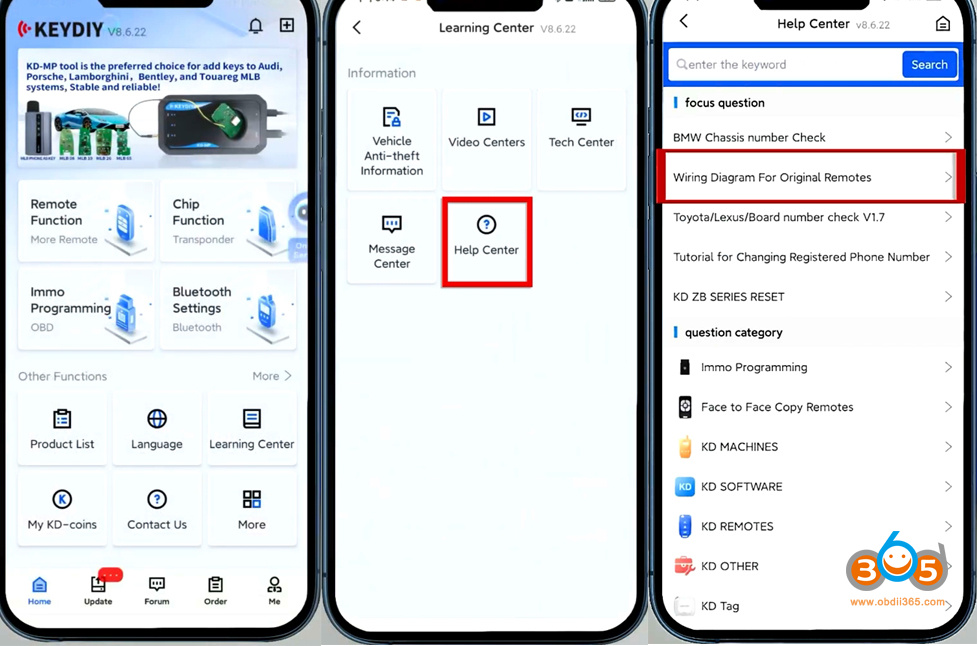
2. Open KD App, go to Learning Center- Help Center-Wiring Diagrams for original remotes.
Find a diagram that matches your original remote.


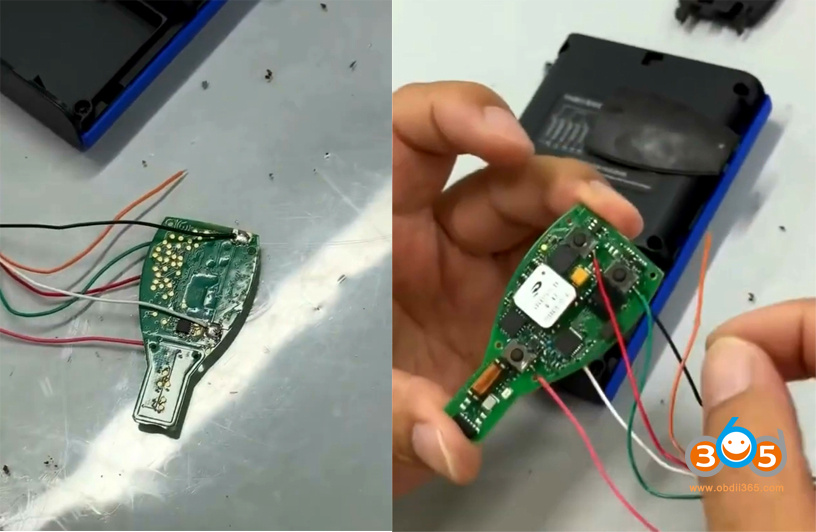
Follow the wiring diagram to solder the PCB properly.


Remove the back cover of the Keydiy PAK09 phone as key box.
After soldering, insert the adapter cable connector into the corresponding trigger connector.
Place the soldered PCB into the PAK09.
Close the back cover of PAK09.


Turn on the Keydiy PAK09.
Power button: short press once, then long press for 3s.
Indicator light flashes, indicating successful power-on.
3. Generate the corresponding program for PAK09 to add one more physical car key.
Support generate with KD B/ZB series remotes. Here we use KD ZB remote.
Place the KD ZB remote to be generated into KD-X4.
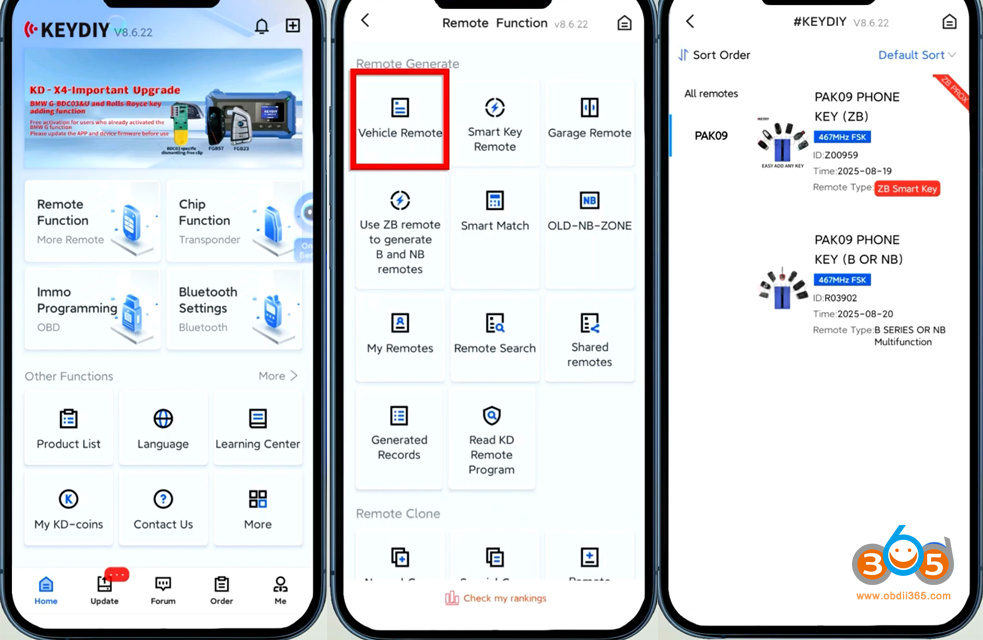
Run KD App.
Go to Remote Function- Vehicle Remote- Select the corresponding remote control program.
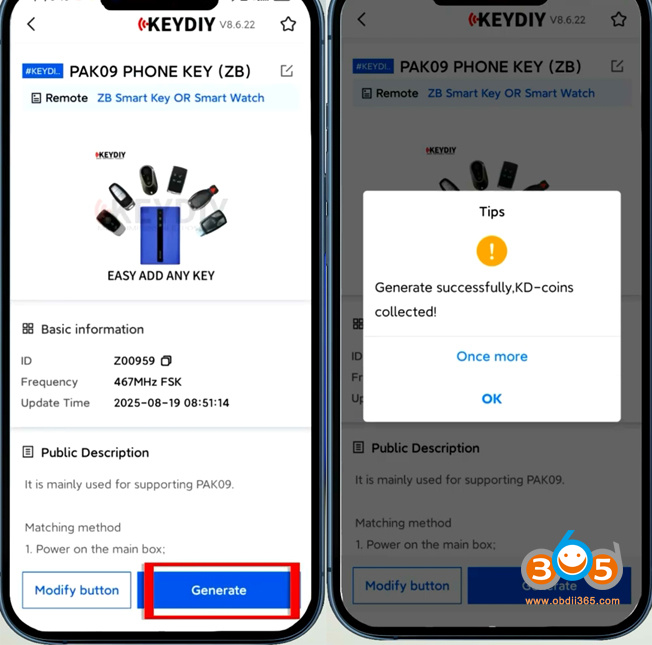
Generate KD ZB smart remote.
Generate remote successfully.


Go to Phone as Key App.
Click Setting icon on the corner.
Click Device Management.
Click icon to start scanning the device.
Select the PAK kit you want to connect.

The default password is 000000.
First-time repairing requires password modification.

Start adding key.
Click Setting on the right corner.
Scroll down and select Key Management.
Click Enter matching mode.

Before the countdown ends, press any key on the remote to add the key.
You can add up to 6 physical keys.
Now we have successfully add 1 spare FBS4 key.


NOTE: You cannot directly generate KD FBS4 remote. Must pair with PAK09 Phone as Key first.

No comments:
Post a Comment