
Issues reported by customers:
1). It’s a 2019 Volvo XC60. Yanhua Mini ACDP2 reads CEM data and decrypt 10 digit pin code.
But it is unable to communicate with car via obd when trying to learn key.
Just sticks at the communication screen.

2). 2021 Volvo XC90
Depending on which menu he selects, different errors occur:
a.Wrong Model Year (e.g., selecting 2022 instead of 2021):
The tool immediately throws a “C Error” or Communication Error. This is somewhat expected—wrong car, wrong data.
b. Correct Model Year (2021):
The tool either:
Spins forever and eventually times out.
Gets stuck on a screen that says “Turn on ignition” (even though the ignition is on), refusing to recover without force-closing the app.
When he uses the Autel to scan the VIN manually—just a basic VIN read—it works perfectly. It reads the 2022 XC90 VIN instantly. It sees the car. but failed to add key.
Possible solutions:
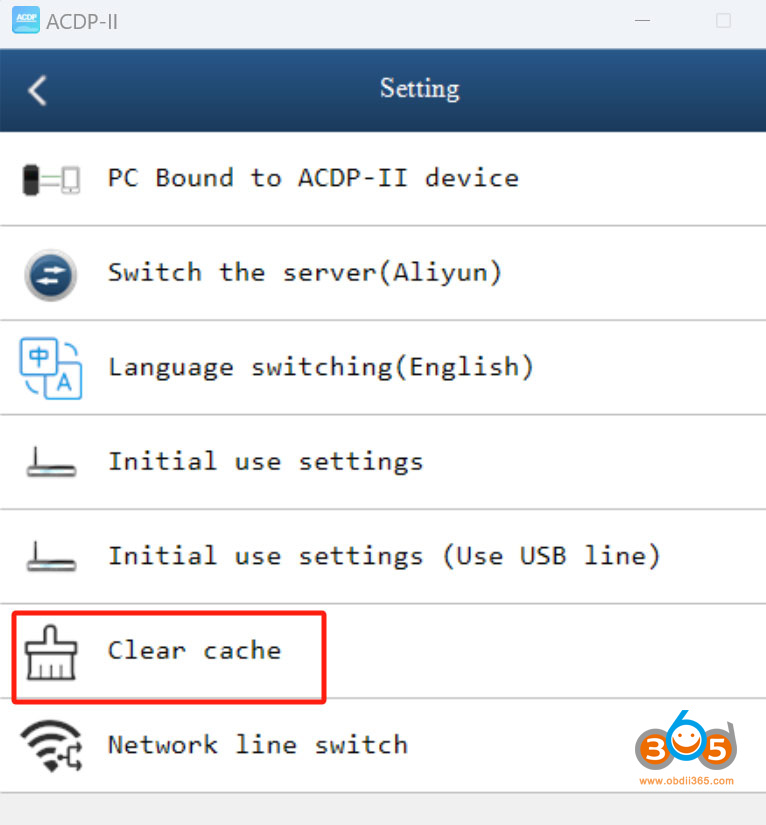
1). Exit the current page. Go to Setting and clear cache.
Back to Volvo function and try again. Make sure the car plenty of voltage (12V+), ignition is on.

2).
Trust the VIN, not the menu.
Try the other year selections. For example, one of ACDP2 users had 2022 that needed to be run as 2018 and vice versa was wrong selection for the car!
3).
Decrypt 10 digit pin in acdp2 and use other programmers to finish obd learning with pin code.

No comments:
Post a Comment