Showing posts with label Techline Connect. Show all posts

2025/06/17

SPS2 Fails to Program New GM Proximity Key Solution

 Here are some common errors/problems when programming GM new style shark fin key using Techline Connect SPS2 and J2534 passthru device.


1). Communication error

For example:

Program a new proximity key on a 2022 Silverado with SPS2, get a communication error.

techline connect Communication error

Solution:

Disconnect battery for 10 minutes.

Disconnected the battery to the vehicle for 10 mintes.

Reboot the computer, disconnect vci. Then it will start working.


2). Immobilizer procedure failed

Failed at a 2023 Chevy Tahoe key with Sps2. 10 min wait then it failed. Says need update.  Add key only. Is it safe to update these modules?

techline connect  Immobilizer procedure failed

Solution:

It is safe to update but then most likely the wait time will become 2 hours instead of 10 mins.

Don’t turn the ignition on like it asks you to in the beginning. Just open and close the door. Let dealer tool force ignition on.  Let sps force the ignition on. Still do the open and close door procedure. And all the instructions after 10 min security bypass.

To avoid updating, try the following:
– Don’t keep the working key inside so let SPS2 force opening the ignition on add a key as if it’s all key lost.
– Every minute or so open and close the door to keep the car awake.

If keeps having this problem even after updating bcm, and ecm, change another J2534 interface.

Some users switch cardiag3 from Autel VCI200. Some switch Rlink from VCI200. It works fine.


3). UEH101:null

Techline support keeps giving me error message while downloading, if there any other way?

techline connect UEH101:null

Solution:

Delete it and reinstall on a new computer.

Uninstalling and reinstalling with admin permissions and it works fine.

Keep good connection, and disable your firewall and Windows Defender.


2024/08/28

Program GM 2021+ Smart Key with Techline Connect SPS2

 Instruction: Program 2021-2025 Chevrolet Cadillac GMC Buick new system smart keys (new style knife shaped key) using GM Techline Connect Software.  All 3rd party OBD tools (OBDSTAR, Autel, Lonsdor) cannot get the 24-digit security code for these new system models. The reliable and easier solution for now is Techline Connect programming. No pin code is required.


Step 1: How to Set up GM Techline Connect SPS2 Software

If you already have TLC installed, go to Step 2.

If not, check the instructions below to set up TLC.

You’re going to need to go inside your ACDelco.

Choose the subscription here on the top and you’re going to go down to where it says Service Programming System SPS2.

You’re just going to choose one vehicle and you’re going to do add to cart. It is going to cost $45 each VIN.  Checkout and accept the license agreement.

We’re going to go down and we’re going to place order now we’re just going to put our card information so after we have purchased we just go to subscription.

Program GM 2021+ Smart Key with Techline Connect SPS2 1

Program GM 2021+ Smart Key with Techline Connect SPS2 2

Program GM 2021+ Smart Key with Techline Connect SPS2 3

Program GM 2021+ Smart Key with Techline Connect SPS2 4

Hit View and add VIN.

Program GM 2021+ Smart Key with Techline Connect SPS2 5

Then system will bring us to download TLC program.

We basically going to be able to download the Techline Connect.

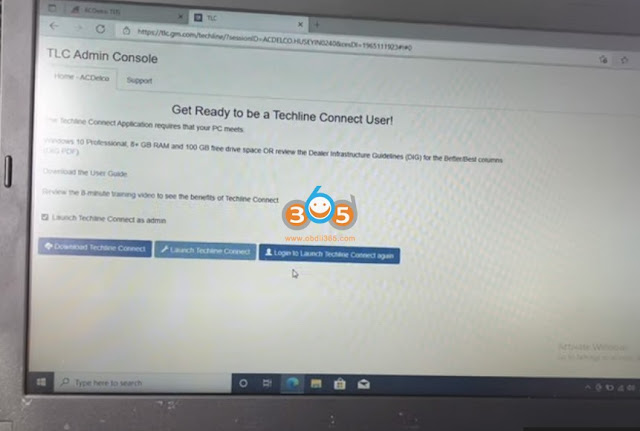
This is the way you download it. Make sure that all the requirements have met (need Win10 and more O/S and good network connection) and then you can just hit the download Techline Connect.

Program GM 2021+ Smart Key with Techline Connect SPS2 6

After it’s done downloading we’re just going to open it up and press install.

Installation successful and completed.

Program GM 2021+ Smart Key with Techline Connect SPS2 7

Then we can go ahead and launch your Techline Connect and do your programming.

If he wants us to start our system, just hit Yes on that. It’s booted our computer again.

It will automatically open everything.

Now we’re going to go again to our subscription and we’re going to go to add VIN again.

Install J2534 Wrapper.
Launching TLC.
Then connect J2534 passthru with vehicle and add VIN.

 Program GM 2021+ Smart Key with Techline Connect SPS2 8

Program GM 2021+ Smart Key with Techline Connect SPS2 9

There are many SPS2 compatible devices, i.e Autel JVCIMaxiflash VCIVCI200Launch SmartLink VCIVXDIAG VCX NANO/VCX SEVNCI MDI2 etc.

How to Use Autel VCI200 as J2534 Passthru for Programming

How to Use Launch SmartLink J2534 with GM Techline Connect SPS2?

Step 2: Program 2021-2025 GM new System smart keys with TLC

For example, It is a 2021 Chevrolet Corvette. We use the Autel V200 J2534 passthru device for TLC.

Program GM 2021+ Smart Key with Techline Connect SPS2 10

Program GM 2021+ Smart Key with Techline Connect SPS2 11

Connect Vehicle. It will read vehicle info, confirm and press Select.

Program GM 2021+ Smart Key with Techline Connect SPS2 12

Press the SPS2 to Load.
Reading vehicle data.
After read vehicle data, go to Immobilizer Learn function, press Next on the bottom.

Program GM 2021+ Smart Key with Techline Connect SPS2 13
Select Program Transponder or Remote Key (Add)

Program GM 2021+ Smart Key with Techline Connect SPS2 14
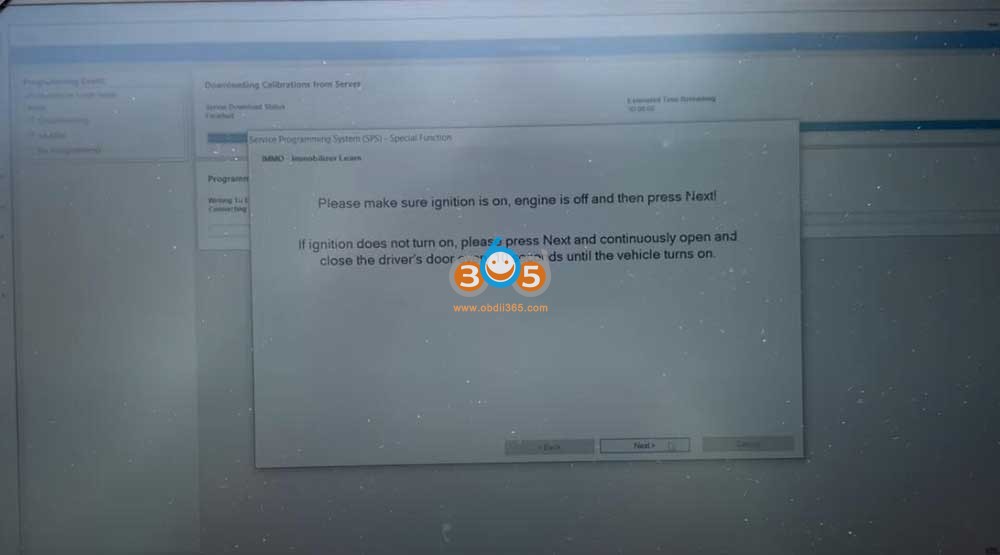
Make sure ignition is on, engine is off, then press Next.
If the ignition does not turn on, press Next and continuously open and close driver’s door every 10 seconds until the vehicle turns on.
Hit Next.

Program GM 2021+ Smart Key with Techline Connect SPS2 15

Close driver’s door and press Next.

Program GM 2021+ Smart Key with Techline Connect SPS2 16
It’s going to be the timer going by. It’s a 12-minute of wait.

Program GM 2021+ Smart Key with Techline Connect SPS2 17
We place the new key in the cup holder.

Program GM 2021+ Smart Key with Techline Connect SPS2 18
Number of keys learned is two. We are going to hit the Yes to program next key.

Press the Push start button and hit Next.

We are going to do it again. Press Push start button. Hit Next and wait for 3 seconds.

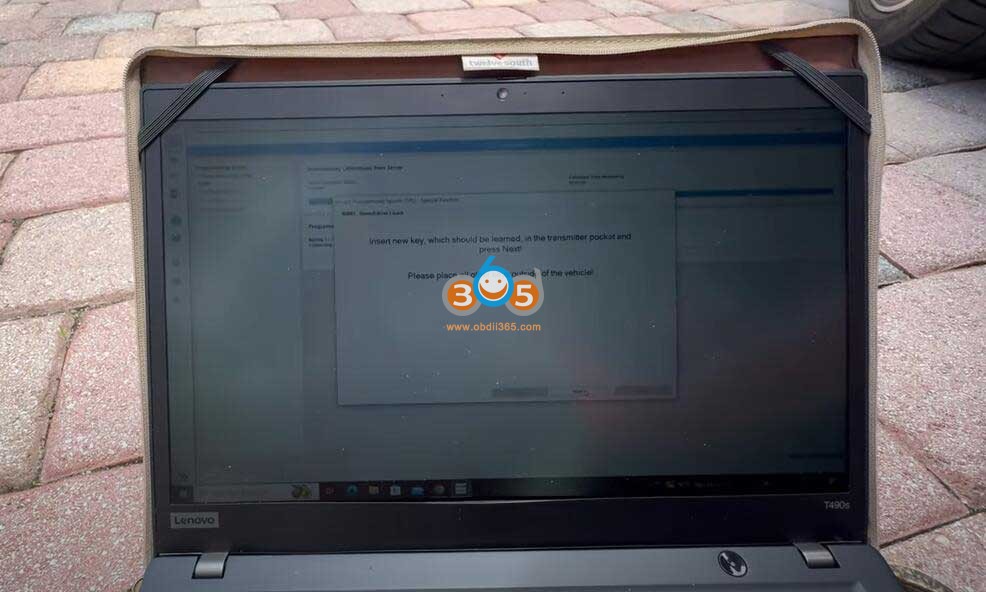
Insert new key should be learned in the cup holder, place all other keys outside the vehicle.
Press the Push start button

Ready for key 4.

Program GM 2021+ Smart Key with Techline Connect SPS2 19

Program GM 2021+ Smart Key with Techline Connect SPS2 20

Program GM 2021+ Smart Key with Techline Connect SPS2 21

Program GM 2021+ Smart Key with Techline Connect SPS2 22

Program GM 2021+ Smart Key with Techline Connect SPS2 23

We can test same test and see that it is already learned.

If we don’t need to do more keys, just hit No.

Press the Push start button for 16 seconds, it says key learning completed.

Program GM 2021+ Smart Key with Techline Connect SPS2 24

Hit next on TLC.
Wait 15 seconds and wait another 6 seconds.
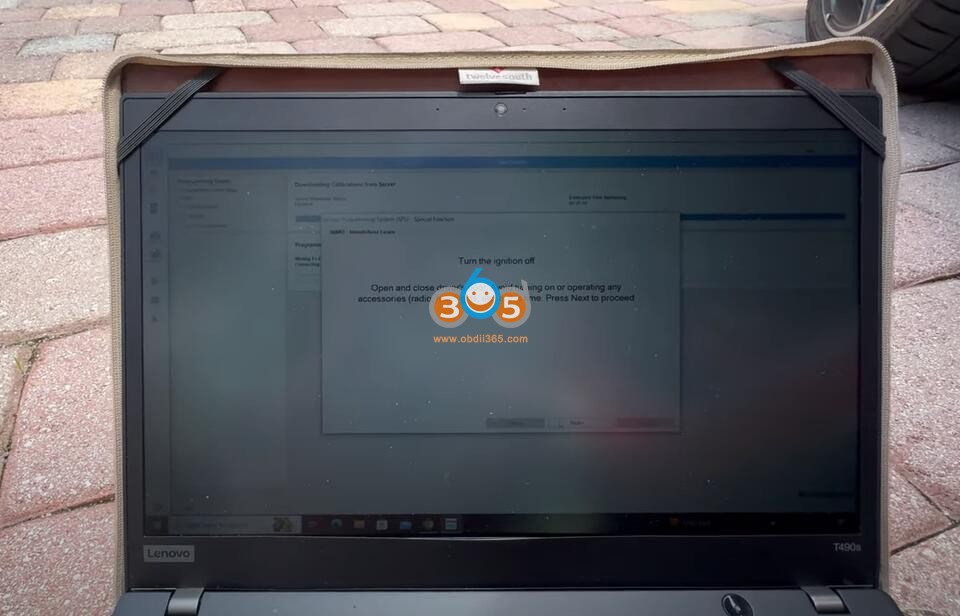
Turn ignition off.
Open and close driver’s door.
Hit next and wait a minute and a half until TLC says the immobilizer procedure completed successfully.

Program GM 2021+ Smart Key with Techline Connect SPS2 25 Program GM 2021+ Smart Key with Techline Connect SPS2 26

www.obdii365.com


http://blog.obdii365.com/2024/08/28/program-2021-2025-gm-smart-key-with-techline-connect-sps2/

2023/06/14

How to Use Autel J2534 with Techline Connect SPS2?

 Autel MaxiFlash and JVCI can be used as J2534 passthru for GM SPS2 online programming.


How to use Autel J2534 with Techline Connect SPS2?


What you need before starting:

  • A laptop (Windows 10 64bit)
  • An internet connection
  • An active “Service Programming System (SPS2)” subscription from ACDelco TDS
  • $45 per vin (24 months access)
  • Autel Maxiflash VCI/Autel JVCI box


During the process, you will:

  • Installed Windows 10 64bit
  • Install and set up Autel J2534 driver (Download J2534 driver)
  • Install and set up Techline Connect directly from ACDelco TDS website launcher

Log into ACDelco tds.com subscriptions. After done login, go ahead and click view here on subscriptions.

Download and install Techline Connect.

  • Choose interface as Autel MaxiFlash

Use Autel J2534 with Techline Connect SPS2 1

Use Autel J2534 with Techline Connect SPS2 2

Use Autel J2534 with Techline Connect SPS2 3

Use Autel J2534 with Techline Connect SPS2 4

Use Autel J2534 with Techline Connect SPS2 5

Use Autel J2534 with Techline Connect SPS2 6

Use Autel J2534 with Techline Connect SPS2 7

Use Autel J2534 with Techline Connect SPS2 8

Use Autel J2534 with Techline Connect SPS2 9

Here comes some common problems and solutions to Autel J2534 and Techline Connect.


Q: I am using Autel MaxiSys Elite with maxi flash elite j2534 box. Cannot get it to connect to GM techline. None of them worked.

Use Autel J2534 with Techline Connect SPS2 10

A: If showing this, it is not an issue of J2534 vci. Issue was within techline. They log into your laptop and fix it.


Q: I have an Autel j2534, why do I only get these 2 options to pick from

Use Autel J2534 with Techline Connect SPS2 12

A: Install the drivers. Also you probably need the j2534 wrapper installed.

Download and install the Autel MaxiPC Suite above or from official website. It contains the drivers for all Autel J2534 devices.

Windows 10 PRO is required. Also open browser as admin.


Q: How I can get my j2534 box and make it a pass thru for programming TCM on 2015 Tahoe. Downloaded AC delo software and bought SPS2 on windows 11. But can’t get my jbox to recognize on usb. Is there a configuration I have to do or does the software needs to be downloaded on windows 10 per instructions?

A: You have to load the drivers for your j box from the autel site.Once installed you open software so computer can recognize the jbox and then close the software and then you can open up sps software and it will recognize your jbox.


Q: Quick question does anyone have any problems connecting their J2534 box with the techline connect for GM ? I’ve been trying to flash a ecu but it kicks me out as soon as it connects and the app crashes.

A: Make sure your J box is updated. Make sure to launch techline connect from the web browser and not the desktop icon!


Q: Has anyone successfully been able to use tech line connect (sps2) can not get it to launch on either on of my laptops all software downloaded as required.

A: here are possible solutions

Solution 1:

hit the go button and wait about half hour and it will load.

Solution 2:

Run Chrome as admin. check the run as administrator box it worked every time.

Solution 3:

It needed to update but kept restarting every minute

So I closed browser

Restarted computer

Tried again and it worked

If it cannot read vci, unplugged and re plugged and it finally connected.


Q: Can Autel maxisys do gm online programming without acdelco subscription?

A:  If you have an Ultra, 909 or 919 you can likely get it programmed through remote expert for a fee. If other maxisys, you need software subscription.

2021/10/12

Program GM TCM with Techline Connect SPS2 and J2534

 GM recently have replaced the SPS for the SPS2. The website is the same. You just have to buy your subscriptions basically on if you have the subscription already.

Today we have a 2012 Chevy Silverado with a 5.3 engine. We’re going to do a transmission control module programming with the new gm system- SP2.


Let’s get started.

Go to ACDelco.com

Program GM TCM with Techline Connect SPS2 1

once you put your subscription you go to review- Admin

the system is a little bit slower than the other one

Program GM TCM with Techline Connect SPS2 2

so if you have not downloaded the Techline Connect yet

you will have to download it from here

Now the gm changes system basically they came out with the software called Techline Connect

It has the gds2 and it has a sps programming in it together so basically if you paid a subscription off about $3900 and change almost $3900 or almost $4000 you can have the whole year of gds (global diagnostic system) and also the sps system

but sp system you still have to pay 40 dollars for each vehicle that you’re trying to program.

Program GM TCM with Techline Connect SPS2 3

but it’s all in one system now and you will see it so mine is already downloaded it’s not a hard situation i mean it’s not a hard case if you guys know how to download programs

that’s very simple you just have to make sure your firewall and windows diff windows defender and any type of antivirus is all deactivated.

i’m just going to go Launch Techline Connect

By the way this car they changed the transmission they put a rebuild transmission in it

but the computer inside the transmission control module is brand new from the dealer

Program GM TCM with Techline Connect SPS2 4

first i just hit SPS2 and then press Connect Vehicle

Program GM TCM with Techline Connect SPS2 5

and then from here we’re going to select for passthru device

Program GM TCM with Techline Connect SPS2 6

Here we select (Autel IM608) MaxiFlash JVCI j2534 (you can use other J2534 adapters, Maxiflash VCI, VCMII, MDIMDI2VXDIAG VCX NANO for GM, VCM3 etc)

Press continue

all right so it’s gonna try to communicate with the vehicle

Program GM TCM with Techline Connect SPS2 7

so we’re gonna do “Replace and reprogram”

that’s what the new interface looks like. this actually looks pretty decent

when you go to dashboard you can switch over to the gds

but we’re just going to be using sps2

right now so i’m going to hit the Replace and reprogram

i’m going to hit next

the prompts are the same it just a little bit look a little bit different looks a lot more modernized like the old one

we’re gonna find the transition control module right here

Program GM TCM with Techline Connect SPS2 8

press next

Program GM TCM with Techline Connect SPS2 9

is checking how many vin slots i have in the acdelco tds.com

this is my last one so

yes it will take one of my slots right now

it’s basically locking my subscription to this vin number at the moment

Program GM TCM with Techline Connect SPS2 10

just reading the information went up

the cluster started making some noises, some beeps warnings chimes

okay here we go
Program GM TCM with Techline Connect SPS2 11

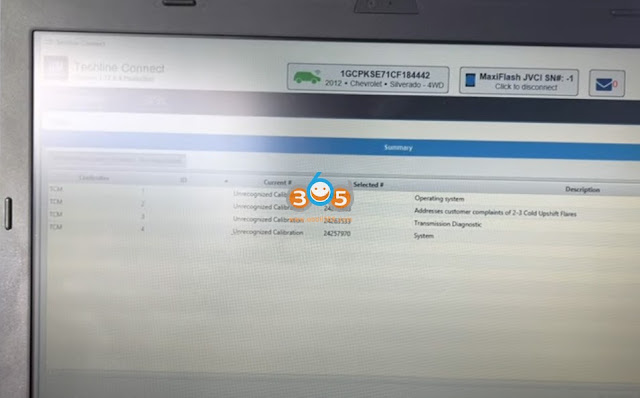
as you see current calibration unrecognized calibration because this module is empty right now

we’re gonna go ahead and hit next

before we should put our own battery maintainer to the vehicle

Press next

address counter among addresses the customers complained of two to three

called upshift players i guess is the new software there was a software update

on this thing from the original software itself transmission diagnostic and system

so go ahead next

Program GM TCM with Techline Connect SPS2 12

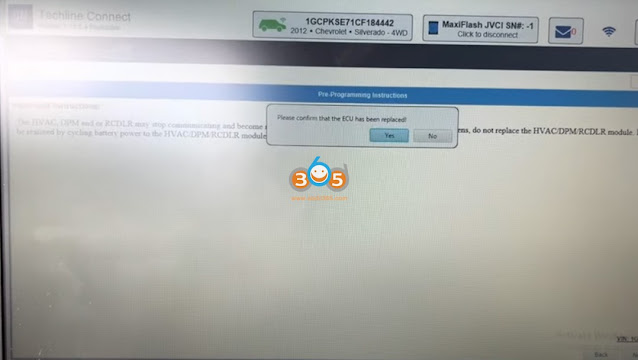
you can read pre-programming guide carefully

it’s saying basically something doesn’t work after the after the programming just don’t replace it just

you can just cycle the battery you turn off and then on but you should be back to normal again

look next

confirm ECU is replaced

Program GM TCM with Techline Connect SPS2 13

it’s going to download the software

the calibration file has been already downloaded and right now it’s going to start writing the

new calibration file into the transmission control module

started programming the transition control module until completed.

Program GM TCM with Techline Connect SPS2 14

i just see the traction light just went out

the transmission being programmed successfully there’s no problem with it

Press later it’ basically telling me that my vin slots have been changed because i had only one left

before now i have zero i have to buy more

turn off the ignition for 30 seconds

Hit clear DTC’s

Program GM TCM with Techline Connect SPS2 15

clear all DTCs

and then after 30 seconds we can react to vehicles start the vehicle see if actually the transmission is shifting and then go for a test drive

let’s see if the lights are on

so it looks like it did the job correctly

there’s no issues

Hope this will help somebody out.

www.obdii365.com

https://www.obdii365.com/service/gm-tcm-programming-with-sp2-and-j2534.html