Showing posts with label Keydiy KD-MAX. Show all posts

2026/04/16

How to Add NCF29Ax Series Smart Key with Keydiy KD-X4?

Keydiy KD-X4 and KD-MAX update NCF29xx smart key synchronization function (read original key data to copy/add smart key) on April 17th, 2026.

Keydiy will read original key data for the following smart key chip types:
NCF29A1
NCF29A4
NCF29A2
NCF2953
NCF29A3
NCF2954


Device used:

Add NCF29Ax Series Smart Key with Keydiy KD-X4 1

NOTE:

Update the KD device App to the latest version.

It is not a simple read-and-copy procedure. Some keys require removing the chip and solder onto the KD interface board to read OEM key data.

Don’t need to generate remote program before reading key data.


Procedure:

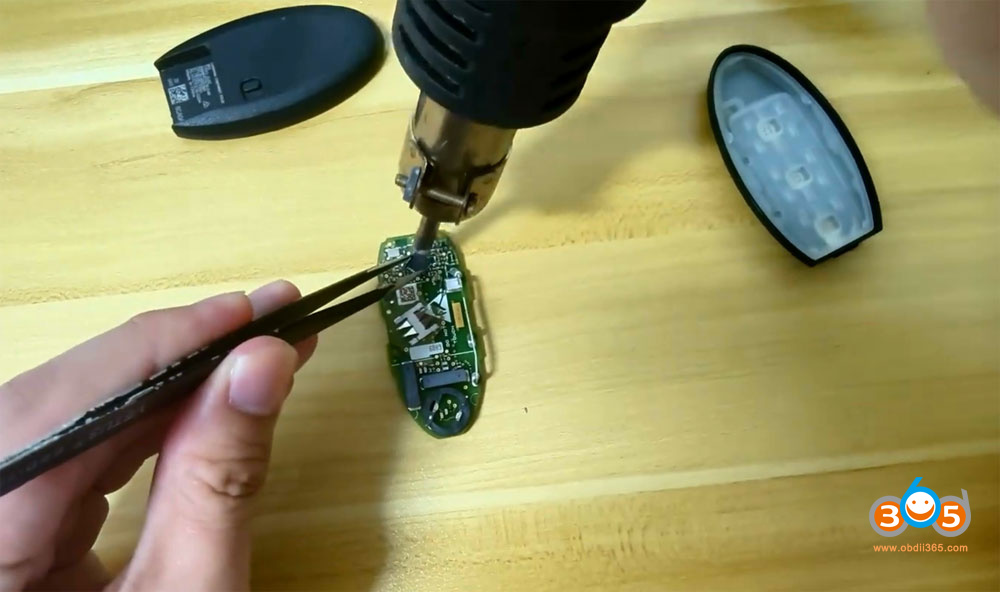
Step 1: Remove the chip from the original car key.

Disassemble the original smart key and remove the NCF29Ax chip from the OEM key.

Add NCF29Ax Series Smart Key with Keydiy KD-X4 2

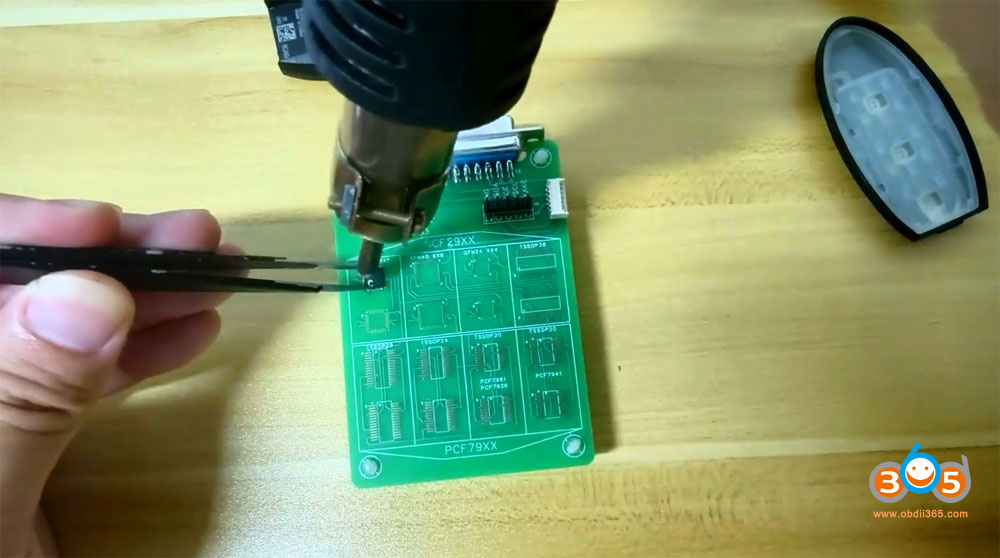
Step 2: Solder the chip onto the KD #13 NCF29xx adapter

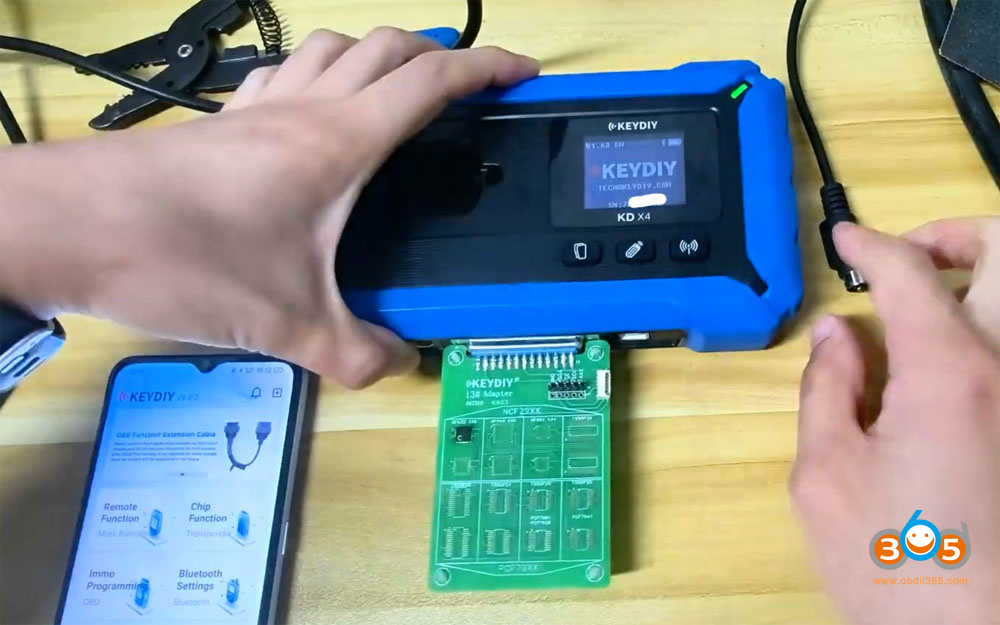
Connect the KD #13 adapter with KD-X4 or KD-MAX.

Add NCF29Ax Series Smart Key with Keydiy KD-X4 3

Add NCF29Ax Series Smart Key with Keydiy KD-X4 4

Step 3: Read chip data
Go to Remote Function- Smart Key Clone- Universal Smart Key Synchronization.

Add NCF29Ax Series Smart Key with Keydiy KD-X4 5

Add NCF29Ax Series Smart Key with Keydiy KD-X4 6

Synchronize the remote data and key ID of the original NCF29Ax single chip to KD ZBX and ZB7 series smart key.
It can be used directly on the vehicle without programming.

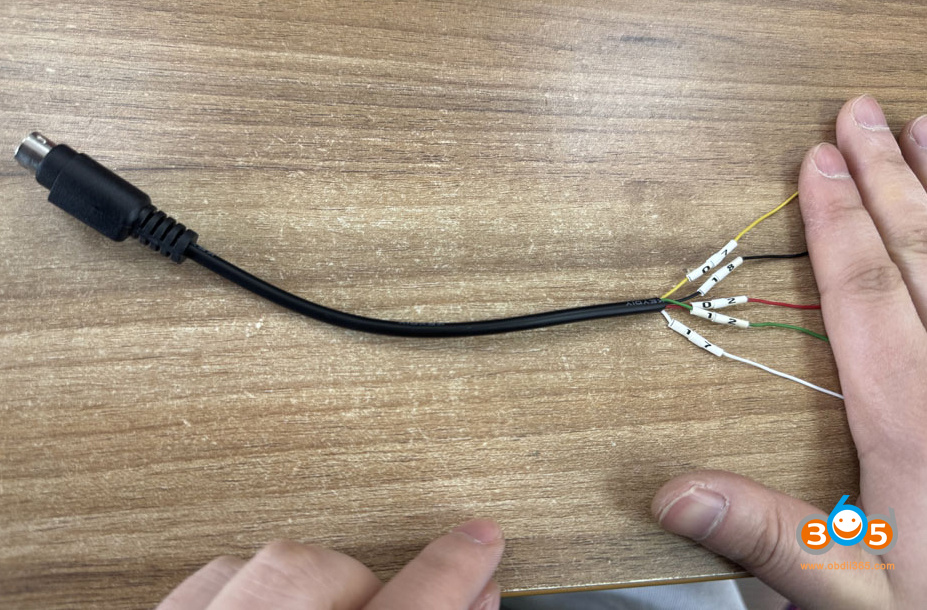
If don’t have KD #13 adapter, follow the wiring diagram to solder wires to the key circuit board.

Add NCF29Ax Series Smart Key with Keydiy KD-X4 7
Read Chip Data.
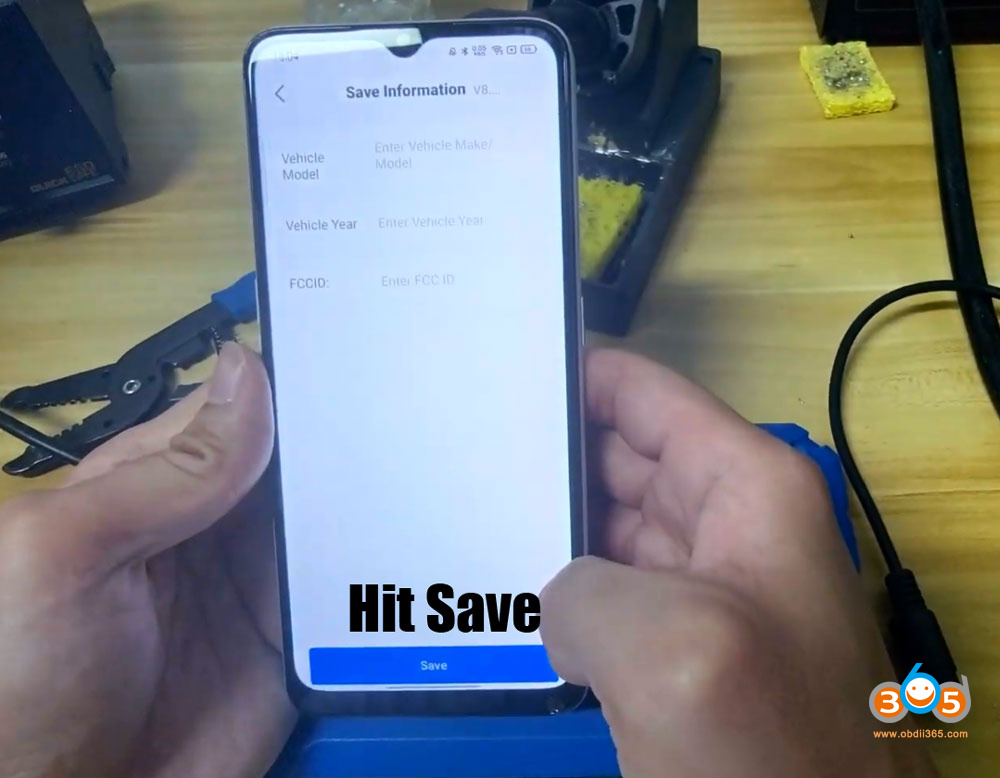
Save chip data.

Add NCF29Ax Series Smart Key with Keydiy KD-X4 8

Add NCF29Ax Series Smart Key with Keydiy KD-X4 9

Add NCF29Ax Series Smart Key with Keydiy KD-X4 10
Remove the #13 adapter from KD-X4.
Resolder the chip back to the original key.

Step 4: Write the chip data onto the KD ZB71 remote
Connect the KD 29AX and 29A7 series smart card using 6-pin programming cable.

Connect the programming cable with KD-X4 device.

Add NCF29Ax Series Smart Key with Keydiy KD-X4 11

Add NCF29Ax Series Smart Key with Keydiy KD-X4 12
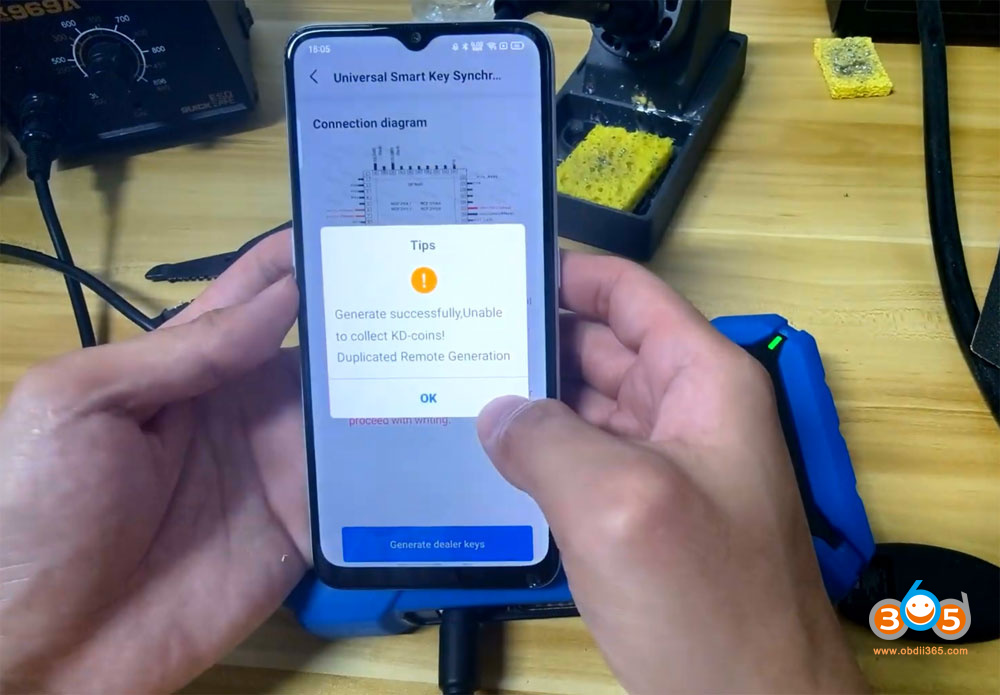
Generate dealer key.
Generate dealer key successfully.

Add NCF29Ax Series Smart Key with Keydiy KD-X4 13

Add NCF29Ax Series Smart Key with Keydiy KD-X4 14

Install the key shell to the KD ZB smart remote.

Don’t need to program key in car after writing KD remote.
Test the KD and OEM key’s function.

2026/01/28

Modify Keydiy KD-MAX Renew Cable to Read VAG 5C 5D Key Data

Keydiy KD-MAX now will also read VAG MQB49 5C 5D original key data. Update KD-MAX to 2.3.0 and newer.

KD-MAX does not have a dedicated cable to read 5C/5D keys.

We can modify the remote renew cable that came in the package to read 5C 5D keys.

There are 2 remote renew cables in the KD-MAX package.

Modify Keydiy KD-MAX Renew Cable to Read VAG 5C 5D Key Data 1

Modify one of the renew cables like this

Modify Keydiy KD-MAX Renew Cable to Read VAG 5C 5D Key Data 2

Then solder the modified cable to the key PCB as key wiring diagrams shown in the KD-MAX device.

Modify Keydiy KD-MAX Renew Cable to Read VAG 5C 5D Key Data 3

NOTE: Need to learn key with KD-MATE after reading key data.

2026/01/14

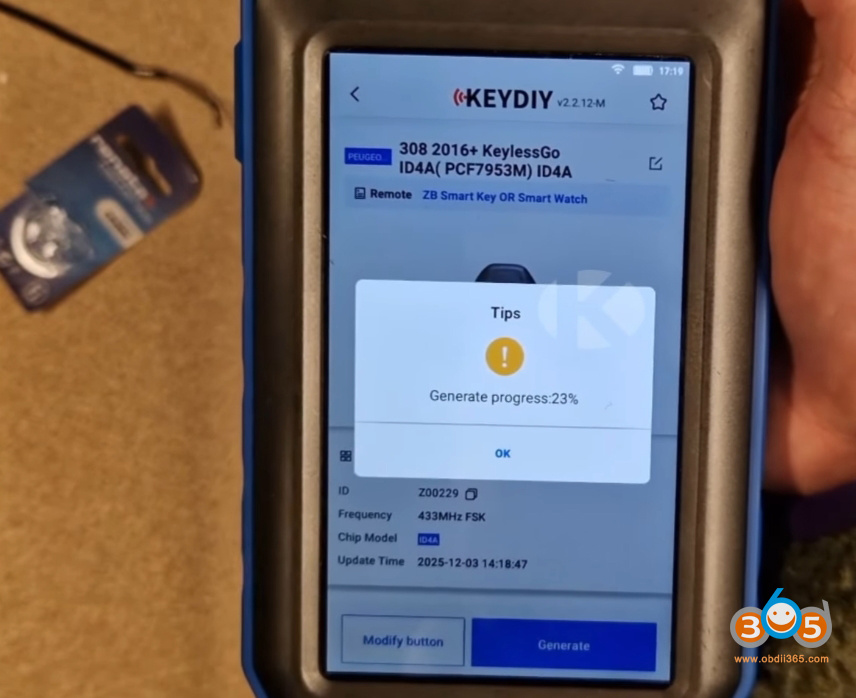
Keydiy KD-MAX Generate PSA 4A Smart Key via Keydiy ZB66

 The Keydiy ZB66 smart remote is a 3-button universal smart key designed as a direct replacement for original Peugeot, Citroën, and DS keys. Its primary selling point is its identical design and build quality to factory keys. The key feels robust, the buttons provide the same tactile feedback and audible click, and it is built to withstand daily use.

This makes it an ideal solution for:

  • Total key replacement for lost keys.
  • Creating duplicate keys.
  • Replacing damaged or broken customer keys.

Keydiy KD-MAX Generate PSA 4A Smart Key via Keydiy ZB66

ZB66 Main features:

  • Universal 3-button smart key
  • Compatibility with Peugeot / Citroën / DS / Opel / Toyota
  • Supported technologies: ID46, ID49, ID4A, IM2A, IM3A
  • Unlimited key reprogramming
  • Solution designed for automotive key professionals


The most significant innovation of the ZB66 is its extreme flexibility. Traditionally, professionals needed to stock multiple key references (blanks) to cover different vehicle protocols. The ZB66 consolidates this into a single, programmable reference.

How does it work? The key is purchased “blank.” Using KEYDIY tools like the KDX2, KD-X4, or KD-Max, a specific file is generated and loaded onto the key. This process allows the ZB66 to be configured into various transponder types, including:

ID46 (Proximity / Hands-free)

ID4A / ID49

PCF / PC (iM2A type)

NCF (iM3A type)

This means one key blank can be transformed to suit a wide range of vehicles, such as a 2022 Peugeot 308 or a 2018 Peugeot 208, drastically simplifying inventory management.


A major cost-saving feature is the key’s unlimited reprogrammability. Unlike some OEM-style keys that are “locked” to a vehicle once programmed, the ZB66 can be reprogrammed without penalty.

If a programming attempt fails, the key is not wasted.

If a key was previously programmed to one vehicle, it can be erased and reprogrammed to another.
This eliminates the risk of losing money on faulty programming attempts and enhances the key’s long-term value.


While generation requires a KEYDIY device, the programming phase is not locked into the KEYDIY ecosystem. Once the key is generated with the correct file, it can be programmed to the vehicle using popular industry tools like the Autel MaxiIM IM508/608, Xtool, OBDSTAR G3, Zed Full etc. This is a crucial advantage for workshops already invested in other diagnostic and programming equipment. Once the key is generated, programming is not limited to the KEYDIY ecosystem. The ZB66 therefore integrates seamlessly into a workshop already equipped with OBDSTAR or ZED tools.


Simple Preparation Process

Preparing the key is straightforward:

  • Remove the emergency blade by pressing the side button.
  • Use a flat tool to gently pry open the case to access the battery compartment.
  • Insert a standard CR2032 battery.
  • Close the case and reinsert the blade.

Keydiy KD-MAX Generate PSA 4A Smart Key via Keydiy ZB66 2

Keydiy KD-MAX Generate PSA 4A Smart Key via Keydiy ZB66 3

Keydiy KD-MAX Generate PSA 4A Smart Key via Keydiy ZB66 4

The key is then ready for file generation, a process shown to take less than two minutes using the KEYDIY software.
Conclusion: The Ideal Solution for Professionals

The KEYDIY ZB66 presents itself as a super-polyvalent, cost-effective solution tailored for automotive professionals—from independent locksmiths and garages to multi-service centers and diagnostic specialists. By reducing inventory needs, eliminating the risk of wasted keys, and maintaining compatibility with popular programming tools, it streamlines operations and improves profitability.

This key represents a shift towards smarter, more adaptable tools in the automotive aftermarket, proving that sometimes, having one master key is better than stocking five.

2026/01/11

Keydiy KD-X4 Update VAG 5C 5D Add Key Function!!!

 Good news! Keydiy VAG 5C 5D function is officially published on 11th, January 2026.


New Updates:

  • VW Audi Porsche 5C 5D add key (add key only, reading original key data and learn key)
  • Full series BDC2/BDC3/LCD/U Chassis BCP key cloning (reading original key data to copy key)


Compatible with Keydiy KD-X4 and KD-MAX.


NOTE:

VAG 5C 5D function does not require KD-MP tool.

Directly read original key data and learn key with KD-X4.

If use KD-MAX, read key data with KD-MAX and learn key with KD-MATE.

Keydiy KD-X4 Update VAG 5C 5D Add Key  1

Requirement:

MQB49 5C/5D

  • Requires MQB license activation (share the same license as MQB48). Don’t need points when adding keys.
  • 5C: use KD ZB smart key or original key
    5D: supports original keys only
    5C and 5D support original second-hand keys


BMW G series encrypted BDC2/BDC3 keys:

  • BMW encrypted key cloning function requires BMW G function license activation.
  • Don’t need points when generating KD FGB remote.
  • It takes 180 points to generate an original G key.

Keydiy KD-X4 Update VAG 5C 5D Add Key  2

VAG 5C 5D and BMW G series encrypted key cloning interface boards are not released yet.

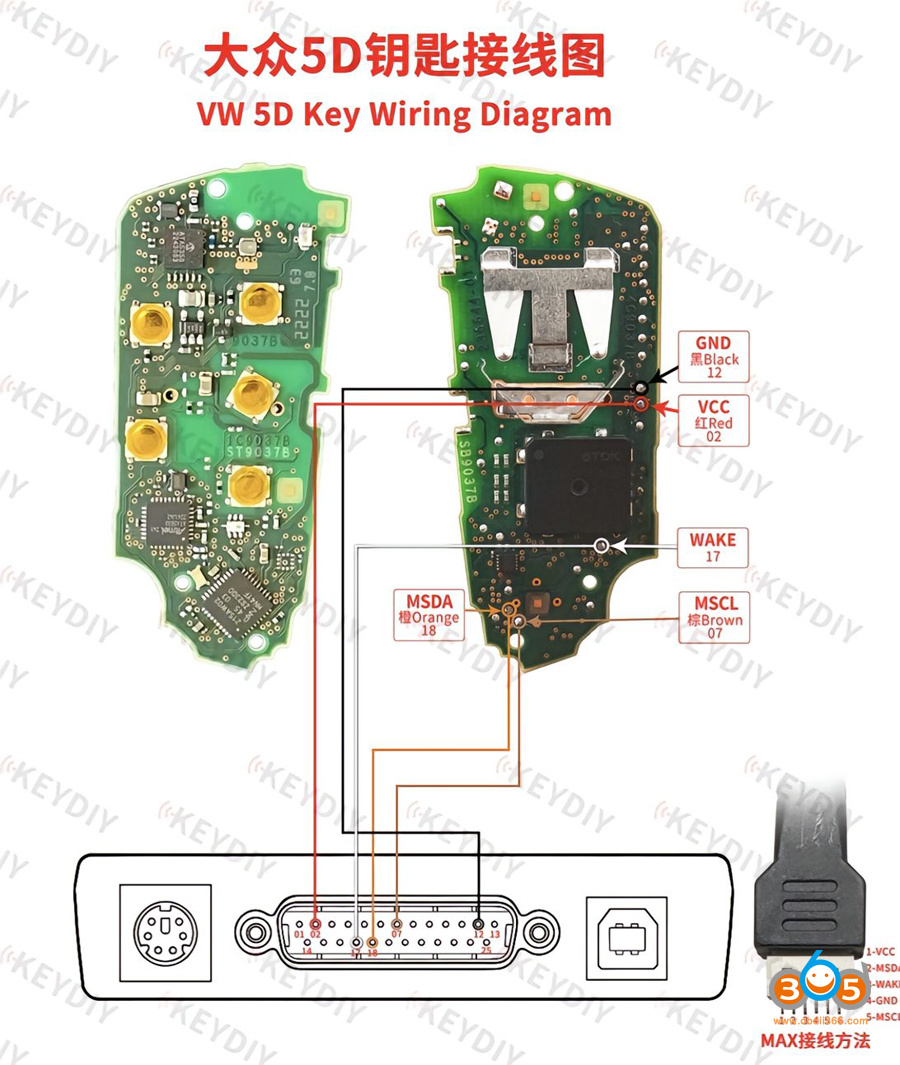
Users can also use wire soldering method. Keydiy does not have a direct data-reading adapter; you need to modify KD’s adapter yourself according to the diagram below.

Keydiy KD-X4 Update VAG 5C 5D Add Key  3

Check the KD 5C and 5D key wiring diagram here:

Keydiy KD-X4 KD-MAX VAG 5C 5D Key Wiring Diagrams

BMW encrypted BDC2/BDC3 key cloning procedure is the same as that of unencrypted keys.

Keydiy KD-X4 Copy BMW G series BDC2 Encrypted Display Key

As for VAG 5C 5C add key function, follow the procedure below:

  • Read original key data
  • Generate dealer key
  • Learn key

After reading original key data, it will generate a service code.
The service code is required when learn key in car.

You can obtain immo from working key and read synch afterwards
If you have the CS which you’ll be able to read from the key using this tool, you can get the synchro from the working key.
CS gives the ability to read synchro from the key.

2025/11/26

BMW U Chassis BCP Keys Frequency Comparison

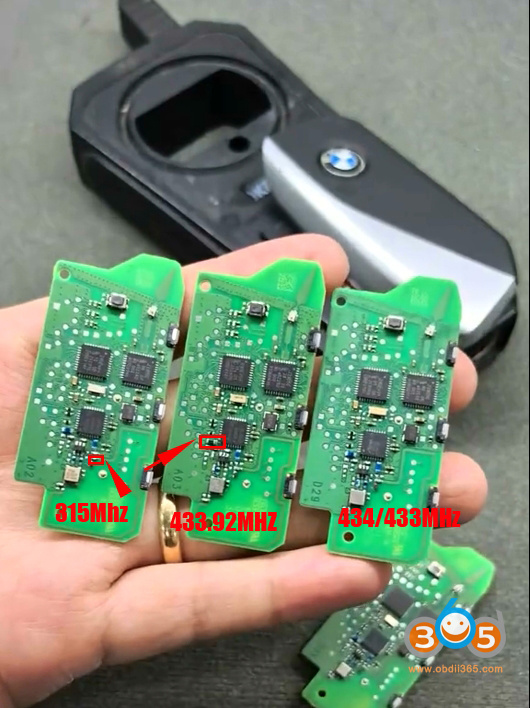
 How to tell BMW U Chassis BCP key frequency 315MHz vs 433.92 MHz vs 433MHz?

BMW U Chassis BCP Keys Frequency 1

First, we can use the key tool to read the frequency. It’s easy to distinguish between 315MHz and 433MHz, but it’s difficult to differentiate between 433.92, 433, and 434 MHz.

BMW U Chassis BCP Keys Frequency 2

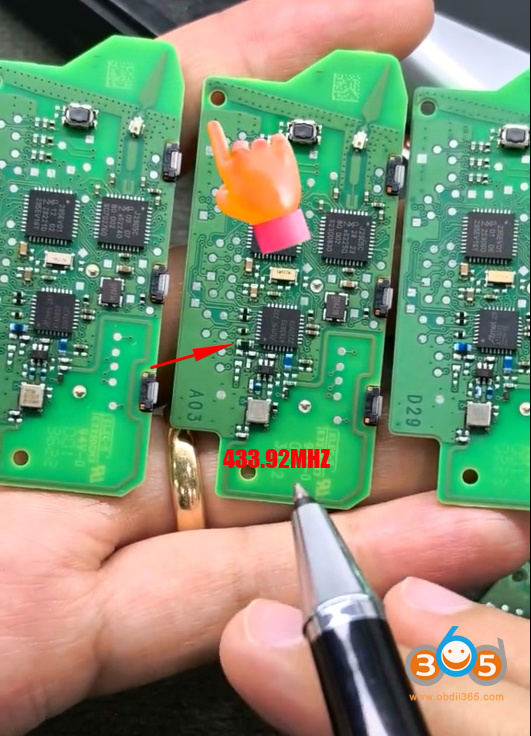
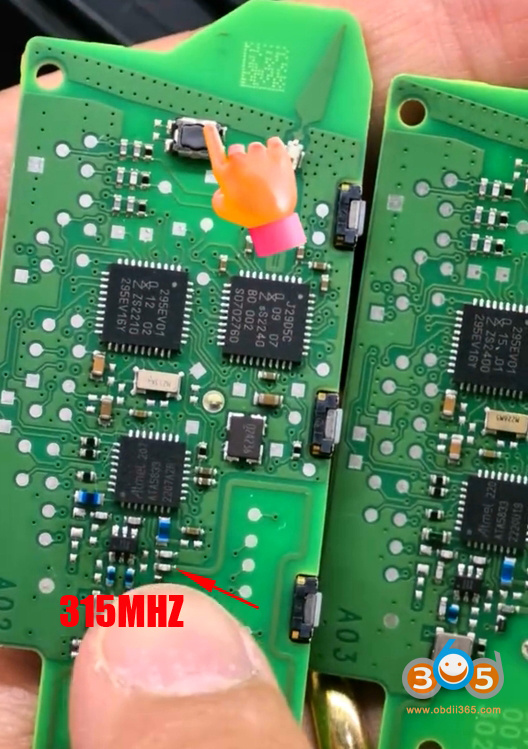
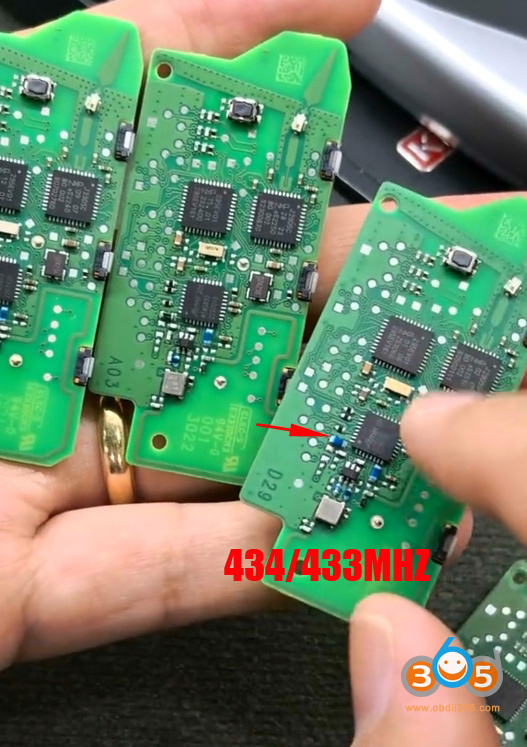
We can tell BCP key frequency from PCB.

315MHz: US models

433.92MHz: Korean models

433/433MHz dual: Chinese models

434MHz: European models

BMW U Chassis BCP Keys Frequency 3

This inductor on this key board from Korea is black color, which is different from the ones used for other frequencies.

BMW U Chassis BCP Keys Frequency 4

For the 315MHz circuit board, there is an additional component in this location.

BMW U Chassis BCP Keys Frequency 5

If this inductor here is blue and there are no extra components, then it corresponds to 434Mhz or 433 MHz. For EU or UK regions is 434MHz, Chinese market dual 434 or 433 MHz (

Once the frequency is locked, it cannot be switched).

BMW U Chassis BCP Keys Frequency 6

We can also tell the frequency from BCP key shell.

BMW U Chassis BCP Keys Frequency 7

Identifying these key fobs helps us purchase the correct keys.

How to Activate Keydiy MQB MLB BDC2 BDC License?

 We have some customers who have asked us to provide instructions on how to activate a KEYDIY license (for KD-X4/KD-MAX). The activation process is as follows:


First of all, the following functions require license activation.

  • Vovlo Semi-smart key, 8A smart key programming
  • BMW FEM/BDC, BMW G BDC2/BDC3 key programming
  • VAG MLB key programming
  • VAG MQB key programming
  • Audi BCM2 key programming

Activate Keydiy MQB MLB BDC2 BDC License 1

How to activate license in Keydiy device?

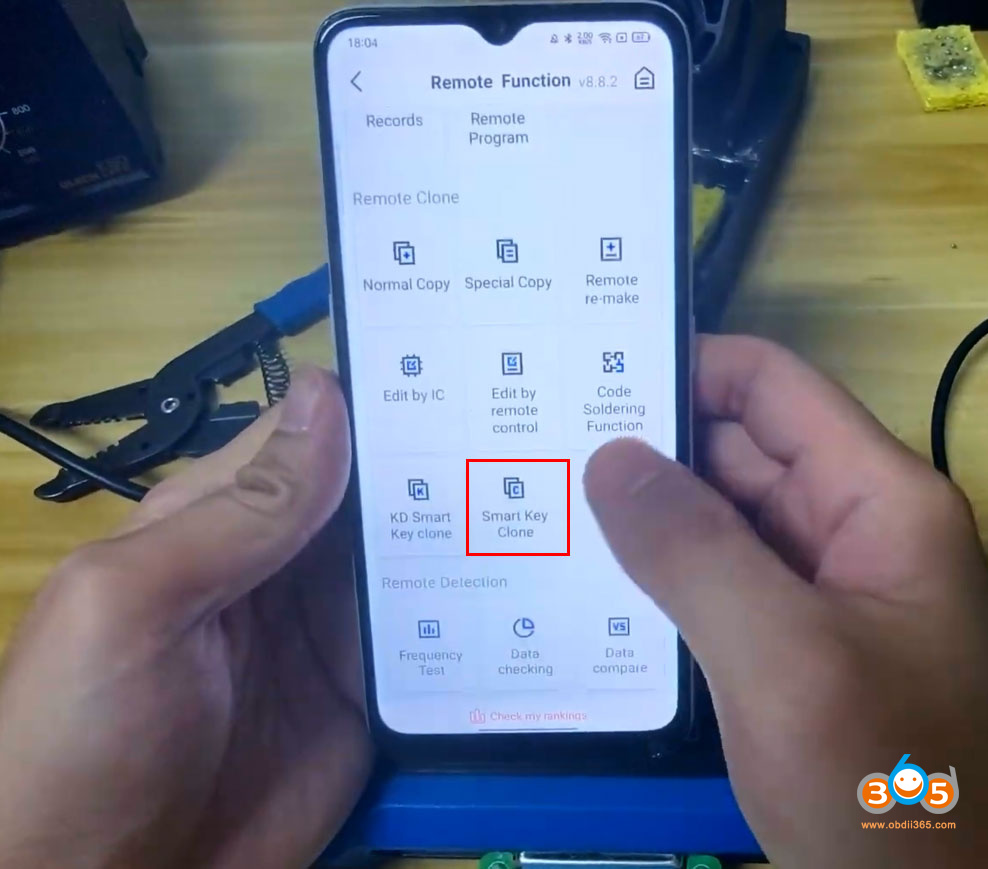
In KD App, go to Personal Center- My Functions.

Activate Keydiy MQB MLB BDC2 BDC License 2

Check the license list. You will see some functions are not activated. Choose the function license you need to activate. For example MQB/Audi BCM2 function.
Activate Keydiy MQB MLB BDC2 BDC License 3

Keydiy will show how many KD-coins or USD to activate the corresponding license. Hit Activate.

Activate Keydiy MQB MLB BDC2 BDC License 4

Choose either to activate license by KD-coins or by paypal payment.
The KD-coins can be obtained by generating blank new KD universal remotes.

Activate Keydiy MQB MLB BDC2 BDC License 5

Some functions may require user authentication before activation.

Activate Keydiy MQB MLB BDC2 BDC License 6

Finish user authentication in this way:

Go to Verification function.
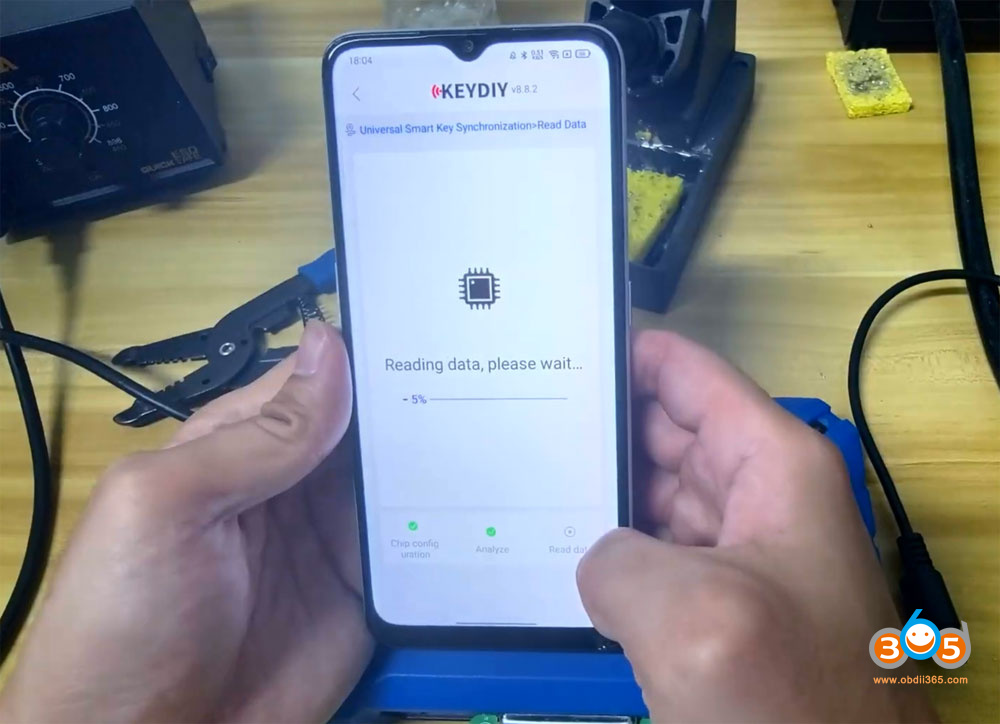
Activate Keydiy MQB MLB BDC2 BDC License 7

Complete user information shop name, address, phone number, ID card, business license etc and sumbit.

Keydiy technician will review your information and pass verification.
Then go back to purchase the function license.
Activate Keydiy MQB MLB BDC2 BDC License 8

NOTE:

Licenses are shared across KD devices within a single KD account. For instance, once the MQB function is activated on the account, it becomes available for compatible devices like the KD-X2 and KD-MAX without requiring individual authorizations.

For users in regions where in-app activation is unavailable, we offer an offline activation service. Please provide your country and device serial number to proceed.