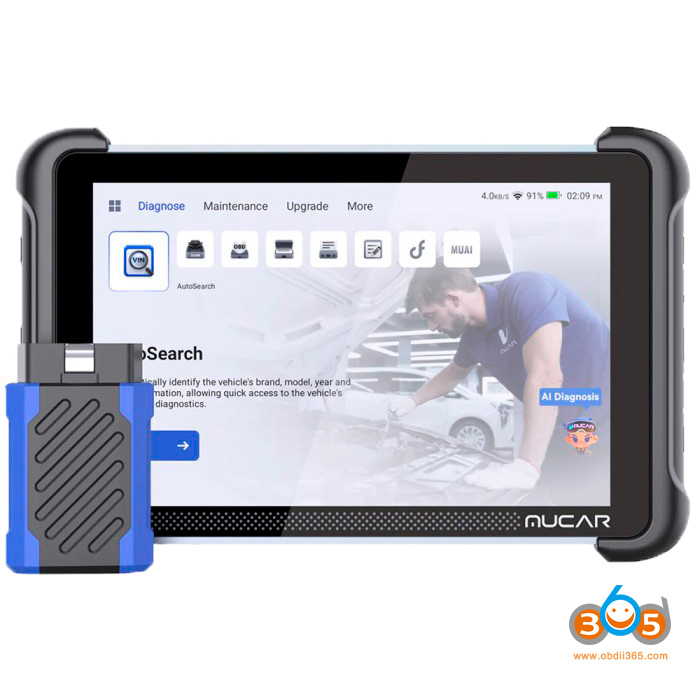
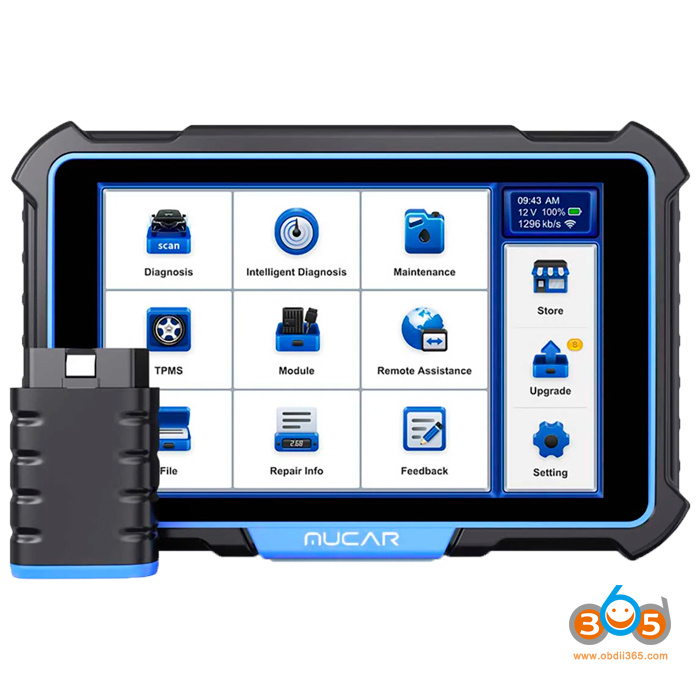
Showing posts with label Mucar 892BT. Show all posts

2026/09/29

Topdon ONE and Mucar 892BT Which is Better?

Both Topdon ONE (ONE Lite) and Mucar 892BT diagnostic scanners deliver full-system diagnostics, bidirectional (active) tests, ECU coding, modern protocol support (CAN-FD and DoIP), and AI-assisted help. They target serious DIYers, mobile mechanics, and smaller shops that want more capability than basic code readers without jumping to multi-thousand-dollar platforms.

Which is better?

Topdon ONE vs Mucar 892BT

Here’s a clear, side-by-side look at the real differences so you can decide which fits your needs and budget.

Feature
Topdon ONE (ONE LITE)
Screen
10.1-inch (1280×800)
8-inch (1280×800)
OS / Processor
Android 12 / 8-core
Android 10 / Quad-core
RAM / Storage
4 GB / 128 GB
4 GB / 64 GB
Battery
10,000 mAh (all-day use)
~4,150 mAh
Connection
Dual Wi-Fi (claimed 3× faster than Bluetooth) + Bluetooth
Bluetooth 5.0
Service Functions
50+
35+
Bidirectional Tests
Yes (extensive)
3,000+
ECU Coding
Yes (multiple brands; depth varies by model)
Yes
Topology Mapping
Yes (OE-level visual network map)
No (available on 892BT Pro version)
J2534 Pass-Thru
Yes (included VCI)
No (Pro version may add related features)
AI Assistance
TopFix AI
Built-in AI diagnostics + chatbot
Protocols
CAN-FD, DoIP, SGW access
CAN-FD, DoIP, FCA AutoAuth
Updates
1 year free, then ~$299/year
Lifetime free update
Internet Required
Often yes (even for some live data/topology)
Works offline
Typical Price
~$750
~$500
Best For
Pros & serious users who value screen, speed, topology & programming path
DIYers & budget-conscious users who want no ongoing fees

Key differentiators:

Topology mapping — The Topdon ONE includes a visual map of the vehicle’s ECU network. This is extremely useful for tracking communication faults on modern cars. The standard Mucar 892BT lacks it (the Pro version adds it).

J2534 pass-through — The Topdon’s VCI can act as a J2534 adapter when paired with a laptop and OEM software, opening the door to deeper dealer-level programming. The Mucar does not offer this on the base 892BT.

AI help — Both include AI features that analyze codes and suggest next steps. The Mucar’s implementation is frequently highlighted as practical for DIYers; the Topdon’s TopFix AI is similarly useful.

Speed — The Topdon One uses a newer Bluetooth interface that is “three times faster” than standard interfaces.

Battery — The Topdon One vastly outperforms the MUCAR in battery life.

Coverage is broad on both (120–140+ brands). Real-world performance is strong, though exact depth of coding and special functions always varies by vehicle make and year.


Updates, Online Requirements & Long-Term Cost
This is one of the biggest practical differences.Mucar 892BT: Lifetime free updates. No subscription. It works offline once software is loaded.

Topdon ONE: One year of updates included. After that, renewal is about $299 per year (or a two-year option for savings).

Core functions (read/clear codes, live data, active tests, many service resets) continue working without a subscription. Advanced features such as topology, full ECU coding depth, TopFix AI, and the newest vehicle coverage require an active plan. The tool also often needs an internet connection for topology and some operations.

Connectivity: The MUCAR has an advantage in that it does not always require an internet connection for live data, whereas the Topdon One requires internet for live data sessions.

For professionals who bill out diagnostics, the annual fee is usually easy to absorb. For occasional or budget-focused users, the Mucar’s zero ongoing cost is a major advantage.

The Mucar delivers excellent capability per dollar with no future fees. The Topdon costs more upfront and ongoing but offers a bigger screen, longer battery life, topology, faster wireless link, and a path toward J2534 programming.


Who Should Buy Which?
Choose the Topdon ONE/ONE Lite if you:

  • Work in a shop or as a mobile tech and value a large screen + all-day battery.
  • Need topology mapping for complex network diagnostics.
  • Want J2534 pass-through capability for future expansion.
  • Don’t mind (or can pass on) the ~$299 yearly update cost.
  • Prefer the faster dual Wi-Fi connection.

Choose the Mucar 892BT if you:

  • Are a DIYer, enthusiast, or budget-conscious technician
  • Want strong bidirectional control, coding, and AI help without any subscription.
  • Prefer a tool that works fully offline.
  • Value lower upfront cost and no recurring fees.
  • Don’t need topology mapping or J2534 right now (consider the 892BT Pro if topology is important).

www.obdii365.com

2026/08/05

Thinkcar 689BT Pro vs 689BT vs Mucar 892BT Scanner

 What is the difference between Thinkcar Thinkscar 689BT Pro, 689BT and Mucar 892BT lifetime-free-update diagnostic scanners?


Check the table comparison below:

FeatureThinkcar 689BT ProMucar 892BTThinkcar 689BT
Screen Size8 inch8 inch8 inch
Memory4+64GB4+64GB4+64GB
Battery Capacity4150mAh4150mAh4150mAh
ProtocolsISO14230-4 (KWP2000)
ISO15765-4 (CAN)
ISO19141-2 (iso)
ISO14229 (uds)
SAEJ1850 (VPW & PWM)
CAN-FD: DOIP
J2534
ISO14230-4 (KWP2000)
ISO15765-4 (CAN)
ISO19141-2 (iso)
ISO14229 (uds)
SAEJ1850 (VPW & PWM)
CAN-FD: DOIP
ISO14230-4 (KWP2000)
ISO15765-4 (CAN)
ISO19141-2 (iso)
ISO14229 (uds)
SAEJ1850 (VPW & PWM)
CAN-FD: DOIP
AI AssistancexYesX
VAG GuidedYesYesYes
Topology MappingYesxx
Active TestYesYesYes
ECU CodingYesYesYes
Reset Function Count353534
Full System DiagnosticsYesYesYes
Lifetime Free FeesYes (Excluding FCA)Yes (Excluding FCA)Yes (Excluding FCA)
LanguagesSupports 28 languagesSupports 28 languagesSupports 28 languages


Thinkcar 689BT Pro vs 689BT vs Mucar 892BT

In sum:

689BT Pro is the most advanced model, adding Topology Mapping, J2534 protocol— features not available on the other two.

892BT and 689BT are nearly identical in hardware and basic functions, except the 689BT has 34 reset functions while the 892BT and 689BT Pro both have 35. Mucar supports AI feature, 689BT series does not.

All three share the same screen size, memory, battery, language options, and lifetime free update policy (excluding FCA).


2026/06/30

What is the Difference Between Mucar 892BT and 892BT Pro?

What is the difference between Mucar 892BT and the new Mucar 892BT PRO diagnostic scanner? Just same hardware but  with topology and more functions?

Here is the clue.


They come with exactly the same case and accessories. But software and license are different.

The 892BT Pro already ships with topology mapping built in.

The MUCAR 892BT does not support the Topology Map function.

892BT PRO supports more special functions (40+) while 892BT supports 35+ service functions.

Mucar 892BT vs 892BT Pro

Can we migrate Mucar 892 BT to PRO version by software update?

No, the Mucar 892 BT can’t be converted to 892 BT PRO with a simple update.
And here’s why:

Why is updating to Pro not possible?

1. Both versions use different licenses
Although the material is identical, the PRO version includes:

  • additional software modules
  • licenses for advanced functions
  • access to topology mapping
  • more maintenance service functions.

These licenses are paid and related to the device’s serial number.

2. PRO firmware is not compatible with the standard version
Mucar locks firmware to avoid:

  • unauthorized facilities,
  • software conflicts,
  • stability issues.

3. Mucar servers check model before authorizing updates
Even if you manually install an APK, PRO functions do not activate without server validation.

2026/06/24

Thinkcar 689BT vs MUCAR 892BT vs MUCAR VO8

THINKCAR (parent brand of MUCAR) offers capable 8-inch bidirectional OBD2 diagnostic tablets aimed at DIY enthusiasts, independent mechanics, and small shops. The ThinkScan 689BT, MUCAR 892BT, and MUCAR VO8 share core professional features like full-system diagnostics, bi-directional controls, ECU coding, and lifetime free updates, but differ in hardware priorities, software extras, accessories, and target use cases.

Here comes a table comparison of ThinkScan 689BT, Mucar 892BT and Mucar VO8 diagnostic scanners.

Parameter
Android OS10.010.08.0
Screen8.0″ touch screen 8.0″ touch screen8.0″  touch screen
RAM / ROM4G / 64G4G / 64G2G / 64G
Battery4150 mAh / 3.8 V4150 mAh / 3.8 V9450 mAh / 3.8 V
CPUCortex-A53, 4 cores @ 2.0 GHzCortex-A53, 4 cores @ 2.0 GHzCortex-A53, 4 cores @ 1.5 GHz
CameraNoNo8MP rear
Accessories——10 OBD I Connectors
Custom BackgroundYesYesNo
Supported protocolsCAN-FD
DoIP
ISO 14230-4 (KWP2000)
ISO 15765-4 (CAN)
ISO 9141-2 (ISO)
ISO 14229 (UDS)
SAE J1850 (VPW&PWM)
CAN-FD
DoIP
ISO 14230-4 (KWP2000)
ISO 15765-4 (CAN)
ISO 9141-2 (ISO)
ISO 14229 (UDS)
SAE J1850 (VPW&PWM)
ISO 14230-4 (KWP2000)
ISO 15765-4 (CAN)
ISO 9141-2 (ISO)
ISO 14229 (UDS)
SAE J1850 (VPW&PWM)
Free lifetime software updatesYesYesYes
ECU CodingYesYesYes
AI DiagnosisNoYes (MUAI)No
Bi-Directional TestYesYesYes
Reset Functions35 (+ ODO Check)35 (+ ODO Check)34
VCI PlacementBluetooth 5.0 (external VCI)Bluetooth 5.0 (external VCI)Bluetooth + Wi-Fi (built-in VCI)
Technician CommunityNoYesNo
APP integrationChromeChrome, File Management, Gallery, Gmail, YouTube, Candy Crush Saga, Amazon Kindle, Duolingo, PDF ReaderChrome
Expandable modules (purchased separately)Universal Car Key Programmer, TPMS, Videoscope, Oscilloscope, Printer, Ble Battery TesterTPMS, Videoscope, Oscilloscope, Printer, Ble Battery TesterTPMS, Videoscope, Oscilloscope, Printer, Ble Battery Tester

1).ThinkScan 689BT is a balanced solution with support for modern protocols:

The ThinkScan 689BT is designed for professional use and combines a state-of-the-art hardware platform with support for modern CAN-FD and DoIP diagnostic protocols . Android 10 and a 4GB RAM/64GB ROM configuration ensure a fast interface and stable diagnostic performance.

The scanner supports ECU coding , two-way testing , lifetime software updates, and 34 service functions . The lack of a camera and additional software services makes the model more of a “working tool” without unnecessary features.


2).

Mucar 892BT – Enhanced Software and Service Diagnostics

The Mucar 892BT is an evolution of the 689BT and offers similar hardware: Android 10 , 4 GB RAM/64 GB ROM , and CAN-FD and DoIP support . The key differentiator is its expanded software functionality.

The scanner supports AI Diagnosis , access to the Technician Community , and an increased number of service functions— 35 (including ODO Check) . This makes the Mucar 892BT an optimal choice for service centers that value additional analytical capabilities and an expanded software ecosystem.


3).

Mucar VO8 – Autonomy, Built-in VCI, and Camera

The Mucar VO8 is significantly different in concept from the 689BT and 892BT models. Its main advantage is its capacious 9450 mAh battery , which provides significantly longer battery life.

The device is equipped with a camera , and the diagnostic module is implemented in the built-in VCI format , meaning it is integrated into the scanner body. Despite a more modest memory configuration ( 2 GB RAM / 64 GB ROM ) and Android 8 , the model retains support for ECU coding, two-way tests, and 34 service functions . The VO8 is well suited for those who value autonomy and an integrated design without an external VCI.


Hardware and Design Differences:

ThinkScan 689BT & MUCAR 892BT: Nearly identical high-performance hardware. Both use a powerful quad-core processor, 4GB RAM, and Android 10 for responsive operation, fast live data, and multitasking. They rely on an external Bluetooth VCI dongle (magnetic in some setups) for wireless freedom.

The Key Difference: AI Integration

The MUCAR 892BT distinguishes itself by incorporating AI functionality, specifically the “MU AI” intelligent assistance feature. This isn’t just a gimmick; it provides practical, time-saving benefits during real-world diagnostic work.

The Thinkcar 689BT, while an excellent tool in its own right, lacks this AI capability. Given that both tools are similarly priced—with the MUCAR 892BT currently available at a lower cost—the choice becomes clear for most users.

MUCAR VO8: Prioritizes endurance and integration. The large 9450 mAh battery excels for extended shop or field use without frequent charging. Built-in VCI eliminates dongle management, and it includes far more physical adapters for pre-OBD2/legacy vehicles plus an 8MP camera for documentation or basic inspections.

Software and Diagnostic Capabilities:

All three deliver:

  • OE-level full-system diagnostics across 100+ brands (strong Asian/European/US coverage).
  • Bi-directional/active tests and ECU coding/adaptations.
  • Auto VIN, live data graphing, report generation, and IMMO key matching (vehicle-dependent).
  • CAN-FD & DoIP support for modern vehicles; FCA AutoAuth capability.
  • Lifetime free software updates (no subscriptions).

Differentiators:

MUCAR 892BT stands out with AI-assisted diagnostics (MU AI) for root-cause analysis, repair suggestions, and troubleshooting guidance.

ThinkScan 689BT offers very similar performance and features to the 892BT, often positioned as a strong value option with excellent real-world feedback for bidirectional controls and resets.

MUCAR VO8 focuses on core reliability and legacy vehicle support, with strong basic functions and extras like the camera.

Who Should Choose Which?

  • Choose ThinkScan 689BT if you want top performance and value. Excellent balance of speed, features, and price for most DIYers and shops. Great for frequent use where snappiness matters.
  • Choose MUCAR 892BT if AI diagnostics appeal to you. Ideal for users wanting intelligent assistance, faster insights, and premium software feel alongside powerful hardware.
  • Choose MUCAR VO8 if battery life, built-in simplicity, and legacy OBD1 support are priorities. Best for mechanics working long hours or on diverse/older vehicles who value the camera and extra adapters.

Final Verdict

The ThinkScan 689BT and MUCAR 892BT are the closest and most powerful performers, with the 892BT adding AI as a notable edge for complex diagnostics. The MUCAR VO8 trades some processing power for superior battery life, integration, and accessory support—making it a solid choice for endurance and older-vehicle work.

All three represent strong value with lifetime updates and broad coverage. Real-world performance depends on your specific vehicles—check compatibility on the official THINKCAR/MUCAR site, read recent user reviews for your makes/models, and compare current pricing/deals. Consider warranty (typically 12 months) and expandable modules (e.g., TPMS, oscilloscope, videoscope) for future-proofing.