Showing posts with label renolink. Show all posts

2021/05/20

Add Renault Laguna3 Key Card with RenoLink 1.87

 How-to: Programming Renault Laguna III key cards with HandsFree system using the RenOLink 1.87 interface and the Chinese replacement card.

renolink-laguna3-key-card-1

An original key card and a new key card

renolink-laguna3-key-card-2

Connect Renolink adapter with vehicle and laptop

renolink-laguna3-key-card-3

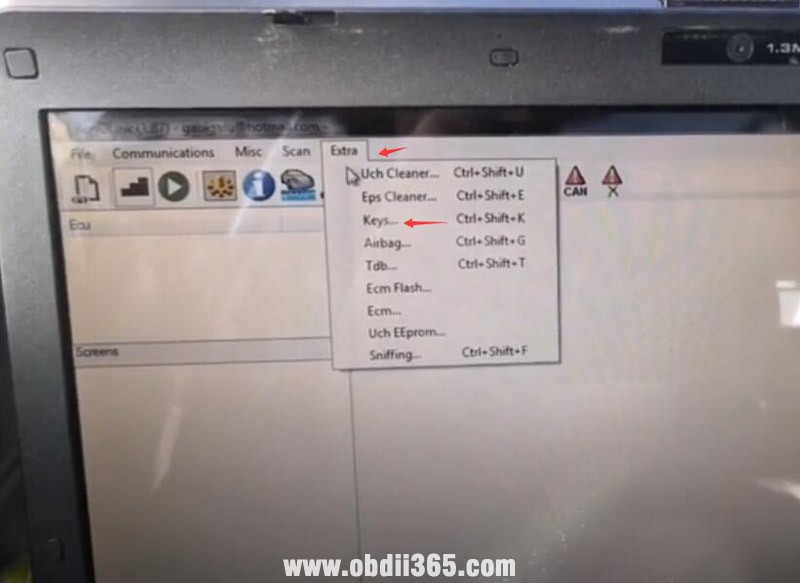
Run renolink 1.87 software, select Extra->Key

renolink-laguna3-key-card-4

Select UCH Laguna3, Latitude

renolink-laguna3-key-card-5

renolink-laguna3-key-card-6

Read PIN Code

Read PIN Success

renolink-laguna3-key-card-7

Press Connect

Press Start Learning

renolink-laguna3-key-card-8

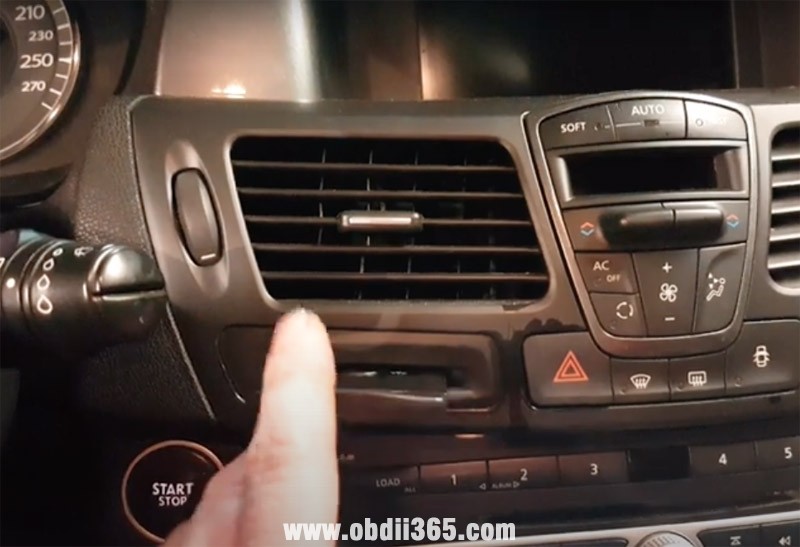
Insert original key card into card slot

renolink-laguna3-key-card-9

Press Learn Key/Card

Remove the original key card and insert new key card

renolink-laguna3-key-card-10

Press Learn Key/Card

Press Validate

renolink-laguna3-key-card-11

Learn 2 key cards success

renolink-laguna3-key-card-12

Test both cards. Working no issue.


Read also:

How to Add Renault Laguna 2 Key Card by Renolink?

Program Renault Laguna2 Key Card by Renolink 1.87

 I have successfully registered several key/cards on older Renault using the cheap RenOlink 1.87 clone interface.

Register Laguna 2 key card success

Virgin Kangoo dci  key pcf7936 id 46
program key dacia doker 2014 success

programe key dacia duster 2012 success

Not a perfect device, but paid itself already.


The procedure goes the same, here is an example of Laguna2.

renault-laguna2-key-card-renolink-1

Original key card

renault-laguna2-key-card-renolink-2

new key card to be programmed

renault-laguna2-key-card-renolink-3


Connect renolink cable with vehicle and laptop

renault-laguna2-key-card-renolink-4

insert new key card into card slot
in Renaolinl 1.87 software

renault-laguna2-key-card-renolink-5

Select Extra-> Key

renault-laguna2-key-card-renolink-6

I first chose the Laguna2 ph2, with 5 attempts it turned out failed.  I did it with UCH Laguna2, Velsatis

renault-laguna2-key-card-renolink-7

renault-laguna2-key-card-renolink-8

Read PIN no problem

renault-laguna2-key-card-renolink-9

Then press Connect and Start learning.

If fail to learn key, try several times.

renault-laguna2-key-card-renolink-10

Register new key card success.

renault-laguna2-key-card-renolink-11

The new key card works no problem.


http://blog.obdii365.com/2021/05/20/register-renault-laguna2-key-card-by-renolink-1-87/

2020/04/08

RenoLink v1.87 Renault OBD2 Software Installation

Latest version Renolink 1.87 Renault airbag/ecu/key obd software installation step-by-step.

Software version: v1.87
Language: English and French
Operating system: Windows 7 32bit and 64 bit

Free Download RenoLink OBD Renault V1.87 Software
Password: xxv3xl
renolink-v187

How to Install Renolink 1.87 software?
Step 1: Install FTDI driver
Copy and paste RenoLink 1.87 CD software to desktop
Open Renolink 1.87 folder
install-renolink-v187-software-1

Extract renolink_setup87 to current folder
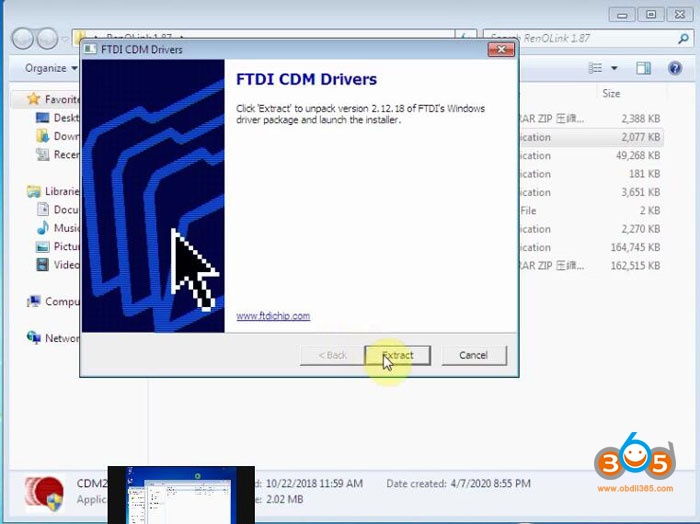
Run CDM21218_Setup_720 driver
install-renolink-v187-software-2

Press Extract
install-renolink-v187-software-3

Press Next to install Device FTDI Driver
Accept license agreement
install-renolink-v187-software-4

Finish FTDI CDM driver

Step 2: Install setup
install-renolink-v187-software-5

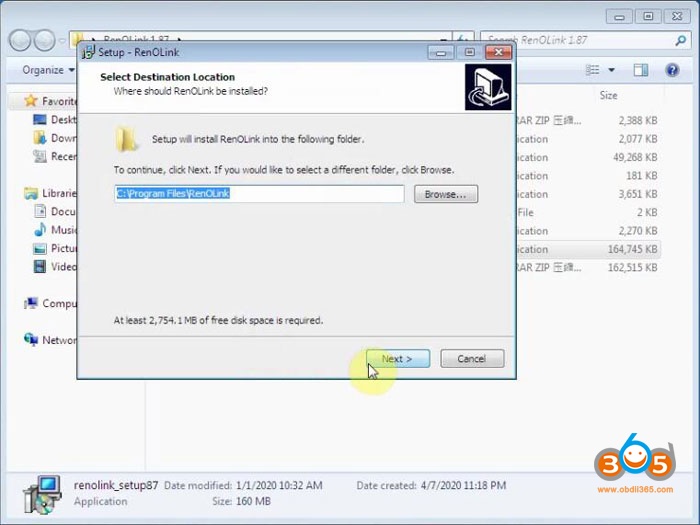
Double click renolink_setup87 choose destination location (C://Program Files/Renolink), press Next
Select Start Menu Folder, press Next
install-renolink-v187-software-6

Install setup
install-renolink-v187-software-7

Finish installing Renolink setup

Step 3: Set COM Port
install-renolink-v187-software-8
Right click Renolink v1.87 on desktop and go to Properties-> C://Program Files/Renolink
install-renolink-v187-software-9
install-renolink-v187-software-10

Copy and paste renolink.dat and RenOLink from RenOlink 1.87 folder to C://Program Files/Renolink
Send RenOLink shortcut in C:// to desktop and remove RenoLink v1.87 shortcut to recycle bin
Then connect Renolink obd2 interface with computer
Windows will detect device driver
install-renolink-v187-software-11

Go to Device Manager to check device is connected and COM port set to #4
Right click USB Serial Port (COM4)->Properties
install-renolink-v187-software-12

Set Bits per second to 115200
Go to Advanced setting
install-renolink-v187-software-13

Set Latency Timer (msec) to 1 and save setting

Step 4: Run Renolink 1.87 software
Open Renolink shortcut on desktop
install-renolink-v187-software-14

Renolink 187 software is ready to use.
install-renolink-v187-software-15

Choose ecu model and scan.

http://www.obdii365.com/service/install-renolink-v1-87-software.html

2020/04/06

Renault Renolink OBD2 V1.87 vs. V1.52

Renlink OBD2 Renault USB link 1.52 and 1.87 which worth buying?

Language Comparison:
Renolink v1.52 crack supports English only.
V1.87 Renolink Renault supports both English and French.

System Comparison:
Same, both can be installed on WinXP, Win7

Function Comparison:
They all perform following functions:
– Eprom read / write
– ECU Resetting
– Clear Crash Airbag
– Airbag reset
– Airbag Virginize
Keys
– KEY Programming TDB (cluster)
– Indicator Programming
– ECM Programming
– UCH Programming
– EPS Virginizer
– EPS Resetting

The difference is that V1.87 software adds many new features.
renolink-v187-software-1
What’s new in Renolink V1.87 software?

  • Software Database for Renolink is 2019.
  • read/write eeprom and read/write flash for dashboard Dacia Logan2 / Dacia Sandero2 / Dacia Lodgy / Dacia Docker / Dacia Duster ph2 from years 2013-2014 and 2014-2017
  • Read/write flash, eeprom and km were added for dashboard (VDO) Mégane 3 and Fluence 2015+
  • Read and write flash, eeprom and km for the Laguna 3 dashboard.
  • Read/write km – read/write eeprom – read/write flash for dashboard Renault Fluence. Also was added key programming UCH BMT Sagem for Dacia Solenza, Dacia Supernova, Renault Twingo, Renault Kangoo, Renault Master (years 1998-2003)
  • Read/write km for dashboard Renault Modus
    Read/write km, read/write eeprom for dashboard Koleos
  • Was added into program : KEY PROG
    * key programming for Dacia Logan 2
    * key programming for Dacia Sandero 2
    * key programming for Dacia Duster ph 2
    * key programming for Dacia Lodgy
    * key programming for Dacia Dokker
    * key programming for Renault Clio Symbol 3

In this version was implemented:
– reading of PIN code for HFM Renault Clio 4 and Renault Captur 2016+, a valid Card is required to teach HFM, because the procedure virginses it.
Also a new database from december 2019 was added.
this version we added cards programming for Clio4 (2012-2015), also a new database from July 2019
Was added into this update:
deletion immo code from the power steering (DAE) in Dacia Duster ph3.
the encoding is automatic – at the first ignition.
Was added: learn ecu from DACIA Logan 2 / DACIA Sandero / DACIA Lodgy / DACIA Docker / DACIA Duster ph2 
This update is for well known problem with ECM V42 )
V1.87 Renolink Features: 
Clear Crash Airbag
Read/write eeprom
EPS Virginizer
ECM
UCH
Keys (news Dacia Duster Docker Logan new)

Card Laguna 3 / Megane 3
TDB (cluster) and much more

All functions work by OBD connector.
renolink-v187-software-2

renolink-v187-software-3

renolink-v187-software-4

PCB Comparison 
OBDlink-sxUSB with Renolink 1.52
There are 2 versions of  OBDLink USB interface with green board:  both blue cable and red cable come with 1.52 software
1)
renolink-v152-greed-pcb-1

renolink-v152-greed-pcb-2

renolink-v152-greed-pcb-3
2)
renolink-v152-greed-pcb-4

renolink-v152-greed-pcb-5
OBDlink-sxUSB with Renolink 1.87
red usb interface with better quality red board
renolink-v187-red-pcb-1

renolink-v187-red-pcb-2

renolink-v187-red-pcb-3

* Renolink 1.52 and 1.87 uses different hardware. Cannot update software 1.52 to 1.87 directly.


Stability Comparison:
Renolink 1.52 blue case green board < Renolink 1.52 red case with green board < Renolink 1.87 red case with red board

Activation Comparison:
Both crack version. Does not require activation. But need to install driver.


Read aslo: