Both Xhorse Multi Prog and the CK Prog are built around chip and memory programming. They support a range of MCUs, EEPROMs, and flash memory devices. What’s the difference between MultiProg and CK-Prog? Which one is better?
Check the comparison below.

Chip and Memory Programmers:
Both MultiProg and CK Prog are built around reading and writing MCUs, EEPROMs, and flash memory. They do not care whether the chip comes from an ECU, BCM, airbag module, or instrument cluster—as long as the chip and access method are supported, the tools can often read and write the data. There is an important limitation: successfully reading data does not automatically mean you can safely modify and reflash a modern ECU. Engine calibration work, in particular, requires careful protocol handling, checksum correction, and recovery procedures that general chip programmers handle less comprehensively.
Xhorse Multi Prog
MultiProg sits between traditional chip programming and more specialized automotive module work. It offers a large database covering MCUs, EEPROMs, immobilizer modules, instrument clusters, and selected ECUs/TCUs. It supports checksum processing on certain ECU protocols and can perform ECU/TCU cloning in bench and boot modes.It is versatile for locksmiths and electronics technicians who handle immobilizer data extraction (including BMW ISN), module cloning, memory recovery, and occasional ECU/TCU jobs. Key strengths reported by users include:
- Lifetime free online updates (no annual subscription).
- Free MQB48 license (when bound to a compatible Xhorse account such as VVDI2 or Key Tool Plus).
- Batch programming capability, scripts, data comparison, and checksum correction for supported units (especially MED17/EDC17 series).
- Solder-free adapter ecosystem and clear wiring diagrams.
- Strong performance on many European modules (VAG, BMW, Mercedes) for cloning and immobilizer-related tasks.
Users frequently praise its stability on bench/boot work, faster reads compared with older VVDI Prog units, and reliability when cloning ECUs or TCUs.
Limitations include more limited native OBD-mode tuning coverage and fewer one-click tuning features (such as IMMO-OFF or DTC-OFF cloud services) compared with pure tuning platforms. Some newer or highly specialized TCUs may require waiting for updates.
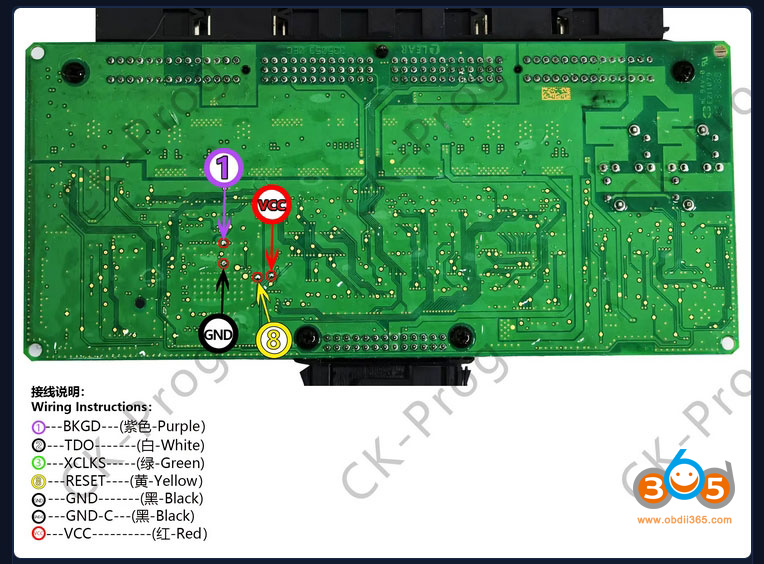
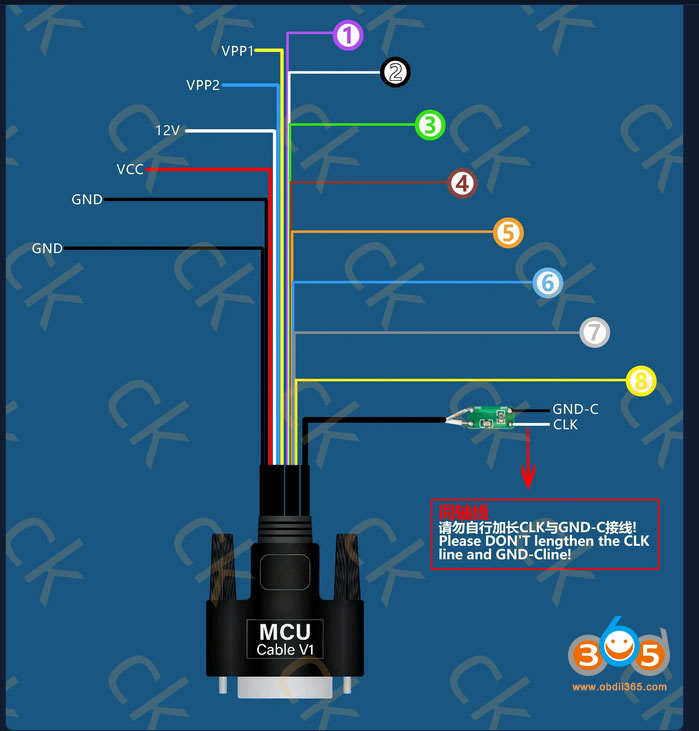
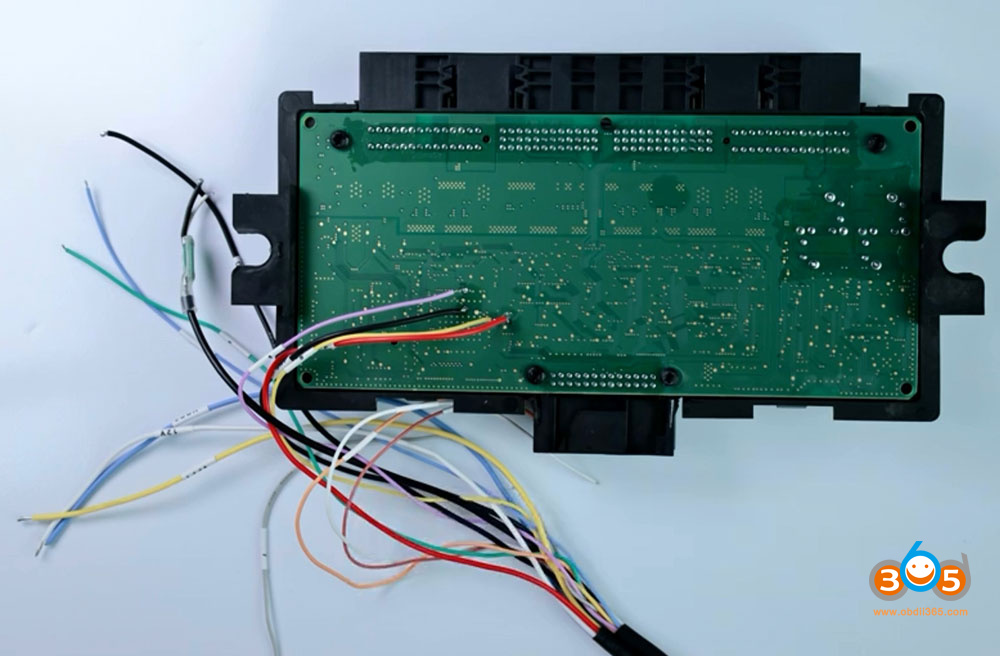
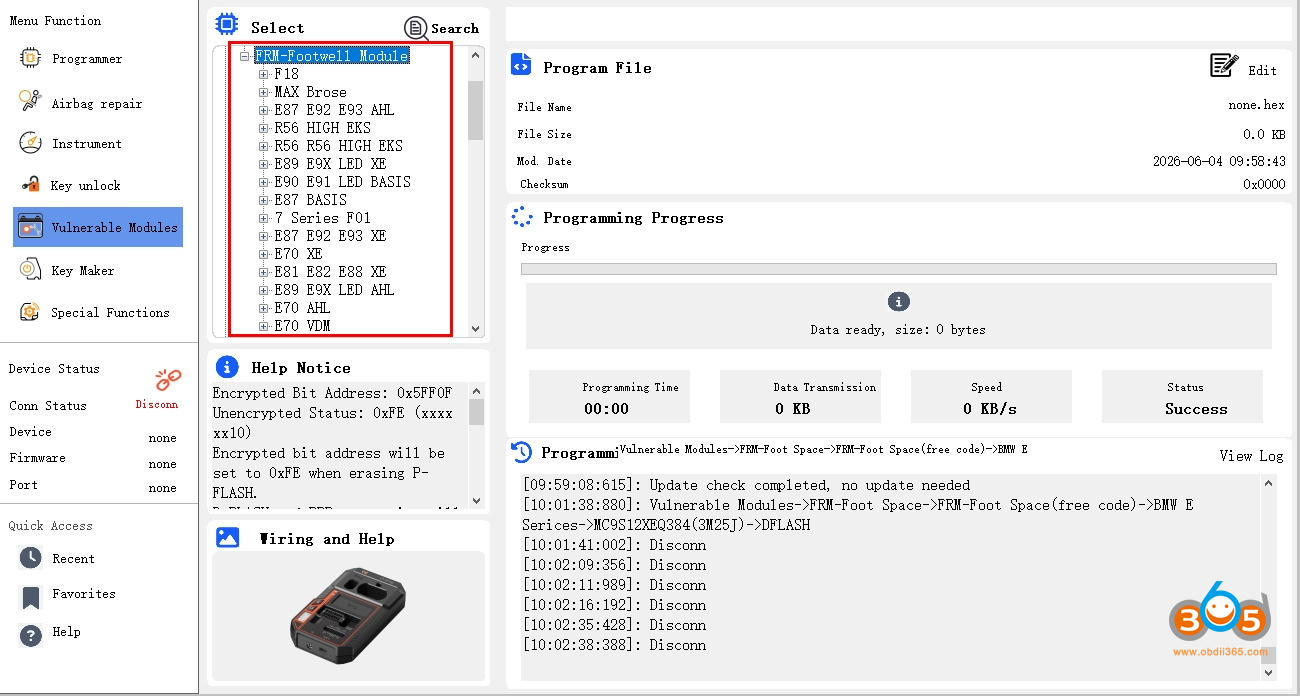
CK Prog emphasizes the combination of chip programming with practical locksmith-oriented repair functions. It includes repair data solutions for selected commonly failing modules, which can reduce reliance on third-party repair files.
Supported functions commonly include bench key programming, OEM key unlocking, dump file processing, airbag repair, and instrument cluster data services.
Its primary positioning is not as a full dedicated ECU/TCU tuning platform. It is particularly useful for locksmiths who occasionally repair automotive modules and for electronics technicians expanding into immobilizer and key-related services. It focuses more on everyday locksmith tasks than broad calibration or performance tuning workflows.
The CK Prog takes a slightly different direction. It includes repair data solutions for selected commonly failing modules, which can save buying certain repair files from third-party services. It also offers supported functions such as bench key programming, OEM key unlocking, write dump file processing, airbag repair, and instrument cluster data services.
Its positioning is explicitly not the same as a dedicated ECU/TCU tuning platform. It is particularly interesting for locksmiths who occasionally repair automotive modules, and for electronics technicians expanding into immobilizer and key-related services.
Dedicated ECU Programmers
Tools such as KESS 3, Autotuner, Flex, OBDSTAR ECU Master / DC706-style platforms, and similar dedicated units are designed around specific control-unit protocols.
They prioritize:
- Accurate ECU identification.
- Full read/write operations.
- Checksum correction.
- Supported unlocking and recovery procedures.
- Often OBD, bench, and boot modes in one package.
These become especially important when modifying engine calibration data. They manage the complete, safer process of reading, writing, and calibrating rather than simply transferring raw memory content. Coverage of modern Bosch MD1/MG1 units, extensive protocol support, and tuning-oriented features is typically stronger, though many require ongoing subscriptions or protocol packages after an initial free period.
| Aspect | Xhorse Multi Prog | CK Prog | Dedicated ECU Programmers (e.g., KESS 3, OBDSTAR) |
|---|---|---|---|
| Primary focus | Chip/MCU + selected ECU/TCU cloning & immobilizer work | Chip programming + locksmith repair functions | Full protocol-based ECU/TCU identification, writing, calibration |
| ECU/TCU calibration depth | Good for cloning & some checksums; less comprehensive for tuning | Limited; not positioned as a tuning tool | Strong; designed for safe calibration workflows |
| Updates & cost model | Lifetime free updates; free MQB48 license | Generally free or low ongoing cost | Often subscription or protocol fees after initial period |
| Best for | Immobilizer, module cloning, occasional ECU work, locksmiths expanding into electronics | Keys, immobilizers, airbags, clusters, occasional module repair | Engine/transmission tuning, frequent calibration jobs |
| User-reported strengths | Stability on bench/boot, speed on many Bosch units, no annual fee, adapter ecosystem | Practical repair data, locksmith-oriented convenience | Broader modern protocol coverage, OBD + bench + boot, recovery tools |
| Common limitations | Weaker native OBD tuning features; learning curve for wiring | Not a full tuning platform | Higher ongoing costs; less emphasis on general chip/MCU or pure locksmith tasks |
User reviews and workshop feedback consistently highlight MultiProg’s value for shops that mix locksmithing with module and occasional ECU work—praised for reliability, free lifetime updates, and practical features like scripts and solder-free adapters. Dedicated programmers receive strong marks for pure tuning volume and modern ECU coverage but are noted for subscription costs. CK Prog-style tools are valued when the daily workload centers on keys, immobilizers, and module repairs rather than calibration.
Which Tool Should You Choose?
- Choose CK Prog if most of your work involves keys, immobilizer data, airbag modules, and instrument clusters.
- Choose Xhorse MultiProg if you regularly handle a mix of locksmithing and automotive electronics and need broader memory and module programming coverage, including selected ECU/TCU cloning.
- Choose a dedicated ECU programmer if the majority of jobs involve engine tuning, transmission programming, or full ECU/TCU calibration files.
The fundamental difference remains simple: chip programmers focus on accessing and transferring data; dedicated ECU programmers focus on safely managing the complete reading, writing, and calibration process. Select the tool that matches the jobs you actually perform most often. Many professional shops ultimately keep more than one type of tool because the strengths are complementary rather than fully overlapping.Always follow proper safety procedures, use correct adapters and wiring, and verify checksums and vehicle-specific requirements. Training resources and manufacturer documentation help reduce risk when working at the module or ECU level.