
How to program key for Zeekr 9X and what device will do?
Here is the clue.
Required Tool
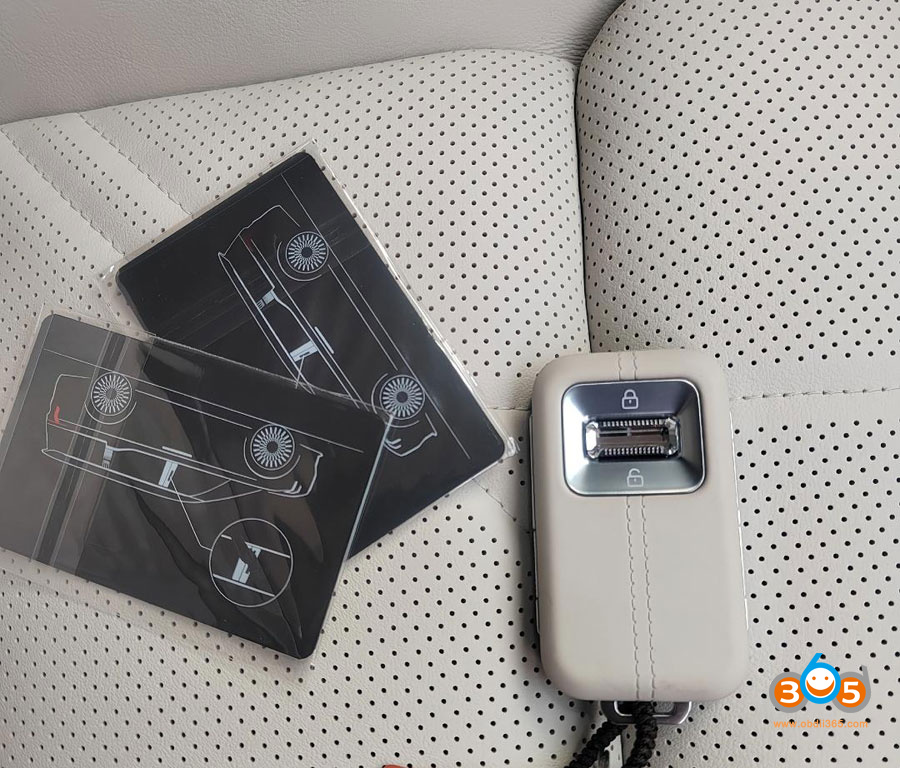
Key programming (adding Bluetooth keys, NFC key cards, or digital keys) on the Zeekr 9X requires the official Zeekr ZDS* (ZEEKR Diagnostic System) software + compatible interface (usually an ENET cable or factory-level VCI).
Specialized shops (especially in China) use this OEM tool. The process typically involves:
- Connecting to the OBD port
- Accessing the official Zeekr interface
- Registering the new key’s UID and security tokens in the PKU (key module)
To access ZDS system, you will need:
1. BMW ENET cable
2. RJ45 to USB adapter
3. Windows-only laptop
4. Stable internet (NOT mobile)

Why Aftermarket Tools Don’t Work
- Zeekr 9X is a relatively new Geely-group PHEV (2025+) with proprietary security and digital key systems (Bluetooth/UWB, NFC cards, phone digital keys).
- Standard aftermarket scanners (Autel, Topdon, Launch, etc.) currently lack support for Zeekr immobilizer/key programming.
- Neither the OBDSTAR nor the Autel IM608 list Zeekr coverage for key programming.
Practical Options
- Official Zeekr dealer / authorized service center — safest and most reliable.
- Specialized independent shops that have legitimate access to ZDS (common in markets with many imported Zeekrs).
- Digital key via the Zeekr app — You can often add phone-based digital keys yourself through the official app (if you have master account access), without extra hardware.

Bottom line:
For physical Bluetooth keys or NFC cards on a Zeekr 9X, you need the official ZDS tool or a shop that has it.
*The ZEEKR Diagnostic System (ZDS) is the official factory diagnostic and service software used by ZEEKR technicians and dealers to maintain, program, and troubleshoot ZEEKR electric vehicles (such as the 001, 007, 009, 7X, and 9X).

No comments:
Post a Comment