Showing posts with label Keydiy KD-X6. Show all posts

2026/10/18

How to Add 2026 Lexus 8A B8 Smart Key with Keydiy KD-X6?

As titled, here we will show how to program a spare 8A B8 smart key for 2025- 2026 Toyota/Lexus using Keydiy devices.

Model example: 2026 Lexus ES200.

Same procedure applies to other 8A B8 models.

Tools required:

Procedure:

Step 1: Generate TIB remote
Open TIB remote shell and insert a battery.

Connect OBD extension cable with KD-X6 and connect the other end to the OBD main cable.
Connect the OBD main cable to the vehicle’s OBD connector.

Add 2026 Lexus 8A B8 Smart Key with Keydiy KD-X6 1

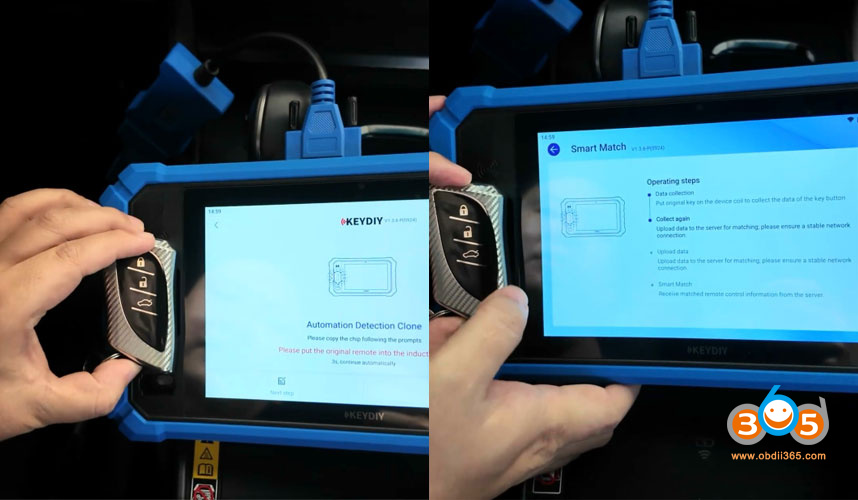
Go to Remote Function-Smart Match- Smart Match (Toyota 4D/8A).

Add 2026 Lexus 8A B8 Smart Key with Keydiy KD-X6 2
Place the original key in the device’s sensing area.
Follow the prompts to collect original key data.

Add 2026 Lexus 8A B8 Smart Key with Keydiy KD-X6 3

The detected result is Lexus B8. Frequency is 433.58/434.42MHz
Generate the program with KD TIB smart remote.
Choose Wireless Generation.
Put the KD TIB remote into the induction coil, press OK and proceed to the next step.
Press remote control any button to generate.
Generated TIB remote successfully.

Add 2026 Lexus 8A B8 Smart Key with Keydiy KD-X6 4

Step 2: Back up immo data

Return to Home page.
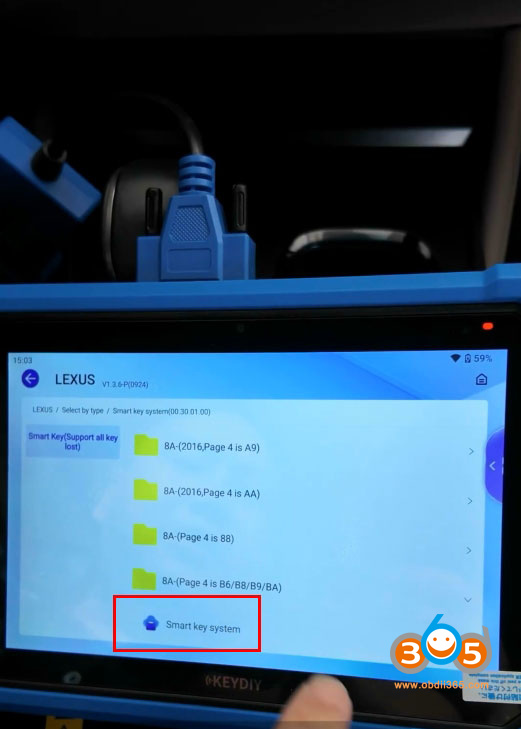
Select Programming function- Immo Programming- Lexus- Smart Key System.
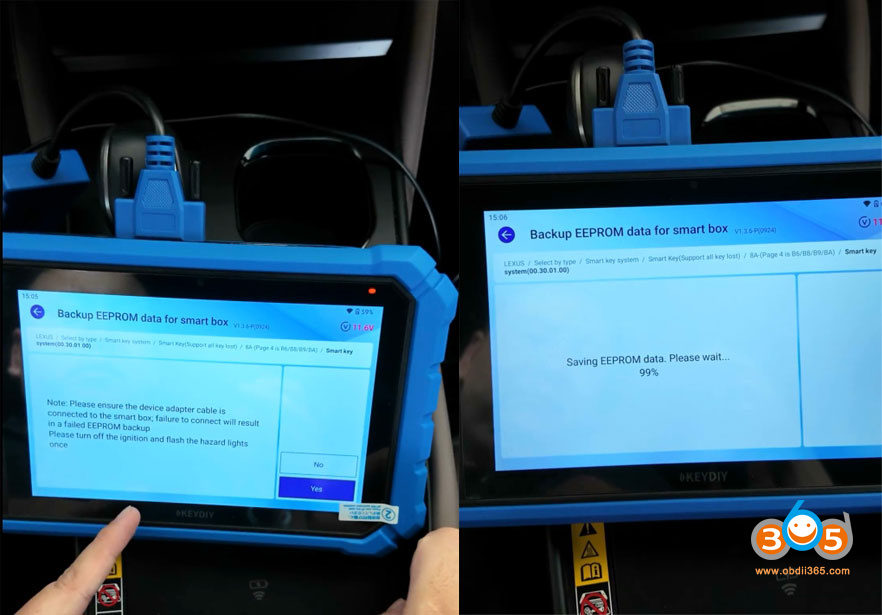
Back up EEPROM data for Smart box.

Add 2026 Lexus 8A B8 Smart Key with Keydiy KD-X6 5

Add 2026 Lexus 8A B8 Smart Key with Keydiy KD-X6 6

Connect the Keydiy Toyota 30-pin cable to the smart box under the cluster on the passenger side.
Then connect the adapter cable to the OBD function extension cable. Don’t use other Toyoa 30 pin cbale in case it does not fit the OBD extension cable.

Add 2026 Lexus 8A B8 Smart Key with Keydiy KD-X6 7
Turn off the igntion.
Turn on and flash the hazard lights once and turn them off.
Read and save EEPROM Data.

Add 2026 Lexus 8A B8 Smart Key with Keydiy KD-X6 8

Step 3: Add Smart Key
Then choose Add Proximity Key function.
We have backed up the eeprom data, hit Yes to continue.
Turn on the ignition switch.
The ignition switch turns on when the dashboard lights up.
Select we have a backup EEPROM option.

Load the EEPROM file we just backed up.

Add 2026 Lexus 8A B8 Smart Key with Keydiy KD-X6 9
Hold a working smart key close to the start button.
After the buzzer sounds once, remove the key from the start button.
Then hold the generated KD TIB key close to the start button.

After hearing two beeps, remove the key from the start button.
The KD TIB key has been programmed successfully.

Add 2026 Lexus 8A B8 Smart Key with Keydiy KD-X6 10
Test both keys and check if they are working properly.

2026/09/29

How to Detect Benz Key Type with Keydiy KD-X4?

Keydiy KD-X4 and KD-X6 key programmers released a new software update in September 2026.

Free update Benz key chip type identification function.


What’s the benefit of Benz key chip identification?

1). FBS3 and FBS4 are not interchangeable. It is important to know which immobilizer system you are dealing with before programming keys

2). For key repair, it can test whether the Mercedes key chip is functioning properly.
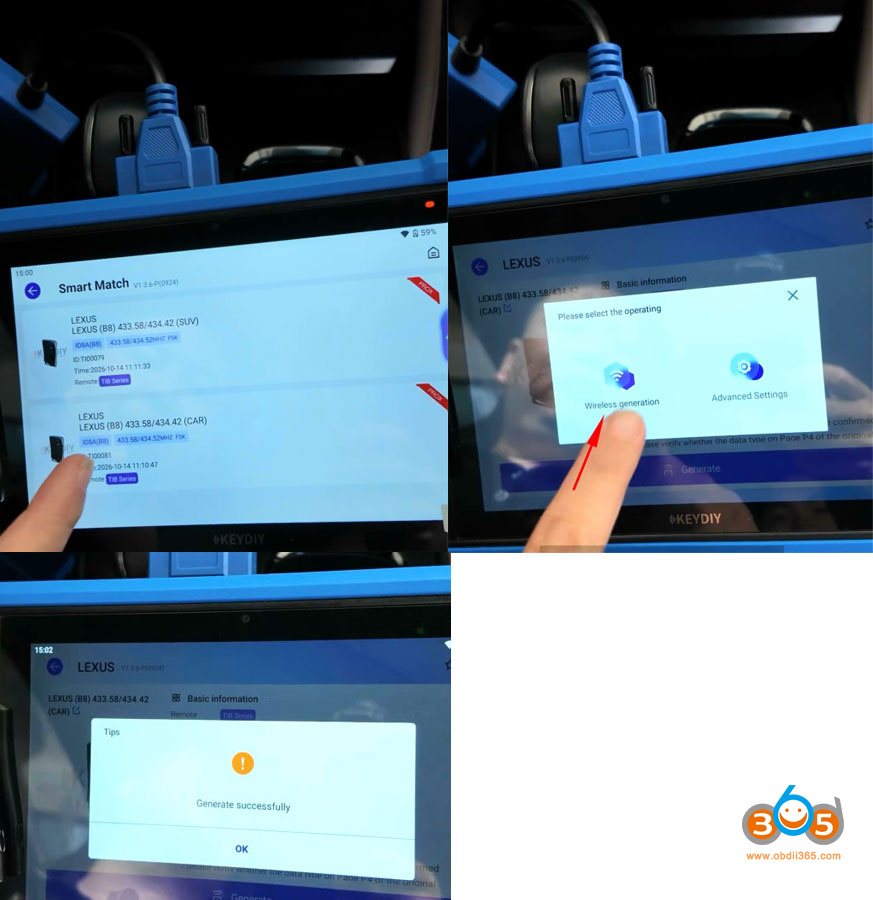
How to Identify Benz Key Type with Keydiy KD-X4 or KD-X6?

detect benz key type with keydiy kd-x4 1

Place MB key into KD induction coil.

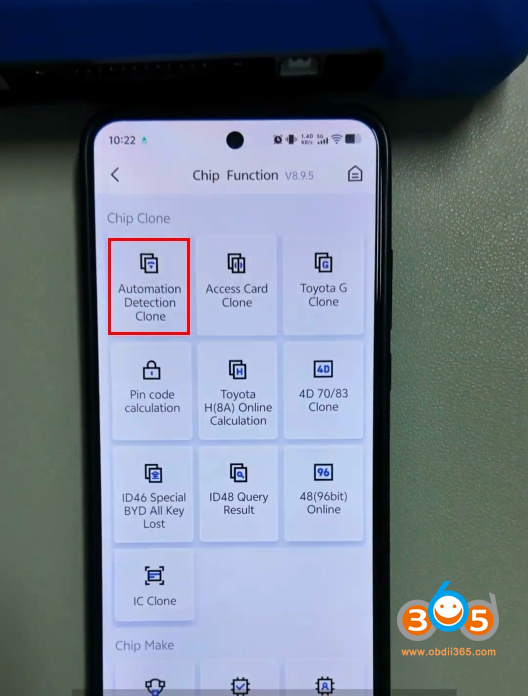
Go to Chip Clone function- Automation Detection Clone.

detect benz key type with keydiy kd-x4 2

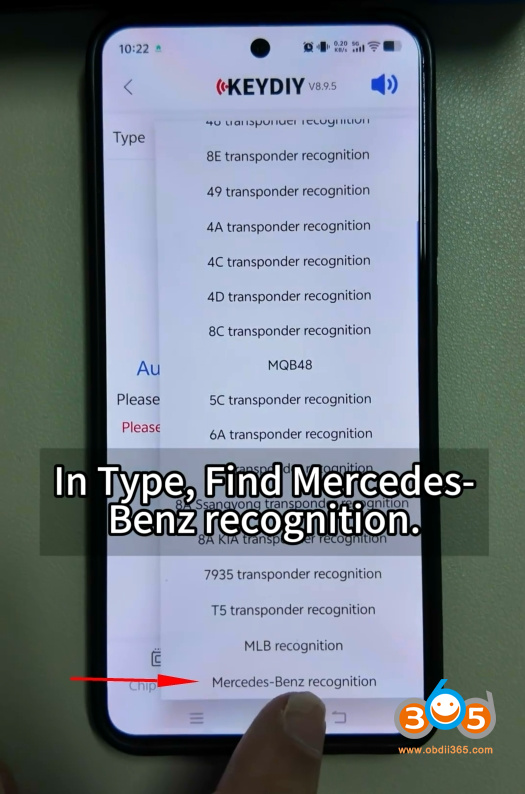
Hit Automatic recognition and click the down arrow.

detect benz key type with keydiy kd-x4 3

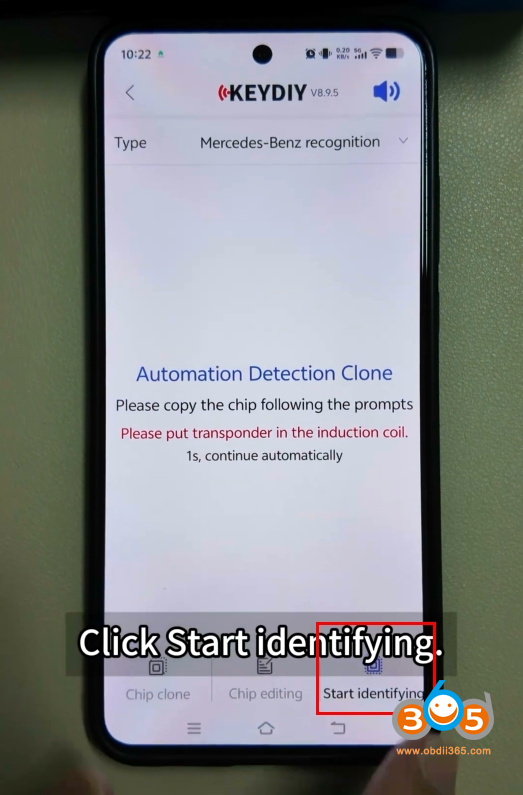
Choose Mercedes Benz recognition.

Start identifying.

detect benz key type with keydiy kd-x4 4

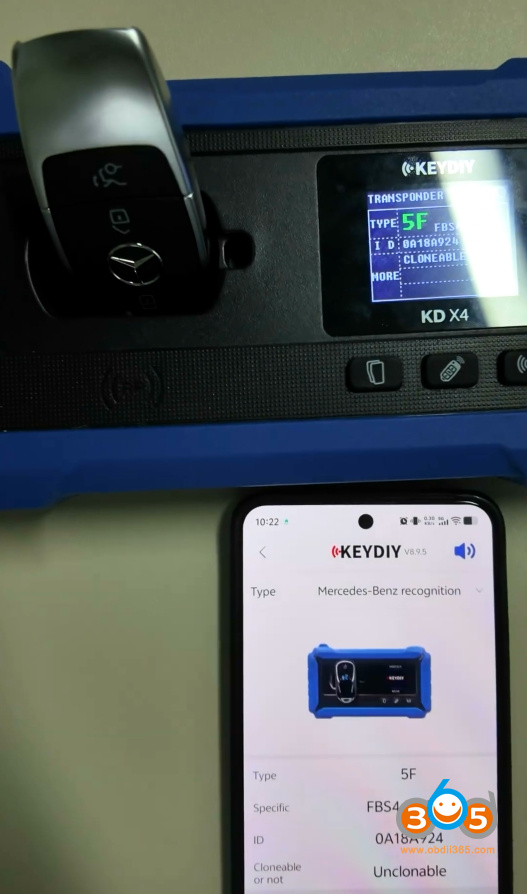
Then KD will identify key chip information.

5F type= FBS4/4.5 key

detect benz key type with keydiy kd-x4 5

NOTE:

KD-X4 will detect MB key chip type only. It cannot program MB keys.
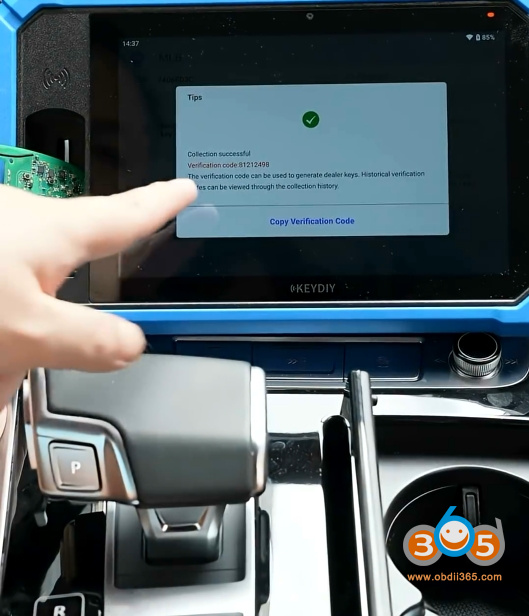
KD-X6 will identify Benz key chip and program FBS3 keys.

2026/09/28

Keydiy KD-X6 Adds 2024 Audi Q7 MLB Key

How to add a spare 2024 Audi Q7 MLB key with Keydiy KD-X6 key programmer.


Tools used:

Keydiy KD-X6

KD FGB MLB key

Original key


Procedure:

Detect original key information. It’s a MLB key.
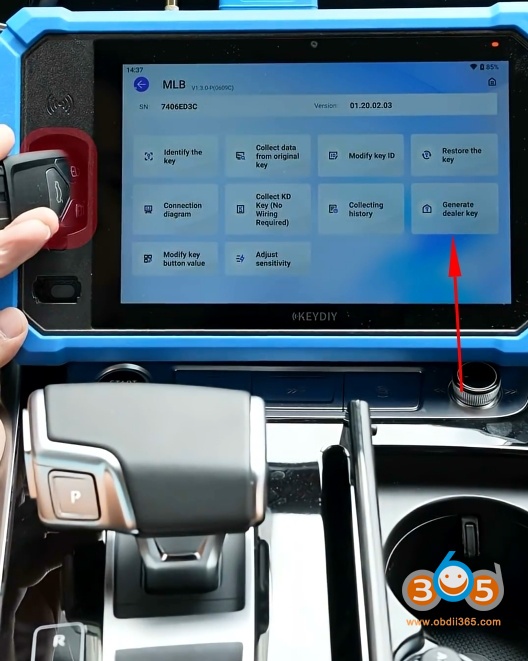
Keydiy KD-X6 Adds 2024 Audi Q7 MLB Key 1
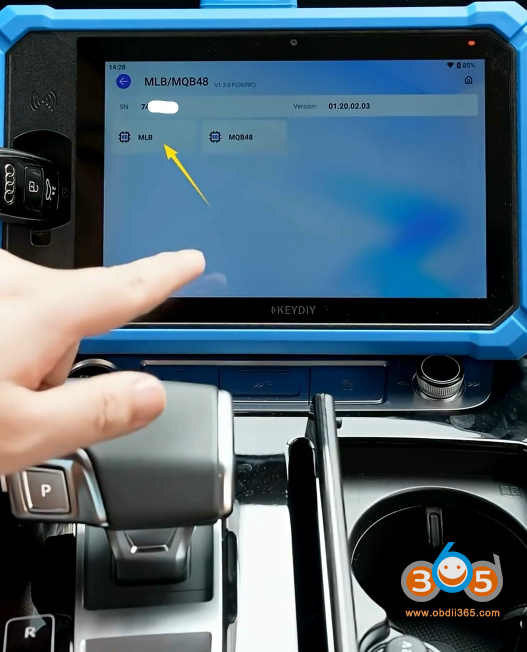
Insert the original key into the induction coil. Choose MLB function.
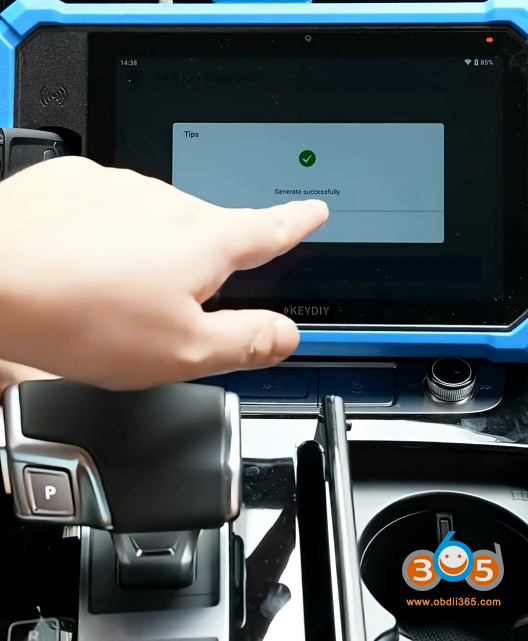
Keydiy KD-X6 Adds 2024 Audi Q7 MLB Key 2

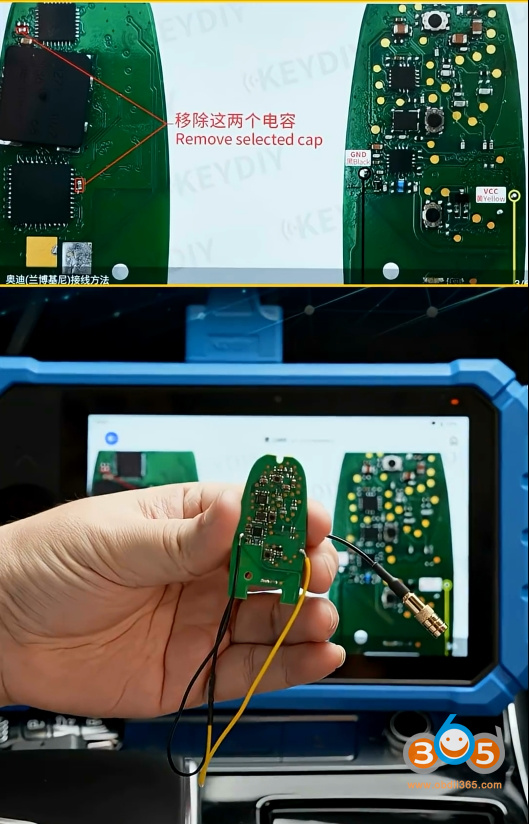
Check key connection diagram.

Keydiy KD-X6 Adds 2024 Audi Q7 MLB Key 3

Keydiy KD-X6 Adds 2024 Audi Q7 MLB Key 4

Remove two capacitors. Connect key circuit board with kd-x6 cable.

Keydiy KD-X6 Adds 2024 Audi Q7 MLB Key 5

Recognize key successfully.

Keydiy KD-X6 Adds 2024 Audi Q7 MLB Key 6

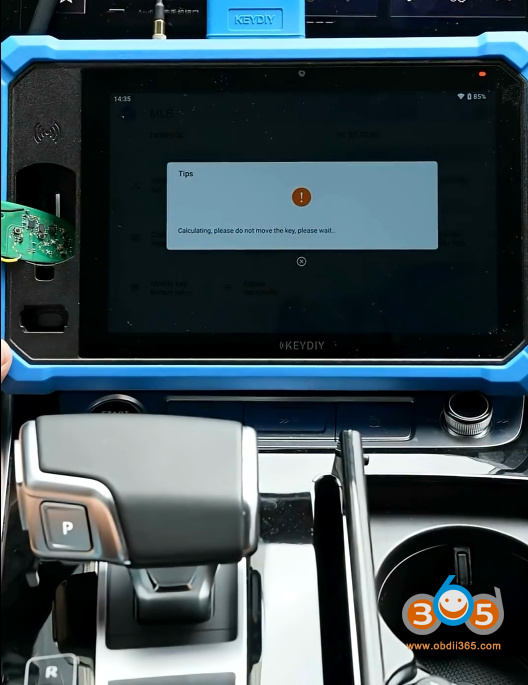
Calculate key data.

Save original key data.

Keydiy KD-X6 Adds 2024 Audi Q7 MLB Key 7

Keydiy KD-X6 Adds 2024 Audi Q7 MLB Key 8

Place a KD FGB MLB key into the induction coil.

Select Generate dealer key.

Keydiy KD-X6 Adds 2024 Audi Q7 MLB Key 9

Generate dealer key successfully.

Keydiy KD-X6 Adds 2024 Audi Q7 MLB Key 10

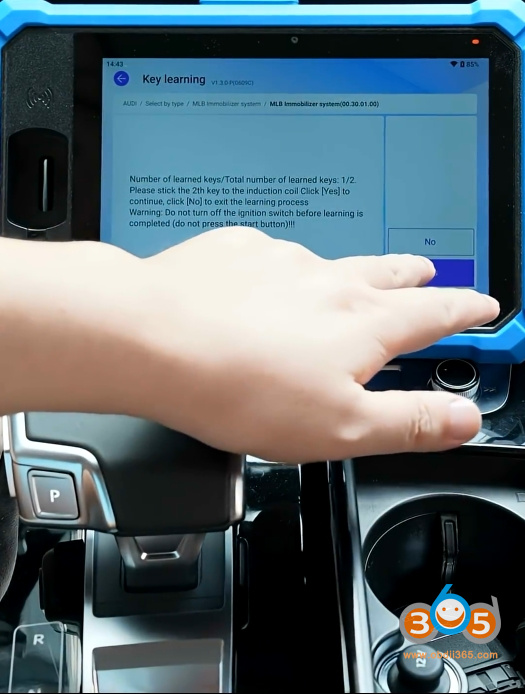
Then learn key.

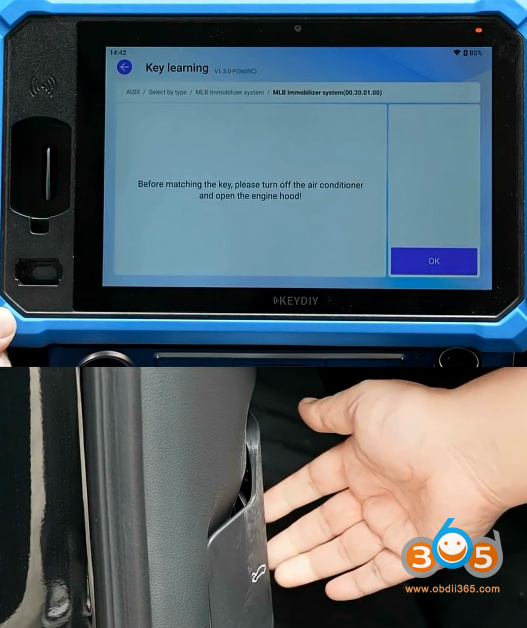
Disable SFD gateway before learning key.

Keydiy KD-X6 Adds 2024 Audi Q7 MLB Key 11

Keydiy KD-X6 Adds 2024 Audi Q7 MLB Key 12

2026/09/17

How to Connect Keydiy BDC2 BDC3 5C 5D Adapters with KD-X6?

 The Keydiy BDC2/BDC3 5C/5D solder-free interface board set (13 adapters) is also compatible with the KD-X6 tablet.

There are two ways to connect these interface boards with KD-X6 to read original key data.

Take the #1 BDC2/BDC3 interface board as an example.

#1 adapter works with both BDC2/BDC3. Check the BDC2 and BDC3 positions carefully.
The two pins on the left are for BDC3 and two pins on the right are for BDC2.
connect keydiy bdc2 bdc3 5c 5d adapter with kd-x6 1
Set the jumper cap to BDC2/3.
connect keydiy bdc2 bdc3 5c 5d adapter with kd-x6 2
Remove the original key shell.
Place the key circuit board onto the interface board and lock the PCB.
connect keydiy bdc2 bdc3 5c 5d adapter with kd-x6 3
2 ways to connect these boards with KD-X6:

Way 1: via renew cable
Connect renew cable with KD-X6.
Then connect the other end to the white port of solder free interface board.
connect keydiy bdc2 bdc3 5c 5d adapter with kd-x6 4
connect keydiy bdc2 bdc3 5c 5d adapter with kd-x6 5
connect keydiy bdc2 bdc3 5c 5d adapter with kd-x6 6
Way 2: direct connection
Directly connect the interface board to the KD-X6 tablet.
connect keydiy bdc2 bdc3 5c 5d adapter with kd-x6 7
The first method is recommended because some interface boards have a wire leaded out. For example, with the No. 9 interface board, plugging it directly into the device is inconvenient for subsequent operations.
connect keydiy bdc2 bdc3 5c 5d adapter with kd-x6 8