Showing posts with label EoneBoss NK001. Show all posts

2026/05/21

EoneBoss NK001 Copy Smart Key with Solder Free Adapter

In our previous post, we demonstrated how to copy an NCF29Ax smart key with EoneBoss NK001 using the wire-soldering method; today, we will introduce an alternative approach—one that does not require soldering wires.


Key type example: Hyundai ID47 smart key.

Method: solder free with interface board.


Procedure:

Download and run the EoneBoss NK001 App.
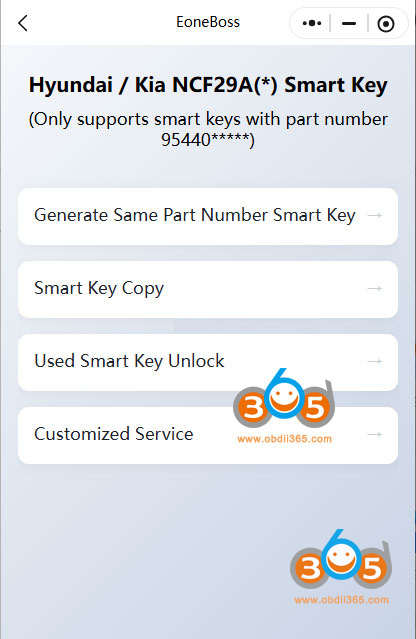
Choose Smart Key Copy Function.
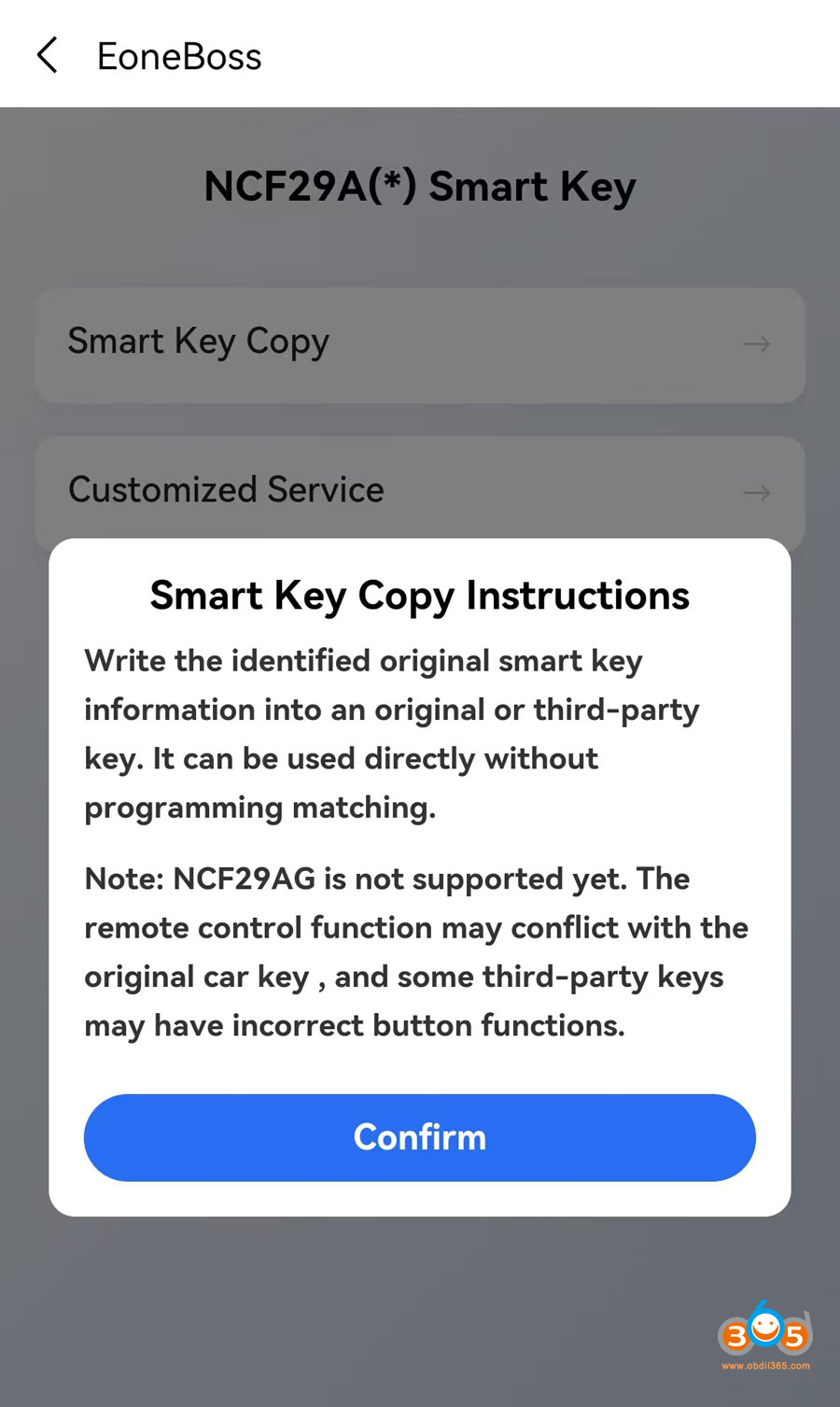
Read instructions and confirm.
Write the identified original smart key information into an original or 3rd party key. It can be used directly without programming afterwards.

*NCF29AG is not supported. Some 3rd party keys may have incorrect button functions.

Copy NCF29Ax Smart Keys with EoneBoss NK001 1

You need to open the original key shell and take out the circuit board.

Copy NCF29Ax Smart Keys with EoneBoss NK001 2

2 Ways to connect the key circuit board with NK001.
Way 1: Use NK001 connector adapter
Way 2: Use solder free interface board.

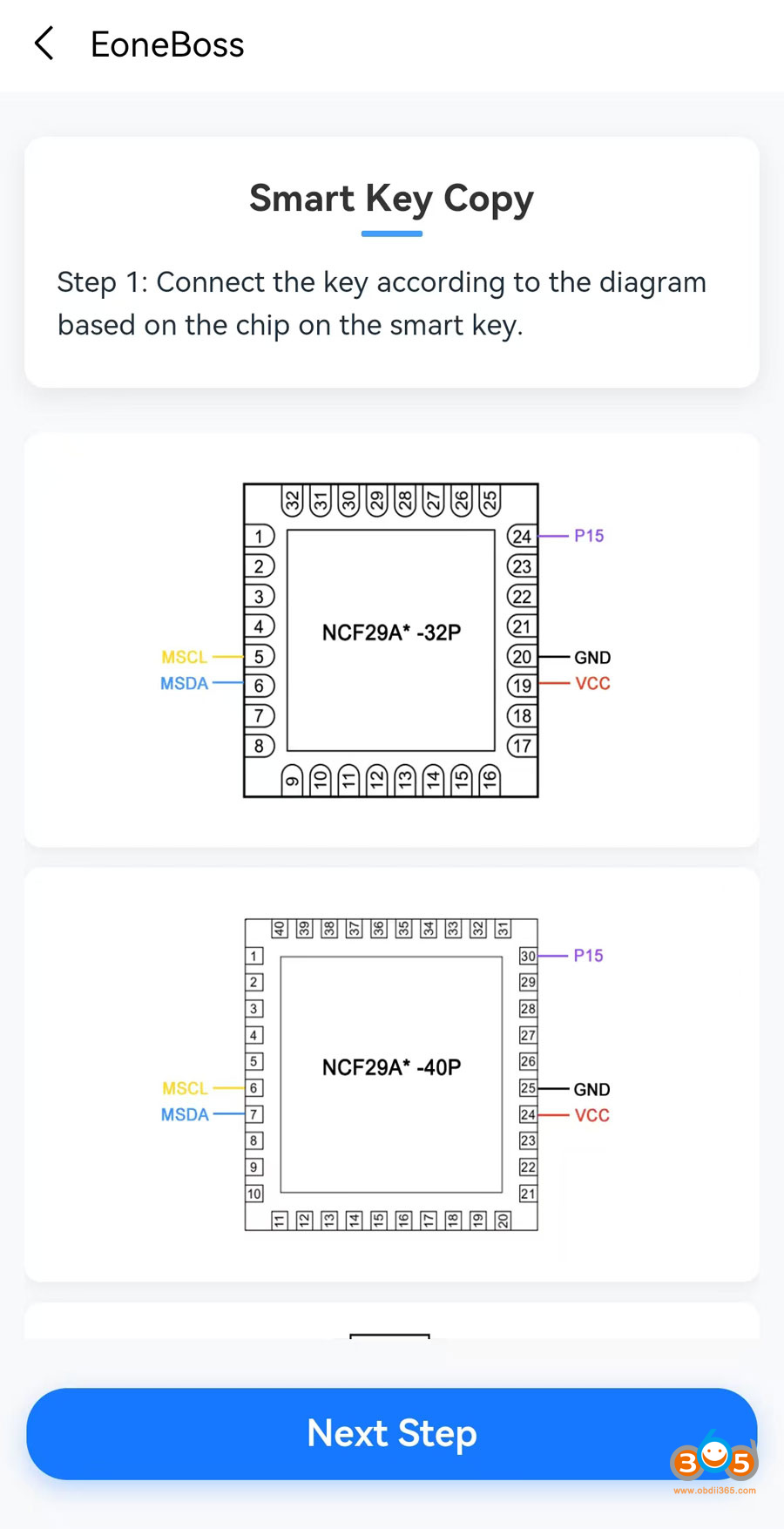
NK001 will show key wiring diagram.

The App shows NCF29A diagram at present. They will release more diagrams in PDF format.

Connect key board with NK001 via the solder adapter according to the diagram.

Copy NCF29Ax Smart Keys with EoneBoss NK001 3
Copy NCF29Ax Smart Keys with EoneBoss NK001 4

Here we will introduce way 2.

Connect the solder-free adapter with NK001 via USB cale.
Copy NCF29Ax Smart Keys with EoneBoss NK001 5
Copy NCF29Ax Smart Keys with EoneBoss NK001 6
It has a PIN15 probe (purple), this probe needs to connect to key board.

Copy NCF29Ax Smart Keys with EoneBoss NK001 7
Click Next step.

Press the NK001 button for 3 seconds to power on and enable your Phone’s bluetooth.
Connect NK001 with Bluetooth.

Click Connect.

Copy NCF29Ax Smart Keys with EoneBoss NK001 8
Copy NCF29Ax Smart Keys with EoneBoss NK001 9
Read original key information.

Copy NCF29Ax Smart Keys with EoneBoss NK001 10
Copy NCF29Ax Smart Keys with EoneBoss NK001 11

Read original key information successfully. NK001 will read key chip type and ID.

Prepare the smart key to be copied.

Install the new key board to the interface board and connect with NK001.

Copy NCF29Ax Smart Keys with EoneBoss NK001 12

Click Copy function.

Copy NCF29Ax Smart Keys with EoneBoss NK001 13

Copying key in process. Do not remove the key or probe during this procedure.

Copy NCF29Ax Smart Keys with EoneBoss NK001 14
Copy NCF29Ax Smart Keys with EoneBoss NK001 15

Generate a new smart key successfully. Don’t need to program this new key afterwards.

If your key is an Eoneboss smart key, there is no daily generation limitation.
If it is other keys, you can generate up to 5 keys each day.

EoneBoss NK001 vs HK001 Device

Question: What’s the difference between EoneBoss NK001 and HK001 key copy device? They all copy Hyundai /Kia NCF29Ax smart keys?

eoneboss nk001 vs hk001

Here is the clue.

1. Vehicle Coverage 

HK001: for Hyundai and Kia only

NK001: for multile brands


2. Functions

HK001:

1). Generate Hyundai Kia smart remote

2). Copy Hyundai/Kia NCF29Ax smart key.

3). Unlock Hyundai/Kia smart keys

eoneboss hk001 functions

HK001:

Copy NCF29Ax smart keys for multiple car brands.

eoneboss nk001 functions

Both devices will copy Hyundai/Kia NCF29Ax smart keys. HK001 will do Hyundai/Kia only. NK001 cannot generate remote and unlock smart key. It only copy smart keys.

2026/04/20

Free Download EoneBoss NK001 App

EoneBoss released a new NK001 smart key tool for NXP smart key cloning. Where to download the NK001 mobile App? How to copy smart key with NK001?


Scan the QR code below to download App from Google Play (for Android system), App Store (for iOS system) or download the Apk file directly.

App version: 2.7.4 (April 2026)

App language: English/Chinese

download eoneboss nk001 app

Download and install App. Select NK001 device.

eoneboss nk001 copy nxp smart key 1

Choose Smart Key Copy function.

With the identified original smart key information into an original or 3rd party key. It can be used directly without programming in car.
NOTE: NCF29AG is not supported. The remote control function may conflict with the original car key and some 3rd-party keys may have incorrect button functions.

eoneboss nk001 copy nxp smart key 2

What key can be used to copy?

  • Eoneboss smart keys
  • original smart key
  • other 3rd party smart keys.

NOTE: If you are not using the EONEBOSS smart keys, the daily copying limit is 5 times. If you use EoneBoss’s keys, there is no daily limit on copying.

NK001 can copy 70%-80% NCF29Ax series smart keys. Key list is too long. Better provide year and model to us to verify.

This is an advantage over Keydiy and CG devices. With KD, the original key data must be written into a specific ZB71 remote key. Eoneboss, on the other hand, provides greater flexibility when choosing new keys.


How to Copy NXP smart key with EoneBoss NK001?

EoneBoss NK001 App will show the key wiring diagram.

Connect the key according to the diagram based on the chip on the smart key.

*EoneBoss will release solder-free adapters soon.

eoneboss nk001 copy nxp smart key 3

After solder wires on original key, hit Next step to read and save key data.

Disconnect original key.

Solder wires on the new smart key to be copied.

Then write original data to the new smart key.