
EoneBoss released a new NK001 smart key tool for NXP smart key cloning. Where to download the NK001 mobile App? How to copy smart key with NK001?
Scan the QR code below to download App from Google Play (for Android system), App Store (for iOS system) or download the Apk file directly.
App version: 2.7.4 (April 2026)
App language: English/Chinese

Download and install App. Select NK001 device.

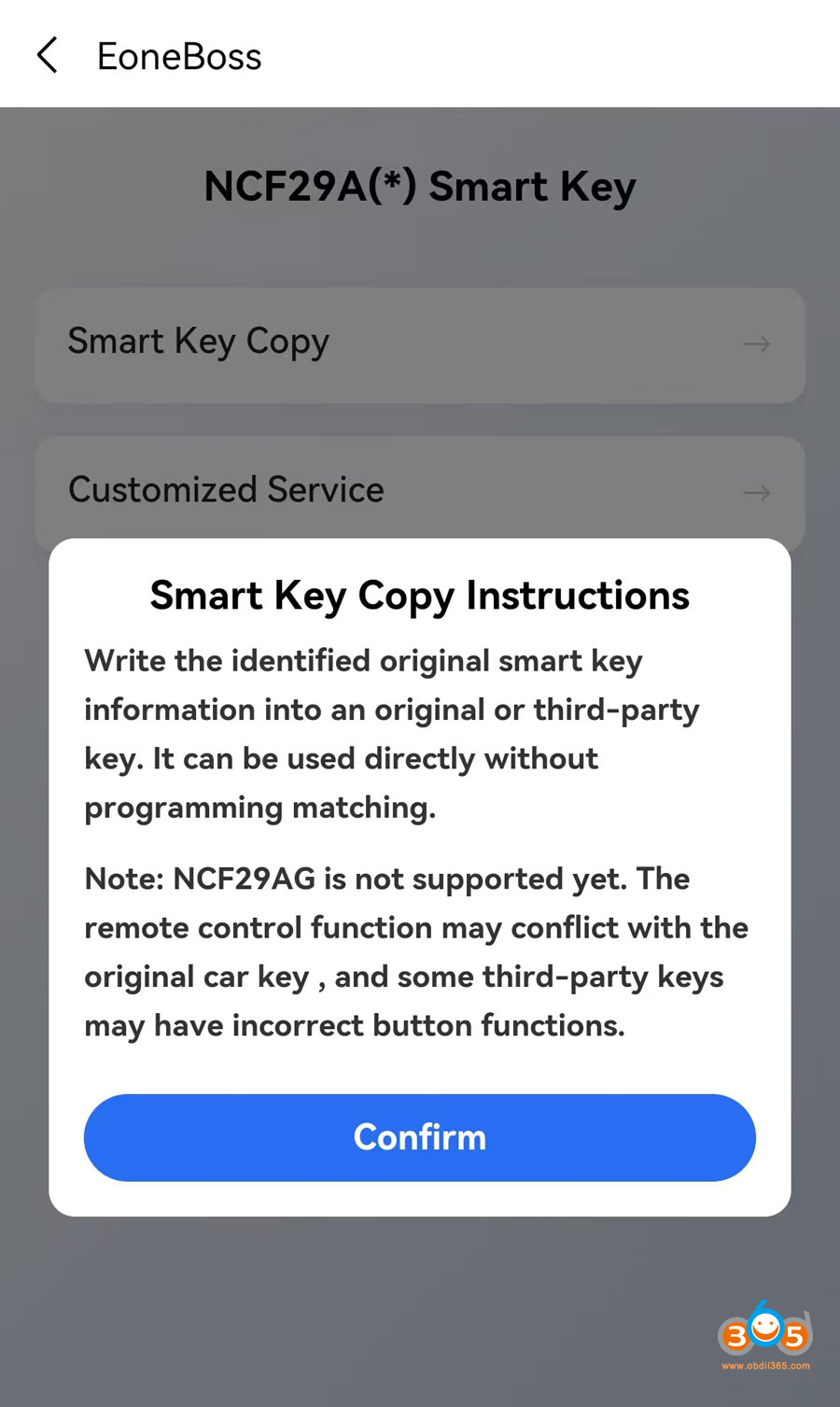
Choose Smart Key Copy function.
With the identified original smart key information into an original or 3rd party key. It can be used directly without programming in car.
NOTE: NCF29AG is not supported. The remote control function may conflict with the original car key and some 3rd-party keys may have incorrect button functions.

What key can be used to copy?
- Eoneboss smart keys
- original smart key
- other 3rd party smart keys.
NOTE: If you are not using the EONEBOSS smart keys, the daily copying limit is 5 times. If you use EoneBoss’s keys, there is no daily limit on copying.
NK001 can copy 70%-80% NCF29Ax series smart keys. Key list is too long. Better provide year and model to us to verify.
This is an advantage over Keydiy and CG devices. With KD, the original key data must be written into a specific ZB71 remote key. Eoneboss, on the other hand, provides greater flexibility when choosing new keys.
How to Copy NXP smart key with EoneBoss NK001?
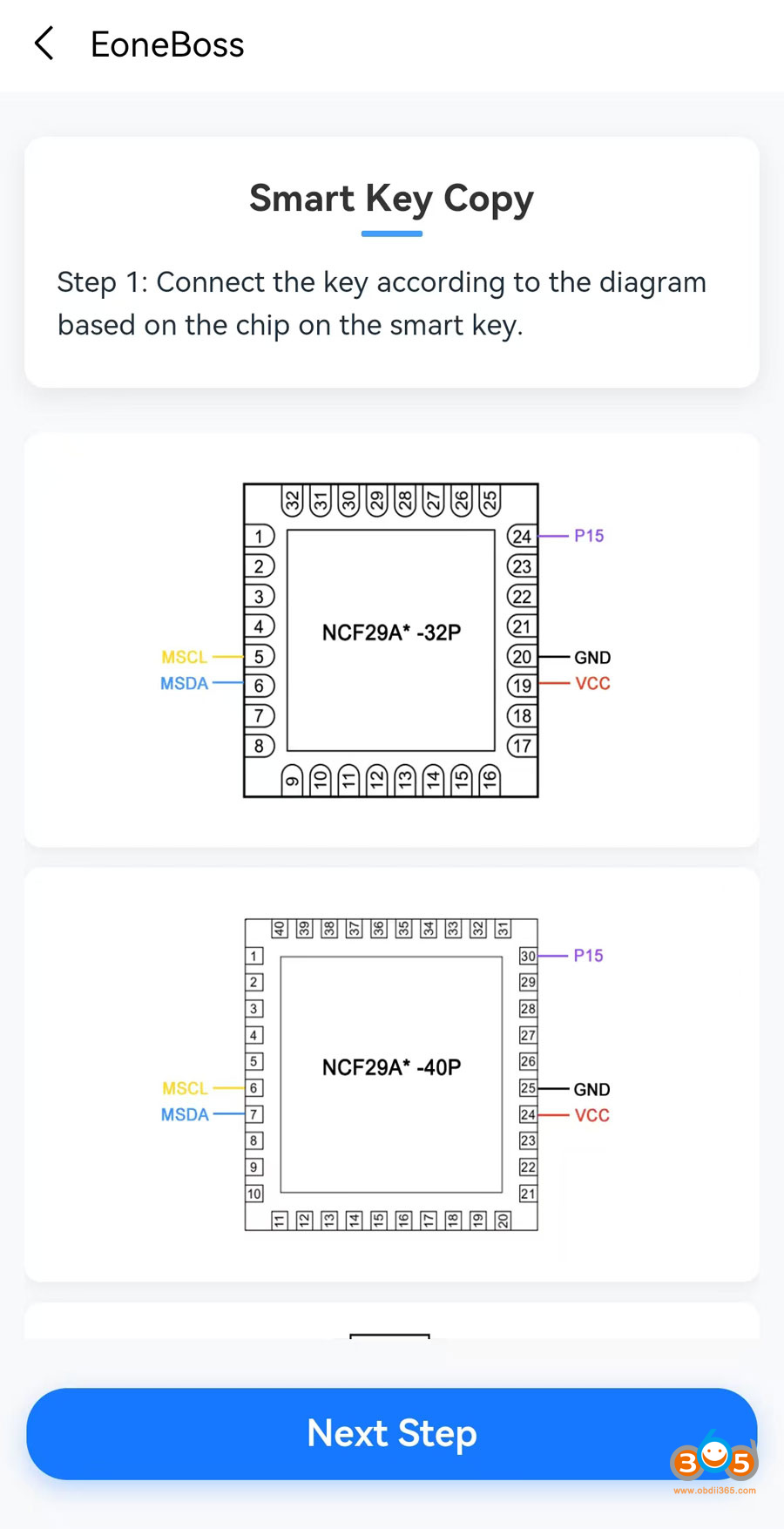
EoneBoss NK001 App will show the key wiring diagram.
Connect the key according to the diagram based on the chip on the smart key.
*EoneBoss will release solder-free adapters soon.

After solder wires on original key, hit Next step to read and save key data.
Disconnect original key.
Solder wires on the new smart key to be copied.
Then write original data to the new smart key.

No comments:
Post a Comment