Showing posts with label Yanhua 35xx programmer. Show all posts

2025/03/13

Free Download Yanhua YH35XX Programmer Software

 The Yanhua YH35XX programmer and simulator are used to correct mileage for BMWs after 2015.08+. The odometer chip is a 35160WT/35128WT EEPROM that is not erasable.

Independent programmer with software inside.  Software can be run directly when the programmer is connected to PC.


Free download Yanhua YH35XX programmer software

Download Link

Free download Yanhua YH35XX programmer software 1

Free download Yanhua YH35XX programmer software 2

Free download Yanhua YH35XX programmer software 3

How to install and use Yanhua YH35XX programmer?

1.Insert the programmer into the computer and the computer recognizes a U disk named 35XX programmer
2.Open the U disk, find the executable with the BMW_ODO_Professional_edition.exe or BMW_ODO_Standard_edition.exe name, and double-click to run.
3.Wait a few seconds after the program runs, and read and write the chip when the status bar at the bottom of the application says, “programmer connection successful.”

Tip: If the program runs incorrectly, or the program show you for a missing Microsoft .NET Framework4.6 runtime, Please download and install the Microsoft .NET runtime, and then restart the program.
Refer to the download connection below, copy it to your computer browser and open it:
https://www.microsoft.com/zh-cn/download/details.aspx?id=48130


Read detailed guide:

How to use Yanhua 35XX Programmer and Simulator to Reset 35XX Odometer?

2025/03/07

How to Correct BMW G Series ID8 Cluster Mileage?

 How to correct mileage for BMW G Series IDrive 8 (ID8) instrument cluster Such as 3/4/5/7/X5/X6/X7/M4 and install ID8 filter?


To correct odometer, follow steps below:

  1. First, remove the instrument cluster module.
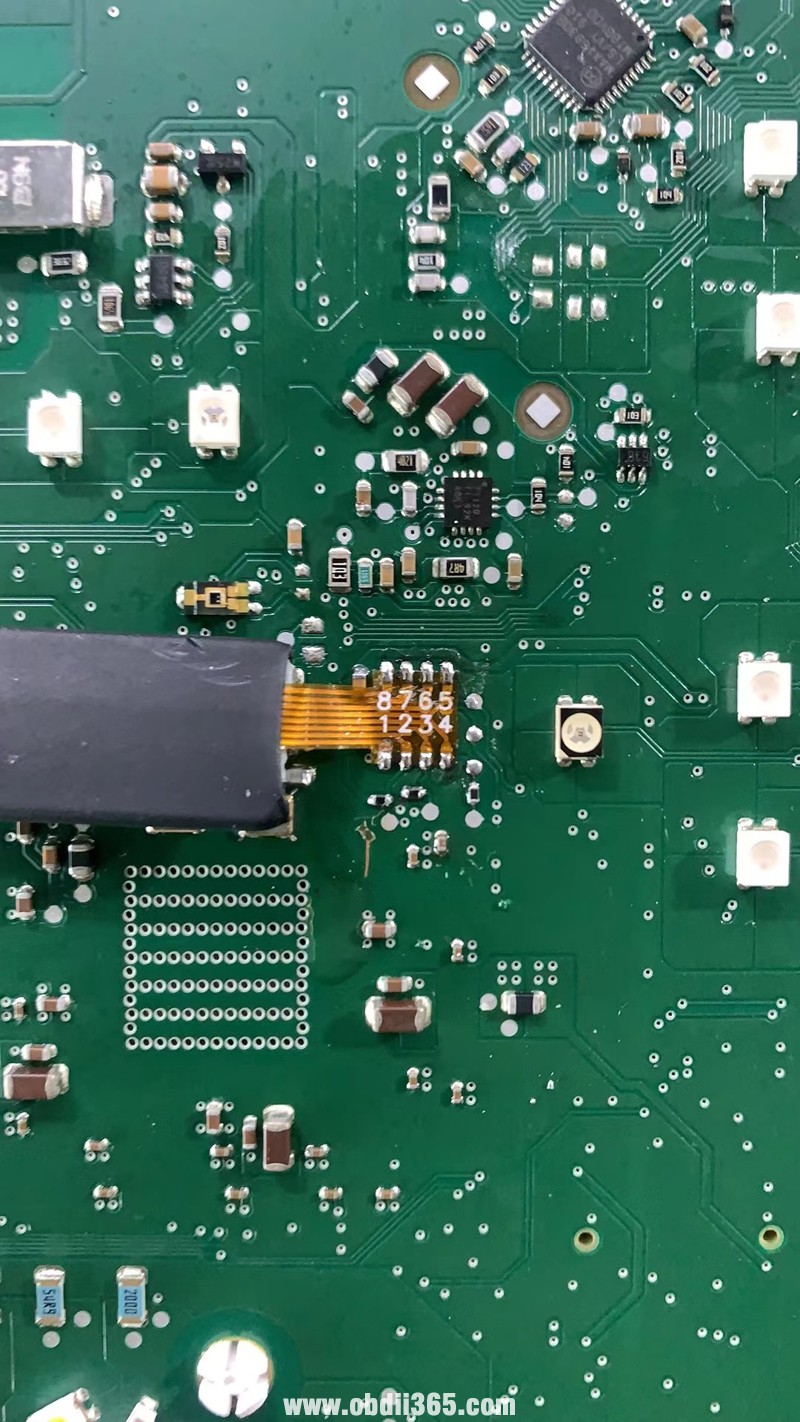
  2. Remove the 35128WT chip from the instrument cluster module.
  3. Use the YH35XX programmer to read the data from the original 35128WT chip, write the data to the emulator chip, and then modify the target mileage.
  4. Solder the emulator chip back onto the instrument cluster module.
  5. Plug the ID8 filter into the instrument cluster module to complete the process.


The video shows how to use the Yanhua YH35XX programmer and simulator to correct odometer.

For ID8 instruction cluster, you have to connect an id8 filter and leave it on the car after correction.

How to Install Yanhua BMW ID8 Filter?

How to Install Yanhua BMW ID8 Filter 1

How to Install Yanhua BMW ID8 Filter 2

How to Install Yanhua BMW ID8 Filter 3

How to Install Yanhua BMW ID8 Filter 4

How to Install Yanhua BMW ID8 Filter 5

For example:

BMW 7 Series G12 2021 ID8 mileage correction by Yanhua YH35XX programmer and ID8 filter.

Yanhua ID8 BMW G series mileage correction 1

Yanhua ID8 BMW G series mileage correction 2

Yanhua ID8 BMW G series mileage correction 3

Yanhua ID8 BMW G series mileage correction 4

Yanhua ID8 BMW G series mileage correction 5

Yanhua ID8 BMW G series mileage correction 6

If it is ID7 cluster, after correction mileage with YH35XX programmer, need to install ID7 Filter.

BMW ID7 vs ID8 cluster

ID7 vs ID8 cluster

http://blog.obdii365.com/2025/03/07/how-to-use-yanhua-bmw-id8-filter-for-g-series/

2021/10/26

Yanhua Mini ACDP Correct 35128WT V2 Mileage

 35128WT V2 G01 Cluster Virgin done with Yanhua Mini ACDP.

Need to remove eeprom for mileage corrector from 43k to 1k but anyway nice, 15min job.

Yanhua Mini ACDP Correct 35128WT V2 Mileage 1

Yanhua Mini ACDP Correct 35128WT V2 Mileage 2

Yanhua Mini ACDP Correct 35128WT V2 Mileage 3

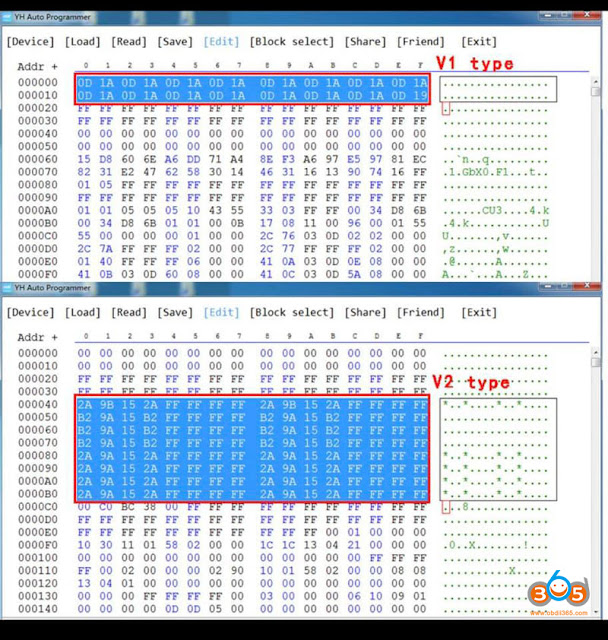
It is version v2, v1 only possible with yanhua 35xxx simulator.

Check what version it is when only after read, because You have to see file structure.
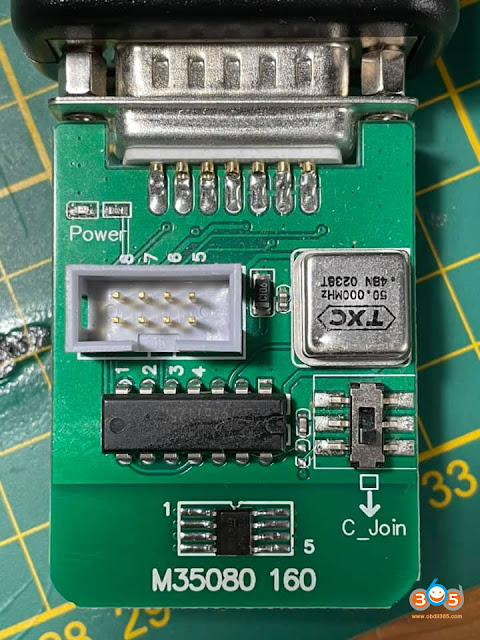
The mileage could be saved in different location. Please see bellow. V1 could be made to 0 only with simulator, v2 could be made via a standard adapter (35080 160 adapter for ACDP).

the other day I got the programmer Yanhua YH35XX with emulator for eeprom 35128w, the work has been easy,
delete two first lines to leave 0 km and delete the three
Short VINs in positions 0FF0,11B0 and 1A40.
By “detecting cafd for swe” inject a valid caft and
The cluster is already working correctly.

Yanhua Mini ACDP Correct 35128WT V2 Mileage 4

Read also: How to correct 35xxx odometer with Yanhua 35xxx programmer?

2021/06/24

Yanhua Simulator Chip for 35128WT and 35160WT

 User feedback: Yanhua YH35XX Programmer + Simulator Chip works perfectly with 35128WT (mileage reset), but does not work with 35160WT. How to solve the problem?


Yanhua chief engineer replied:

If the 8th pin of the 35160WT chip is 5V, you need another emulator chip, which is compatible with both 35128WT and 35160WT.


yanhua-35xx-simulator-chip-1
yanhua-35xx-simulator-chip-2

yanhua-35xx-simulator-chip-3

yanhua-35xx-simulator-chip-4
   

***for the regular 35xx simulator chip, it also works with both 35128WT and 35160WT, but not the 8th pin of the 35160WT chip is 5V.

yanhua-35xx-simulator-chip-5yanhua-35xx-simulator-chip-6

For convenience, it is recommended to use the regular emulator chip for 35128WT and new emulator chip for 35160WT.


 yanhua-35xx-simulator-chip-7

bigger simulator chip for 35160WT reading and writing is also compatible with Yanhua YH35XX Programmer.


35160WT simulator chip share the same operation with the regular one, check the detail guide here

https://www.obdii365.com/wholesale/yanhua-35xx-programmer-and-simulator-chip.html

Enjoy!


www.obdii365.com

2019/06/06

How to use Yanhua 35XX Programmer and Simulator?

Function of Yanhua 35XX programmer and simulator: read/write 35xx EEPROM to reset odometer
No risk. No red dot on odometer.
Support models: F chassis odometer with 35128WT EEPROM.
G chassis VDO odometer.
yanhua-35xx-programmer
YH35XX Programmer + Simulator Instruction
1.Disassemble the original 35XX EEPROM from the cluster and solder it to the adaptor board.
Then clamp the adaptor board with the solder-free clamp. Make sure the direction of the adaptor board and solder-free clamp is correct.
use-yanhua-35xx-programmer-1
2.Plug the YH35XX programmer into the USB port of the PC,Click “computer” and it will recognize a usb flash drive named 35XX programmer.
use-yanhua-35xx-programmer-2

use-yanhua-35xx-programmer-3
3.Click U disk 35XX programmer,Double-click “BMW_ODO_Standard_edition. exe” to open the software.
use-yanhua-35xx-programmer-4
4.Wait for the prompt: Programmer connection successful,Then run it.
use-yanhua-35xx-programmer-5
5.Select the EEPROM chip model, i.e 35128 and click “Read DATA+ID“, check whether the read mileage is the same as the actual mileage.
use-yanhua-35xx-programmer-6
6.Click “Save Data File“, Save the original data of original EEPROM to the folder.
use-yanhua-35xx-programmer-7
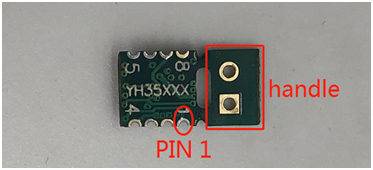
7.Hold the handle of the Yanhua 35xx simulator, Clamp the Simulator with the solder-free clamp. Pay attention to the direction. Then connect the solder-free clamp to the programmer, connect the programmer to the PC.
use-yanhua-35xx-programmer-8
use-yanhua-35xx-programmer-9
use-yanhua-35xx-programmer-10
8.Select EEPROM model, click “Load Data File“, Select the corresponding data of original EEPROM and load it. Check whether the displayed mileage is the same as the mileage displayed in cluster.
use-yanhua-35xx-programmer-11
use-yanhua-35xx-programmer-12
9.Once the mileage is confirmed, click “Write DATA+ID“, Write the original data into the Simulator.
use-yanhua-35xx-programmer-13
10.Click “Read Data+ID“, read the data written into the Simulator, and check the mileage.
use-yanhua-35xx-programmer-14
11.After the mileage is confirmed, click “Mileage modification” and input the mileage you want.
use-yanhua-35xx-programmer-15
use-yanhua-35xx-programmer-16
12.After confirm the input mileage is correct, click “Write DATA+ID” to write the modified data into the Simulator.
use-yanhua-35xx-programmer-17
13.After the data is written, click “Read DATA+ID” to check whether the mileage modification is correct
use-yanhua-35xx-programmer-18
14.If the displayed mileage is the same as what you want, cut off the handle of the Simulator, and solder the Yanhua 35xx Simulator to the original EEPROM  position. Pay attention to the EEPROM direction. Install the odometer back to the car to verify whether the mileage modification is successful.
use-yanhua-35xx-programmer-19
Done.