
Here we introduce how to use the CK-PROG programmer to repair BMW FRM3 Footwell module data automatically.
Example: 2011 Mini.
Symptoms:
Headlights stay on constantly
Turn signals not working
Power windows not functioning
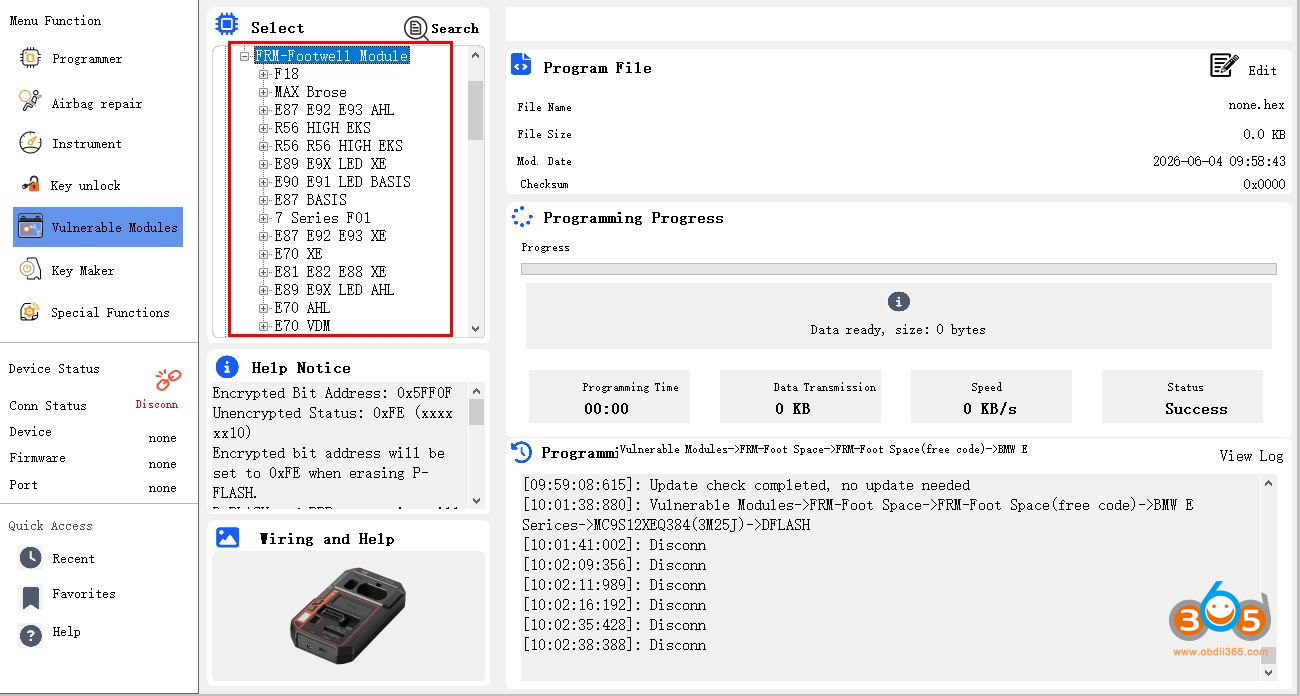
In CK-Prog software, select Vulnerable Modules- BMW- FRM- FRM Footwell (free code)- MC9S12XEQ384 (3M25J).
Free coding (no coding requires) here means the FRM has not been processed by any devices.
If the FRM module is brand new or has not read by any tools, select free coding option.

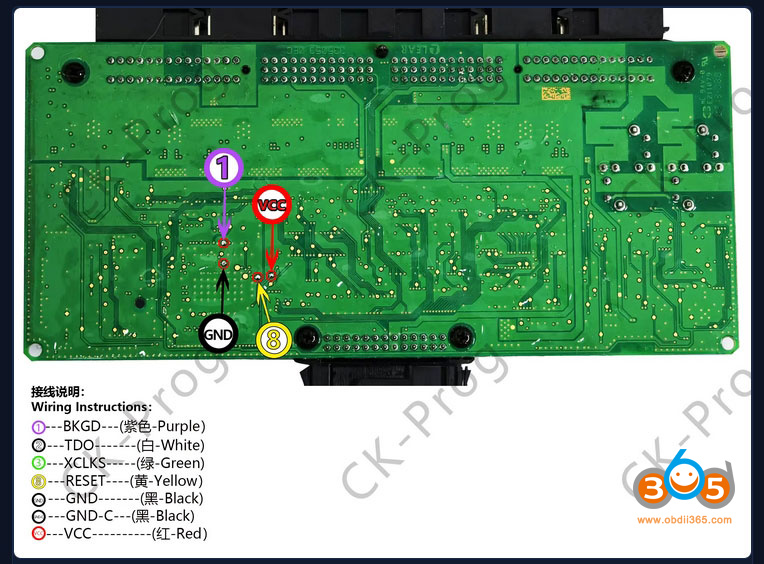
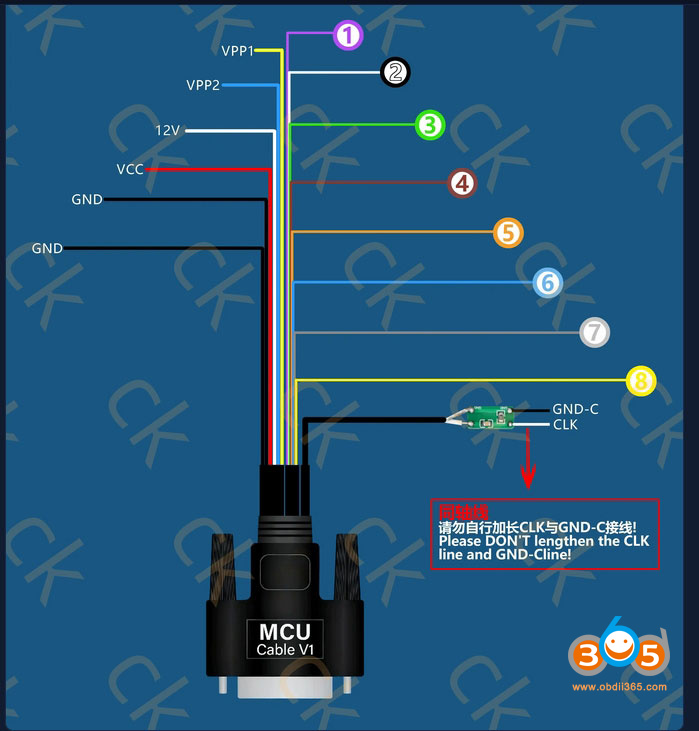
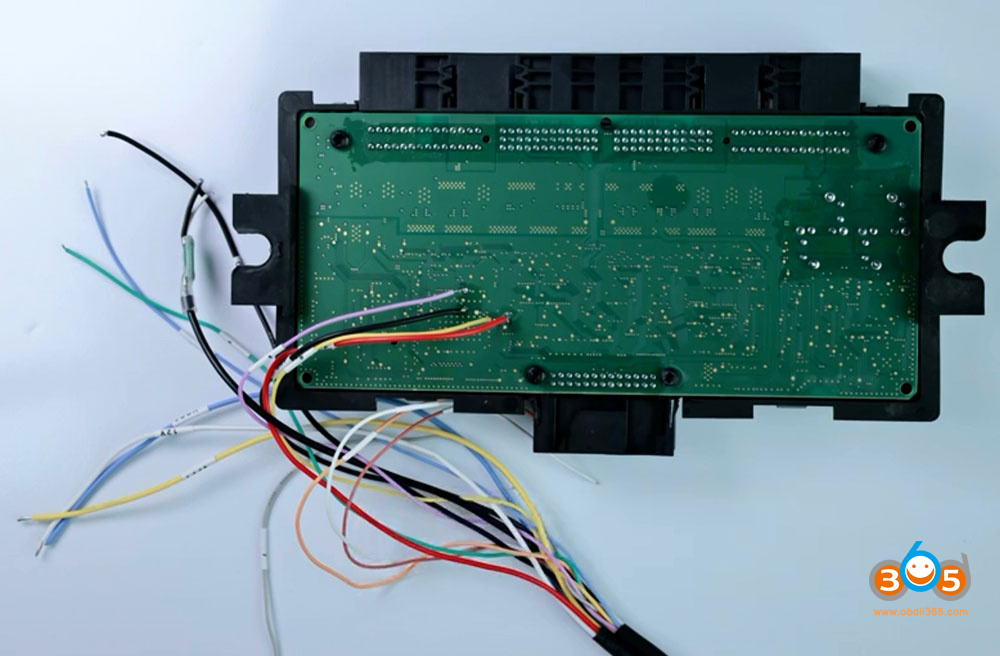
Check the wiring diagram.
Wiring is very simple – only 4 wires need to be connected.
1-BKGD-Purple
GND-black
VCC-Red
8-RESET- Yellow


Encrypted Bit Address: 0x5FF0F
Unencrypted Status: 0xFE (xxxx xx10)
Encrypted bit address will be set to 0xFE when erasing P-FLASH.
D-FLASH and EEPROM space size will be judged automatically.
Steps
1. Use (Unlock) to decrypt the chip, the original encrypted bit data will be displayed in the window.
2. You can read D-FLASH, EEPROM, P-FLASH, POF data, and rewrite new data multiple times.
3. Use (Lock), enter the original encrypted bit data read in Step 1.
Mask:2M25J ID:C482
Mask:3M25J ID:C482
Mask:0M12S ID:C483
Mask:1M12S ID:C483
CK-PROG will repair the module automatically.
The software has a built-in algorithm for automatic repair. After installation in the vehicle, no coding is needed – it is ready to use.
If the FRM has already been processed by other devices:
Select the appropriate option below based on the FRM type to be repaired. Choose the correct type for the corresponding repair.


No comments:
Post a Comment