
The new generation VXDIAG VCX CAN FD J2534 scanner previously only supported GM and Ford/Mazda models. Good news—the device is now also compatible with VAG software. Here we explain how to activate the VAG authorization for VCX FD.

1.Activate License
Purchase VXDIAG VAG Software License $35
Provide your VCX FD serial number to us activate software license manually.
2. Install driver
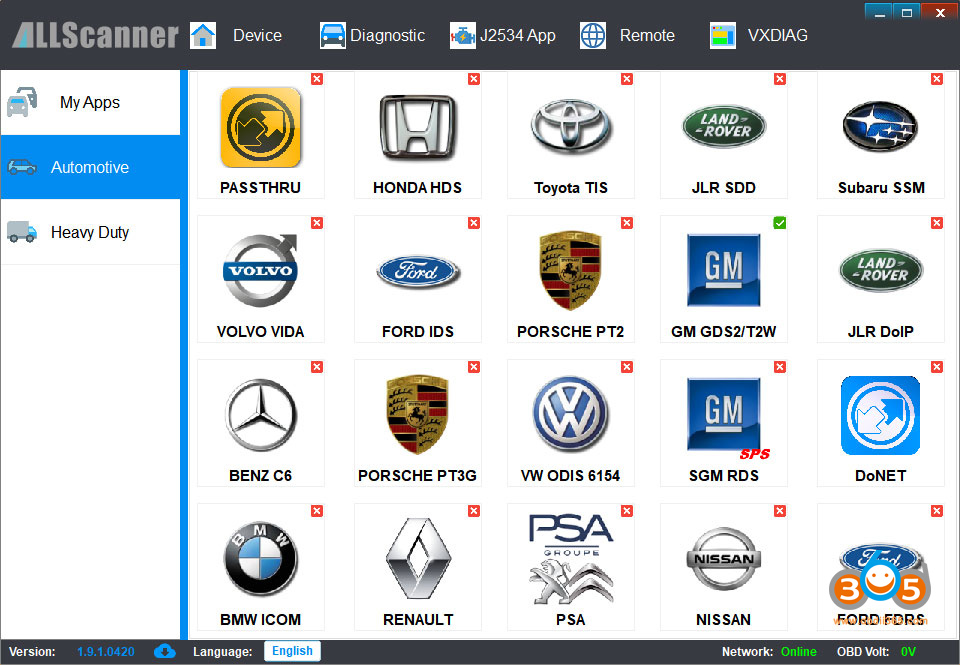
Download the correct VX Manager V1.9.1 for VCX FD.

Install VW ODIS 6154 driver and keep driver up-to-date.

3. Install Software
VXDIAG VAG license does not come with odis software by default.
Contact your supplier to download and install the software.
The VCX FD is compatible with odis-s 25.3 and odis-e v18 software.

No comments:
Post a Comment