2026/09/17

Flex Unable to Verify Serial Number Solution

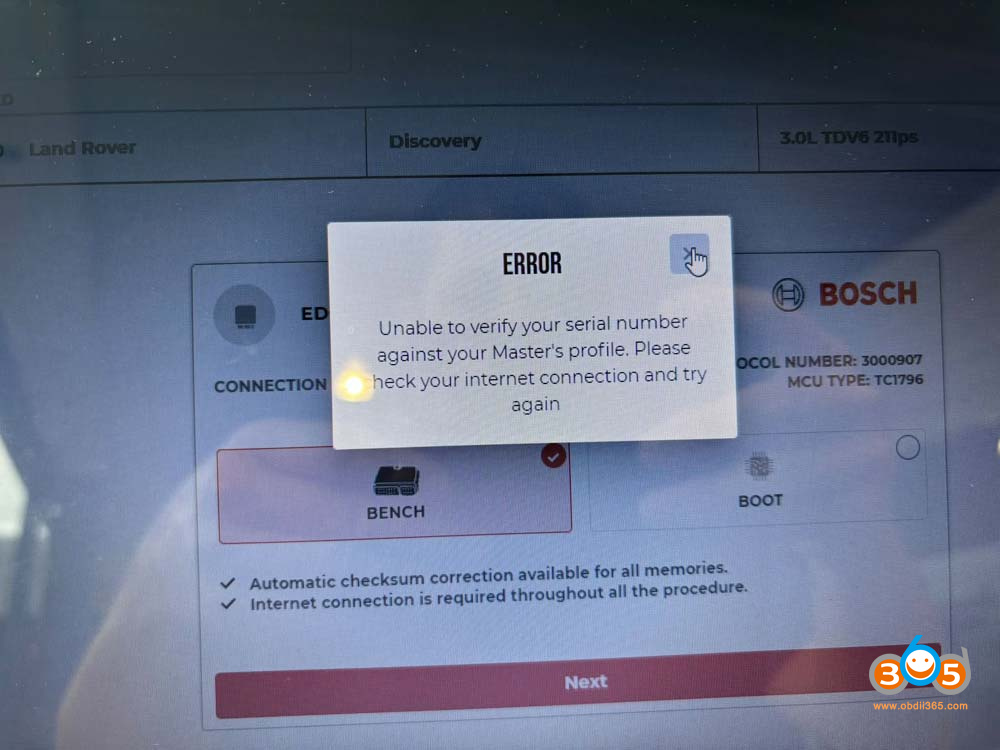
Magic Motorsport Flex programmer is getting this error: “Unable to verify your serial number against your Master’s profile.” How to fix it?

flex unable to verify serial number 1

Here’s the solution.

Log to your account on the new platform.

This happens to all linked slaves if the master has not yet registered on the new MMS center. Contact your master.

Slaves have to register on the new portal too.

If you are related to Master, both of you have to enter the profile.

Log in to your profile and update the panel, it will be fixed.

If you don’t log into the new platform, you won’t be able to use your device, and you’ll keep getting this error. It lets you in for a split second before forcing you to log in again.


New platform/New user panel: https://center.magicmotorsport.com/login

flex new platform 1

flex new platform 2

flex new platform 3
 

2026/09/16

Flex Unlock Hyundai locked MD1CS012 ECU

MMS Flex unlocked 2022 Hyundai Bosch MD1CS012 ECU successfully.

Boot glitch mode.

Unlock ECU ok.

Read ok.

Write ok.

Use good quality cables, as short as possible, solder on pcb. then it will work.

The cable from FLX4.1 must be short as possible otherwise not will be working.

The ECU was read and unlocked. After that, the bench press feature was activated and I used it. The car is running smoothly now. Everything is fine at the moment.

Flex Unlock Hyundai locked MD1CS012 ECU 1

Flex Unlock Hyundai locked MD1CS012 ECU 2

Flex Unlock Hyundai locked MD1CS012 ECU 3

Flex Unlock Hyundai locked MD1CS012 ECU 4


2026/09/15

Flex Renault Trafic MD1CS016 ECU new security Solution

Problem:

Tried to read Renault Trafic III MD1CS016 ECU with Flex programmer but failed.
What’s the cutoff date or part numbers for reading ECU with flex? Can any of them be read?
Getting bored removing security cages to be told “this ECU contains new security…”

Flex Renault Trafic MD1CS016 ECU new security  1

Flex Renault Trafic MD1CS016 ECU new security  2

Here is the clue.

Up to 2021, better try to read; it might work on bench mode. Some people manage to read some not.

One of our customers has the same ECU and the same error. He restarted pc and power to flex. Second time connected and job done. Don’t use browser; run Flex PC application.

If 2021 onwards, MD1CS016 ECU all locked.  Flex failed to read. Try a different tool.

You will need Autotuner mail-in unlocking solution.

Mail in unlock (after 2022) goes quick and smooth. Then you can work as usual in bench.

2026/09/13

Dimsport The Genius Update HD ECM4 Bench Unlocking

Finally! Bosch ECM4 bench is ready. The Dimsport The Genius ECU programmer now adds BENCH access to Bosch ECM4 for modern heavy-duty platforms.


Supported:
• Volvo FH / FH Aero, FM
• Renault Trucks T / T High, C
• Mack Anthem, Pinnacle


A new ECU family, new supported vehicles and even more possibilities for calibration specialists.

The Tool is stand alone. You need the PC only to send files.


Example:

Volvo BOSCH ECM4 is unlocked with TheGenius.


dismport unlock ecm4 ecu 1

dismport unlock ecm4 ecu 2

dismport unlock ecm4 ecu 3

dismport unlock ecm4 ecu 4

Dimsport The Genius also unlocks BMW Mini MDG1 ECUs on bench mode.

New Bosch MDG1 Bench solution for BMW and MINI
Dimsport expands Bosch MDG1 coverage with a new Bench solution for several ECUs on BMW and MINI vehicles. With The Genius, you can access the ECU content and perform programming directly in Bench mode, without opening the ECU.

Supported ECUs:

  • MD1CP032 – TC299
  • MD1CS001 – TC298
  • MG1CS024 – TC298
  • MG1CS049 – TC298
  • MG1CS201 – TC298


Faster, more direct, non-invasive work on BMW group’s Bosch MD1/MG1 engine management systems.

Flex Unlock Benz MD1CP001 ECU with Korhex

 Magic Motorsport Flex unlocked Mercedes Benz locked MD1CP001 ECU successfully.

Using the new Korhex unlock adapter.

Done in boot glitch mode.

Need to open the ECU but without soldering wires and removing resistors.

Read and write ECU on bench after unlocking ECU.

Checksum correction with Flex.

Flex Unlock Benz MD1CP001 ECU with Korhex 1

Flex Unlock Benz MD1CP001 ECU with Korhex 2

Flex Unlock Benz MD1CP001 ECU with Korhex 3

Flex Unlock Benz MD1CP001 ECU with Korhex 4

Flex Unlock Benz MD1CP001 ECU with Korhex 5


2026/09/10

Autotuner VW Simos 18.1 VR Not Able to Unlock ECU Solution

Problem:

One of Autotuner‘s users was trying to read and write a VW Golf 7 Simos 18.1 ECU via OBD.
He has this message: This VR might not be able to unlock the ECU.
Can AT do it by OBD or does it have to downgrade the version first?

Autotuner VW Simos 18.1 VR Not Able to Unlock ECU

Here is the clue.

For some reason, Autotuner can not unlock 5g0906259-0010. All other tools can so not sure why they have an issue.
It won’t work with 0010 if its already been flashed to that version.
Try roll back to 009 lower version.
If AT is impossible to write with 0010, 0007, 0006, it cannot do it via OBD.
Do it in boot mode or use a different tool: Flex or KESS3.
Kess works on that software version.

2026/09/08

How to Use Topdon Rlink J2534 with Nissan C4 R2R Software?

Tutorial: How to set up and connect Topdon Rlink J2534/ Rlink X7/ Rlink Lite with Nissan Consult IV R2R OEM software


Nissan C4 R2R” (also called Consult 4 R2R) is a professional diagnostic software from Nissan. It’s used for advanced diagnostics and module programming on the newest Nissan and Infiniti vehicles

What It Does?

The Consult 4 R2R software is designed for the latest vehicle platforms. It provides full diagnostic functionality for models that use the newest electronic architectures, such as:

  • 2023+ Nissan Ariya
  • 2024+ Nissan Rogue
  • 2025+ Nissan Kicks, Murano, Armada
  • 2025+ Infiniti QX80

Note:   Before use, you need to install the Nissan OEM software. If it is not yet installed, please download and install it from the official Nissan website: https://www.nissan-techinfo.com/home.aspx.


1. Launch the RLink Platform and click Login to the Account. You will be redirected to the login interface, where you can either register a new account or log in.
 
Note:   If you have bound and activated the device and installed the Nissan driver during your first use, logging in is not required for subsequent uses. You can simply launch the RLink Platform to perform vehicle diagnostics with the RLink J2534 devices.
How to Set up Topdon Rlink for Nissan Software 1

2. Check if the software is up to date. If a latest version is available, click Update.

How to Set up Topdon Rlink for Nissan Software 2
3. After confirming the software is up to date, click Driver > Driver Download > NISSAN > Download. (Please download the driver that matches the OEM software brand. Avoid downloading drivers that are not related to the OEM software, as this may cause compatibility issues.

How to Set up Topdon Rlink for Nissan Software 3

4. Click Driver Info > Nissan to view detailed driver information.

How to Set up Topdon Rlink for Nissan Software 4

4. Click Driver Info > Nissan to view detailed driver information.

How to Set up Topdon Rlink for Nissan Software 5

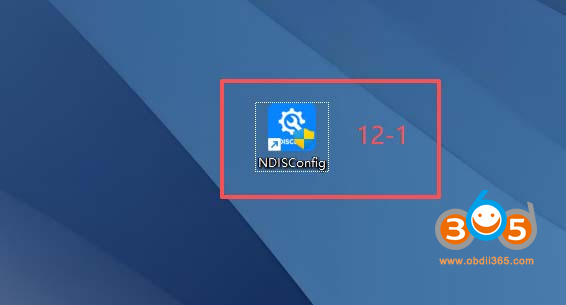
5. Click NDISConfig. (Note: If the CONSULT-IV NDIS Configuration interface fails to open, double-click the NDISConfig shortcut on the desktop.)

topdon rlink j2534 nissan c4 r2r 1

NDISConfig shortcut:
topdon rlink j2534 nissan c4 r2r 2
 
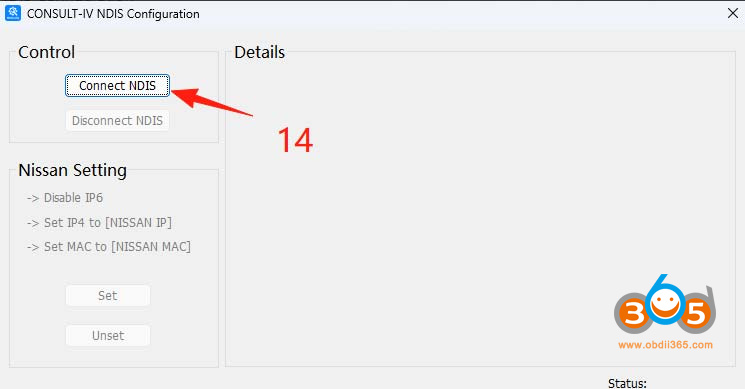
6. In the CONSULT-IV NDIS Configuration interface, click Connect NDIS to establish the connection.
 
topdon rlink j2534 nissan c4 r2r  3
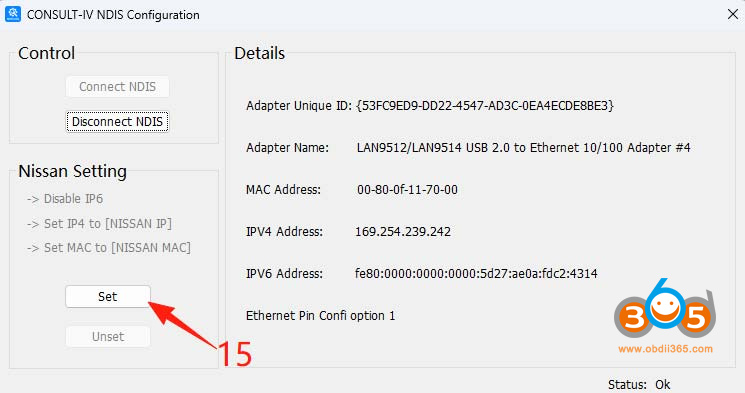
7. Once the connection is successfully established, click Set, and the software will automatically configure the MAC address and IP address.
topdon rlink j2534 nissan c4 r2r  4
8. After the automatic configuration is finished, click × to close the window.
topdon rlink j2534 nissan c4 r2r  5
9. Double-click CONSULT-IV to launch the software.
topdon rlink j2534 nissan c4 r2r  6

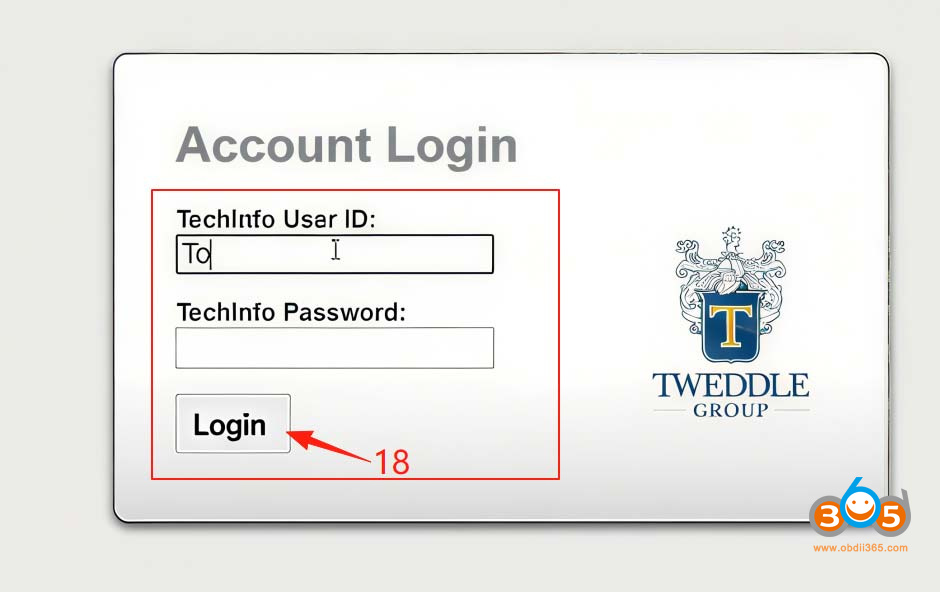
10. Sign in with the account that has subscribed to the C4 R2R software.
topdon rlink j2534 nissan c4 r2r  7
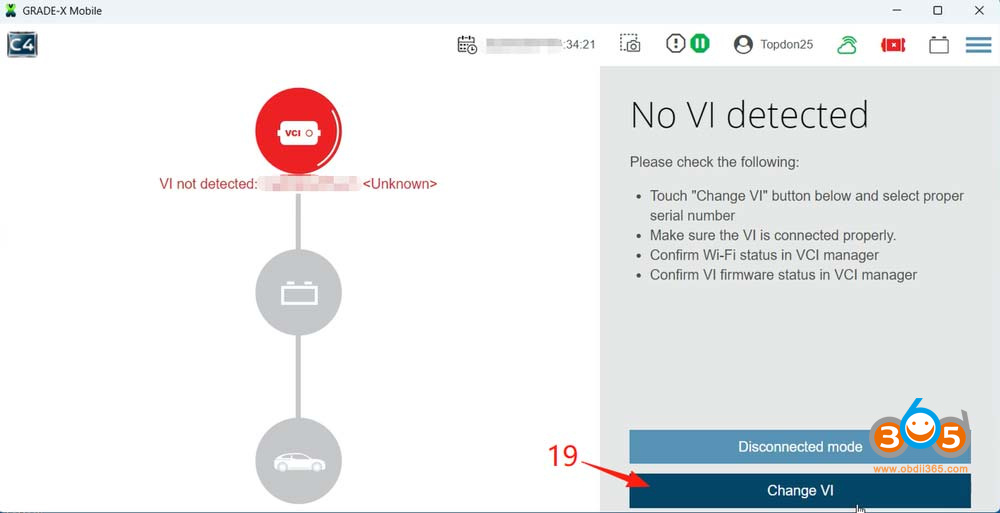
11. After logging in, click Change Vl.
topdon rlink j2534 nissan c4 r2r  8
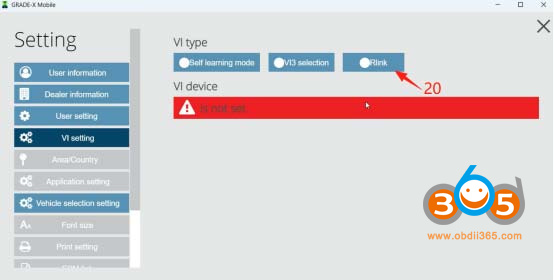
12. Click Rlink.
topdon rlink j2534 nissan c4 r2r  9
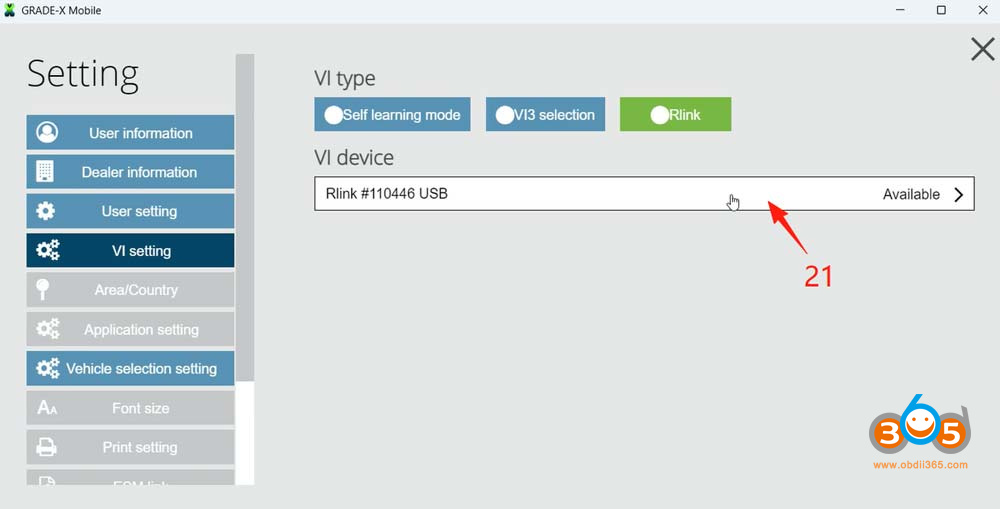
13. After the software detects the RLink, click RLink USB.
topdon rlink j2534 nissan c4 r2r  11
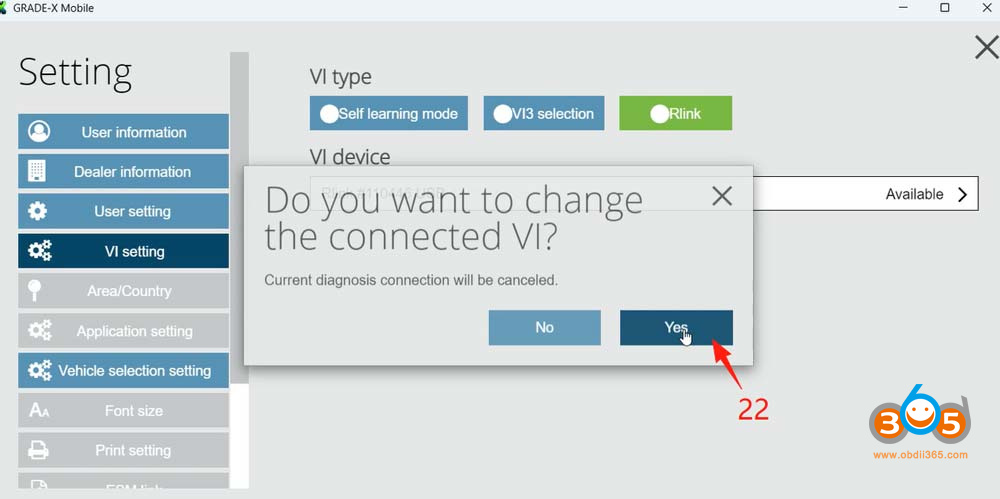
14. Click Yes in the pop-up window.
topdon rlink j2534 nissan c4 r2r  12
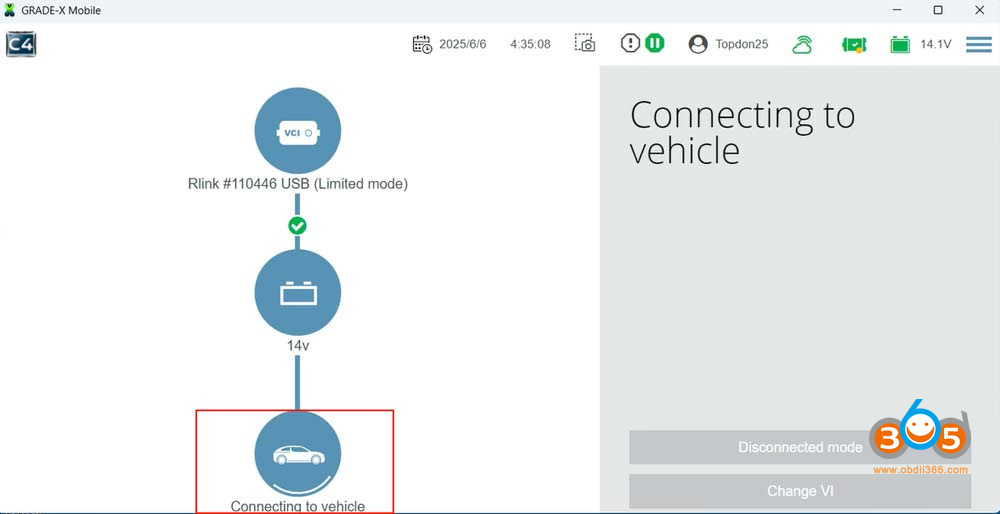
15. Wait until the connection is completed.
16. If the connection is established, scroll down the page and click Save.
topdon rlink j2534 nissan c4 r2r  13

topdon rlink j2534 nissan c4 r2r  14
17. After completing the above steps, the software will automatically detect the vehicle and perform diagnostics.

topdon rlink j2534 nissan c4 r2r  15


Keydiy KD-X6 Read VAG MQB49 5C 5D Key using Godiag Clip

The Godiag VAG MQB49 5C 5D clip adapter set was also tested working with the new Keydiy KD-X6 key programmer.

Keydiy KD-X6 Read VAG MQB49 5C 5D Key 1

Here we will show how to read VAG 5C key data using the godiag clip.

Connect the Godiag converter to the KD-X6’s connector.

Keydiy KD-X6 Read VAG MQB49 5C 5D Key 2
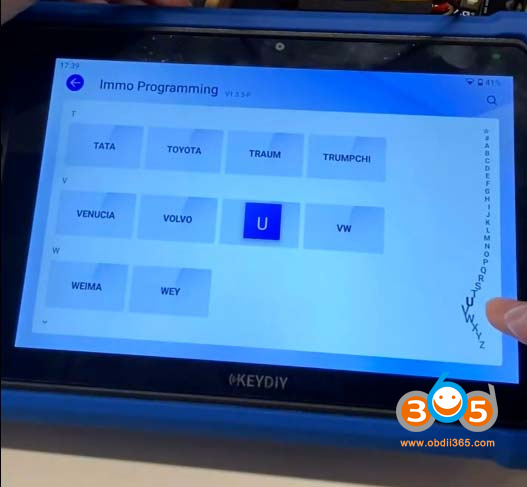
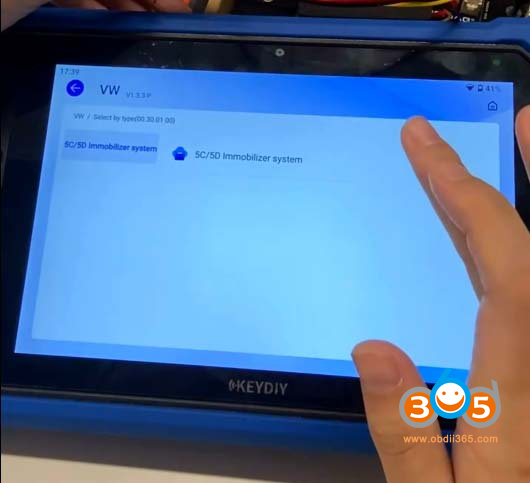
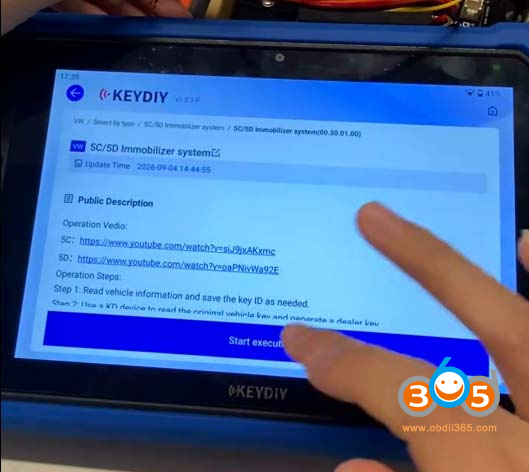
Go to IMMO programming-VW- 5C/5D Immobilizer system-Start execution.

Keydiy KD-X6 Read VAG MQB49 5C 5D Key 3

Keydiy KD-X6 Read VAG MQB49 5C 5D Key 4

Keydiy KD-X6 Read VAG MQB49 5C 5D Key 5

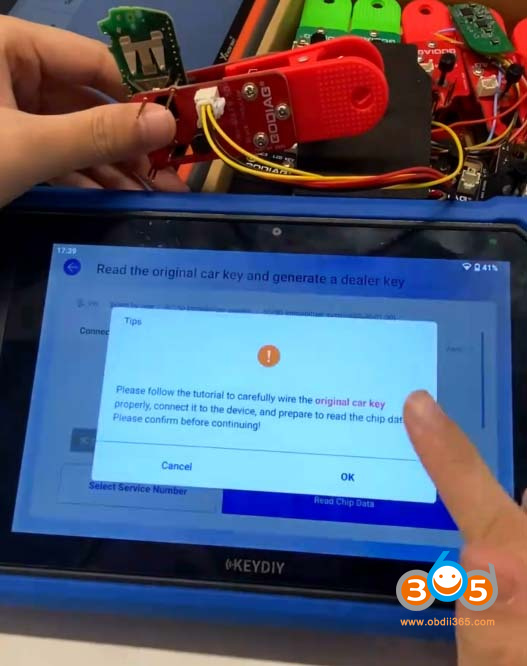
Select Read the original car key and generate a dealer key function.
Select Disassembling key to generate a dealer via service account.

Keydiy KD-X6 Read VAG MQB49 5C 5D Key 6

Keydiy KD-X6 Read VAG MQB49 5C 5D Key 7

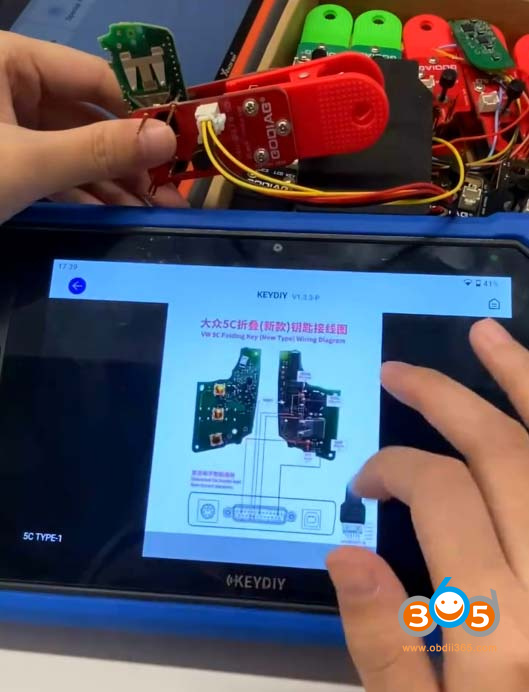
KD-X6 will show you key wiring diagram.

Connect the corresponding 5C clip adapter with the original key circuit board.

Keydiy KD-X6 Read VAG MQB49 5C 5D Key 8

Keydiy KD-X6 Read VAG MQB49 5C 5D Key 9

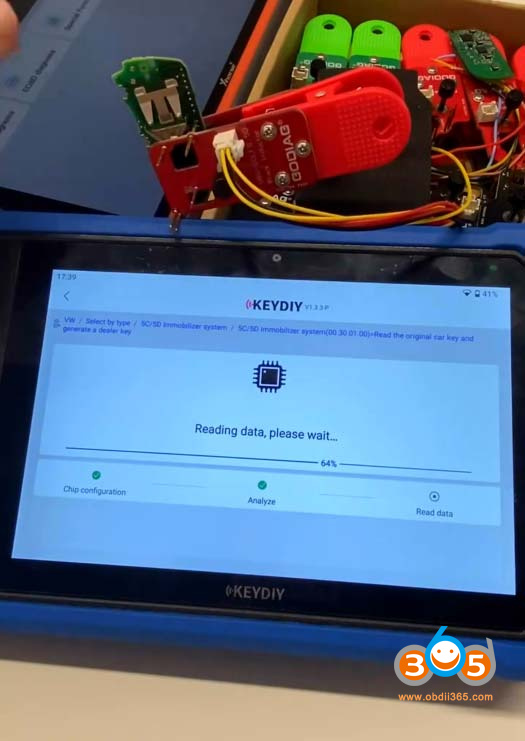
Reading original 5C key data.

Keydiy KD-X6 Read VAG MQB49 5C 5D Key 10

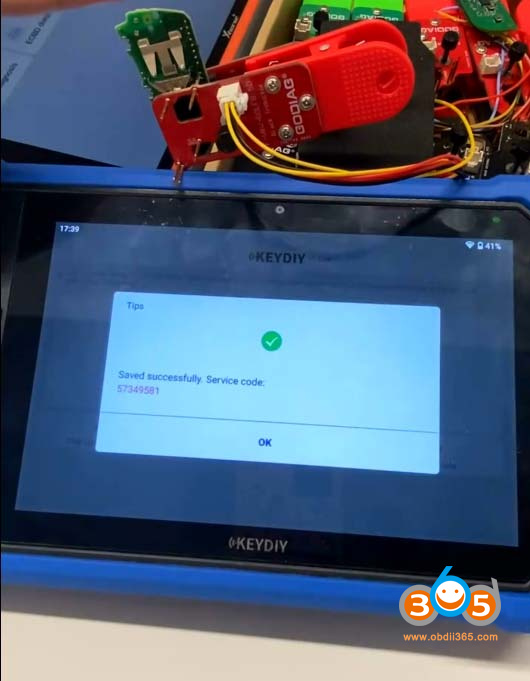
Read key data successfully and save the service code.

Keydiy KD-X6 Read VAG MQB49 5C 5D Key 11

Now you can generate dealer key and learn key with the service code.

If the vehicle has SFD gateway, unlock SFD before key learning.