
Keydiy KD-X4 key programmer released new VAG immo software- supports reading VAG MQB48/ MQB49 5C/5D immo data from programmed KD keys.
1). Read MQB48 Immo Data from Programmed KD Keys
If you don’t have the original car key and only have programmed KD MQB48 keys, you can obtain the immobilizer file without reading the original key or disassembling the dashboard.
Once you have the immobilizer file, you can proceed with key generation and key learning.
Tools required:
Keydiy KD-X4 device
A mobile phone
A programmed KD MQB48 key
Procedure:
First, identify this key.

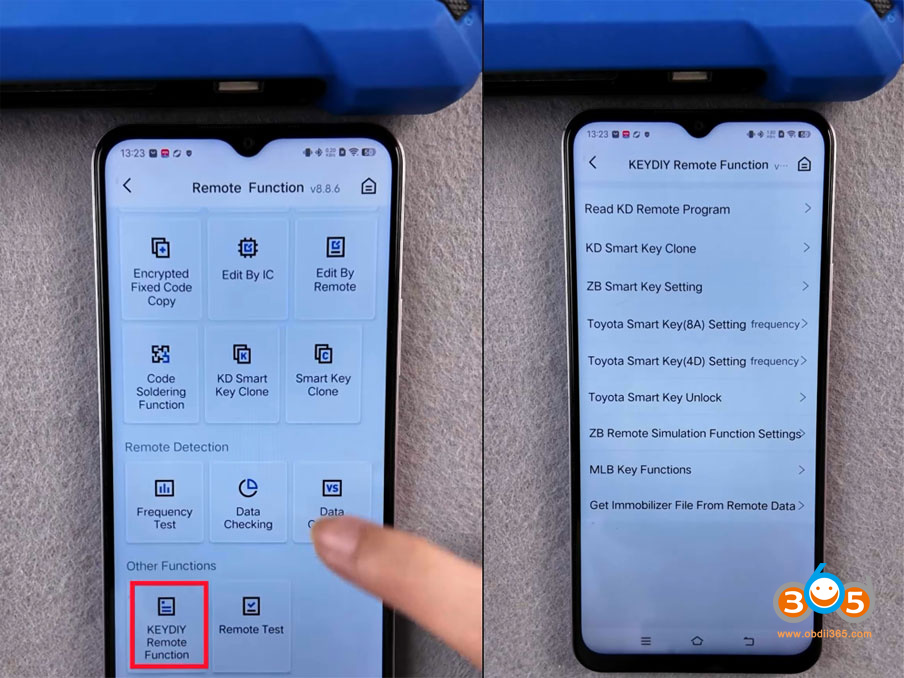
Go to Remote Function
Scroll down and select Keydiy Remote Function.
Select Get Immobilizer File from Remote Data.

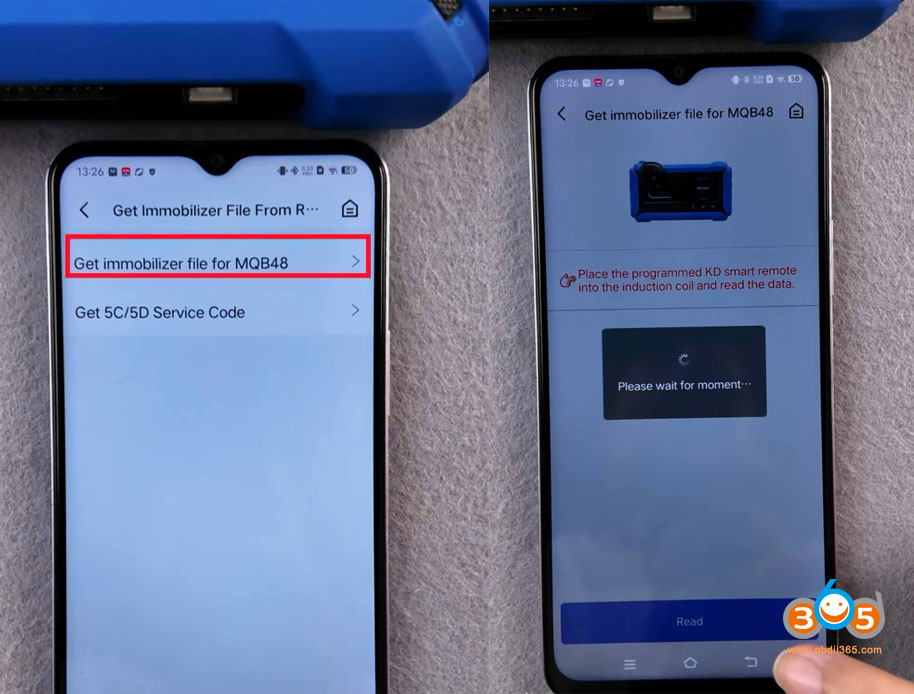
Select Get Immobilizer file for MQB48.
Keep the KD MQB48 key inserted to the KD-X4′ induction coil.
Hit Read.

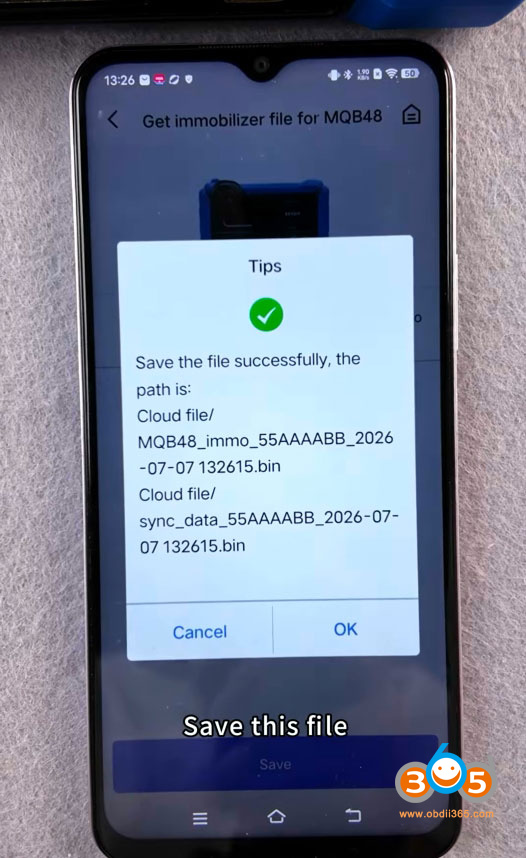
KD reads MQB48 file successfully.
Save the file.
Then you can proceed key generation with the immo file.

2). Read MQB49 5C/5D Immo Data from Programmed KD Keys
If you don’t have the original car key and only have programmed KD ZB/FGB keys, you can retrieve the service code without reading the original key.
Once the service code is read out, we can proceed to add new keys.
You will need a 5D key, a mobile phone and a KD-X4 device
First identify this key.

Go to Remote Function.
Scroll down and select Keydiy Remote Function.
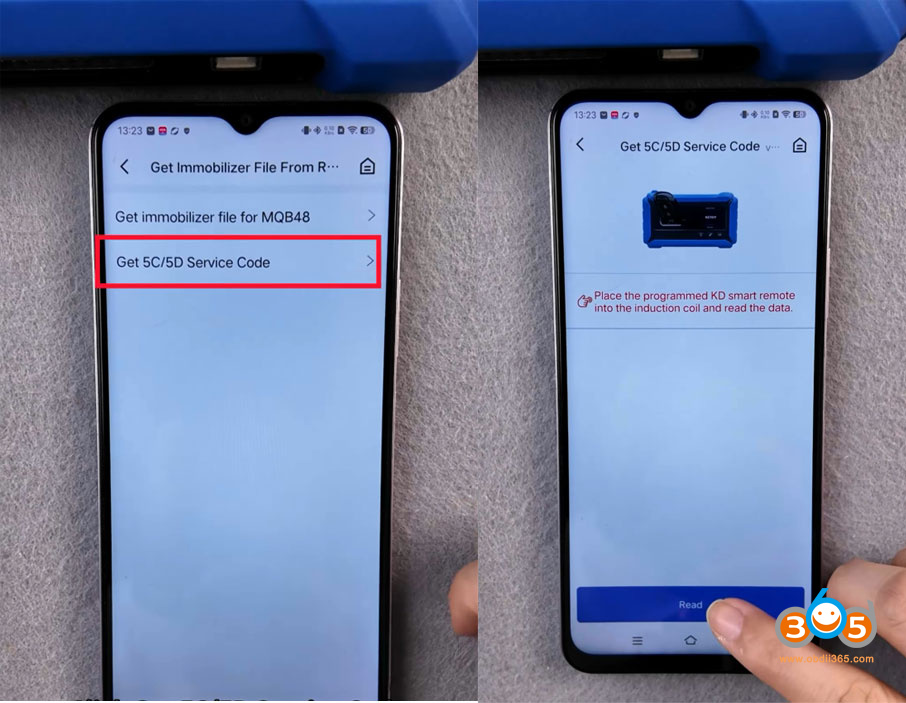
Get the Immobilizer File from Remote data.
Get 5C/5D Service Code.

Place the KD smart key into the induction coil and read data.
Read service code successfully.

With the service code, you can generate dealer key and learn key.

No comments:
Post a Comment